
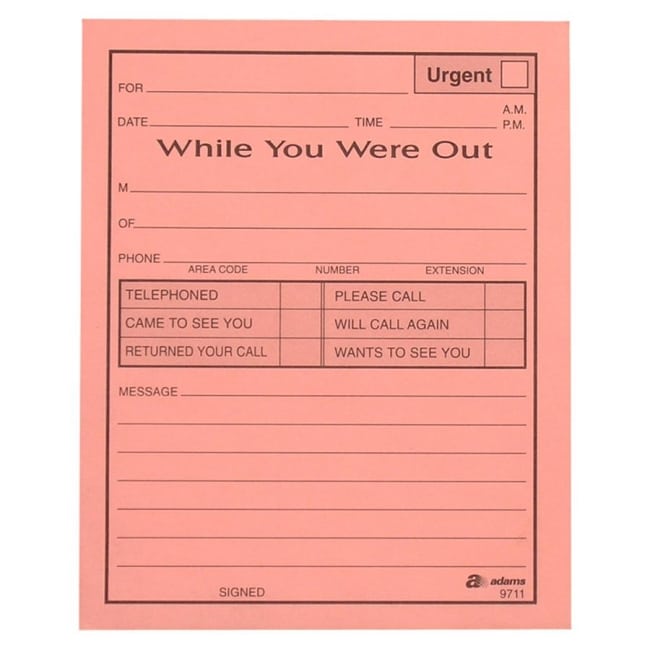
A while-you-were-out template records a contact made while the intended recipient was unavailable. It can capture a caller’s request, a visitor’s message or the fact that a delivery arrived. The recipient should be able to see what happened during the absence and what, if anything, still needs a response.
The five previews below include two local ZIP links, one external SVG link and two image-only examples. Inspect a selected archive’s contents before assuming it provides a Word file. An SVG is a graphics resource rather than evidence that an interactive message form is included. The original previews and resource links follow the guide.
This page focuses on absence handover across several kinds of contact. For more detailed telephone intake and callback examples, see the phone message template guide. Use the absence slip to preserve the event and requested action, while the office’s actual routing process determines who receives it and how follow-up is tracked.
What Is a While You Were Out Message?
A While You Were Out message is a short record left for someone who was unavailable when another person attempted to contact them.
For example, a receptionist might receive a call from a customer while the sales manager is in a meeting. Rather than relying on memory, the receptionist can complete a message form containing the customer’s name, company, phone number, date, time, and reason for calling.
When the manager returns, they can quickly review the message and decide whether to call back, send an email, forward the request to another employee, or take another appropriate action.
This simple process can be particularly valuable in busy offices where employees receive numerous calls throughout the day.
What Information Should a While You Were Out Form Include?
A useful While You Were Out form should capture the information needed to understand and respond to the communication.
Common fields include:
- Date
- Time
- Caller’s name
- Company or organization
- Telephone number
- Email address
- Person the message is for
- Reason for calling
- Message details
- Urgency or priority
- Requested callback
- Caller availability
- Employee or receptionist initials
- Additional notes
Not every form needs all of these fields. A simple office may only need the caller’s name, phone number, date, time, and message. A larger organization may benefit from additional fields for departments, priorities, and follow-up.
Free While You Were Out Templates
These free While You Were Out templates provide a convenient starting point for creating an organized message-taking system.
Instead of designing a message slip from scratch, you can select a format that suits your needs, customize it if necessary, and print copies for everyday use.
The templates can be particularly useful for:
- Reception desks
- Small businesses
- Corporate offices
- Medical and professional offices
- Customer-service departments
- Schools
- Property-management offices
- Sales departments
- Administrative assistants
- Executive assistants
- Home offices
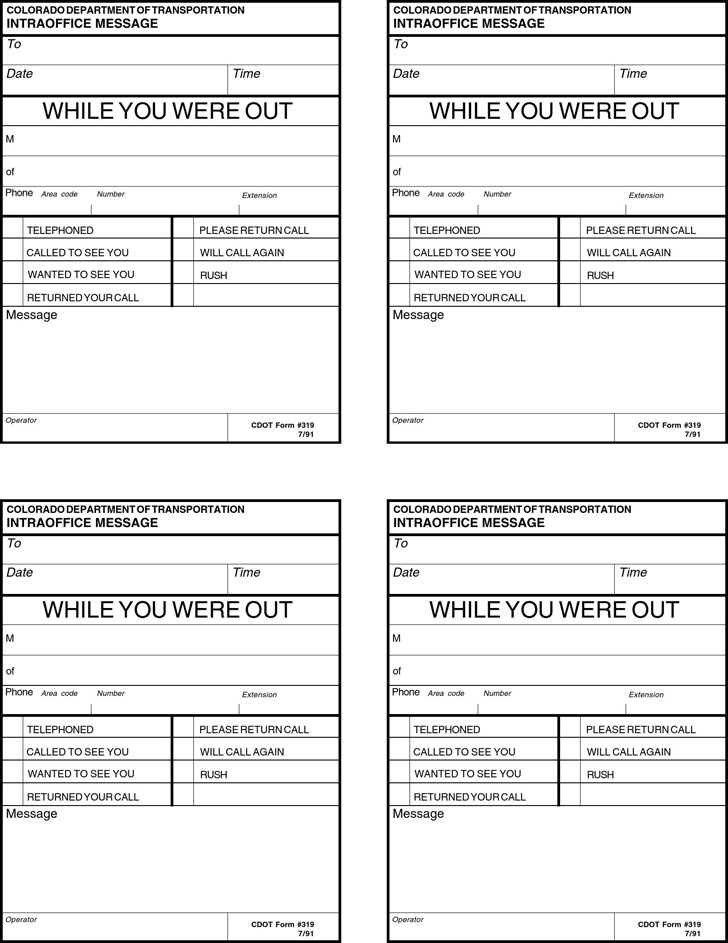
Phone Message Template
A phone message template is one of the most common uses of a While You Were Out form. It provides a structured place to record information from a caller.
A good phone message form should make it possible to identify the caller and determine what they want without requiring the recipient to listen to a long explanation from another employee.
For a fictional example:
Caller: John Smith
Company: ABC Supplies
Date: September 1
Time: 10:30 AM
Phone: confirmed callback details on the internal form
Message: Please call regarding the pending delivery.
Action: Return call
This simple structure can save time and reduce communication errors.
Telephone Message Form for Offices
A telephone message form is especially useful when one employee answers calls on behalf of another person.
Receptionists and administrative assistants often need to take messages for managers who are in meetings, traveling, working with customers, or otherwise unavailable.
A standardized form makes the process consistent. Every caller receives the same basic treatment, and the recipient gets the information needed to respond.
This is particularly helpful when multiple employees share responsibility for answering phones.
While You Were Out Form for Receptionists
Receptionists are among the most common users of While You Were Out message forms.
A receptionist may receive calls from customers, suppliers, contractors, delivery companies, business partners, applicants, or other organizations throughout the day.
Rather than interrupting employees every time someone calls, the receptionist can record the message and provide it to the appropriate person later.
A form can also make it easier to prioritize urgent calls and ensure that important callback numbers are not lost.
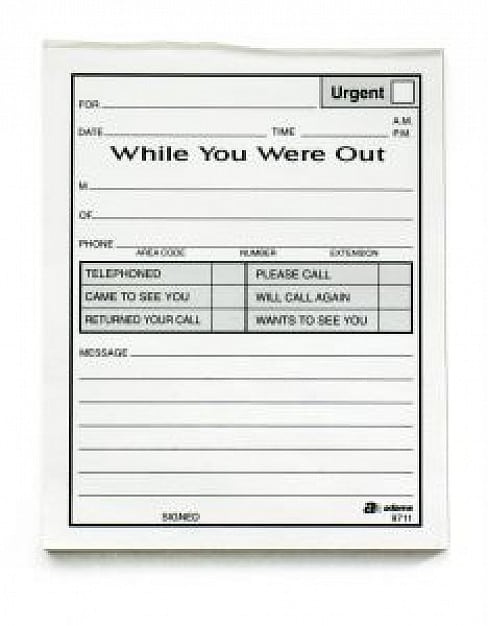
Printable While You Were Out Template
A printable While You Were Out template is useful for offices that prefer paper-based communication.
You can print a stack of blank forms and keep them near the reception desk, telephone, printer, or employee workstation. When someone receives a call, they simply complete the form and deliver it through the office’s agreed handover route, keeping private information out of public view.
This approach is inexpensive and does not require specialized software.
For businesses that have moved to digital workflows, the same concept can be adapted into a Word document, PDF form, email message, or digital task system.
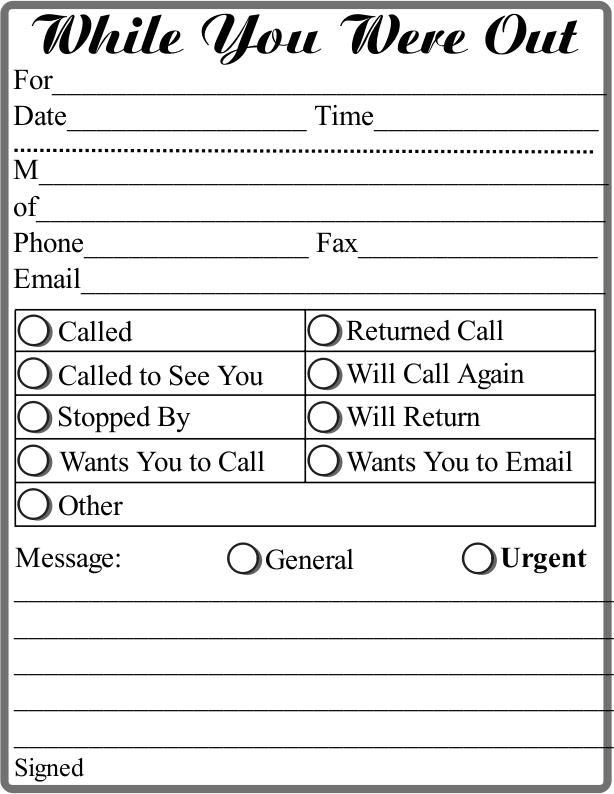
Editable While You Were Out Template
An editable While You Were Out template can be customized for your organization’s communication process.
You might add:
- Company name
- Logo
- Department name
- Receptionist information
- Employee name
- Priority options
- Callback instructions
- Email field
- Internal extension
- Customer reference number
Customizing the form can make it more useful for your specific workplace.
For example, a property-management company might add fields for the property address and tenant name, while a sales department could include customer-account information and sales representative details.
Beyond Phone Calls
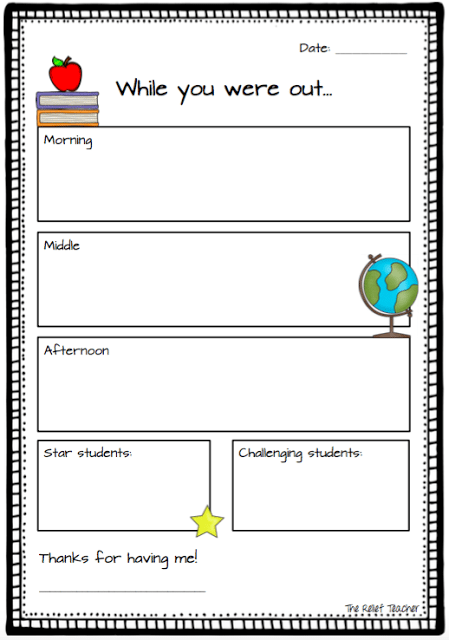
Although the name While You Were Out is commonly associated with telephone messages, the underlying concept can be used for other types of communication.
An absence message can also identify a fax, visitor request or delivery that arrived while the recipient was unavailable.
For example, an employee could leave a message stating that a delivery company arrived while the manager was away. A receptionist could record that a visitor stopped by and requested a callback. An administrative assistant could document that an important document was delivered to the office.
The form therefore functions as a general absence message form, not merely a telephone slip.
Why Use a While You Were Out Form?
A simple message form can improve communication in several ways.
It can help you:
- Record calls consistently
- Prevent forgotten messages
- Capture callback numbers
- Identify urgent requests
- Reduce interruptions
- Improve receptionist workflow
- Keep communication records organized
- Make employee follow-up easier
- Reduce misunderstandings
- Create a professional office process
For small businesses, these benefits can be achieved without purchasing expensive communication-management software.
How to Create an Effective Message Form
Start with the information your employees need when returning a call. At minimum, this will usually include the caller’s name, telephone number, date, time, and message.
Add a checkbox or field indicating whether the caller requested a callback. You can also include priority options such as Urgent, Important, or Routine if your workplace receives many messages.
Keep the layout simple. A message form should be quick to complete while the employee is talking to the caller.
If you use the form digitally, make sure the file is easy to save, retrieve, and share with the intended employee.
If you use printed copies, place them somewhere employees can easily access them.
Note: These templates are general communication documents and can be customized according to your office procedures and business requirements.
A visitor and delivery handover example
A fictional absence message might read For Avery; 14 May, 11:15 a.m.; Casey from Example Display Services visited; requested confirmation of tomorrow’s setup time; contact details recorded and checked on the internal form; message taken by Morgan. This record preserves the request without claiming that the setup time was approved.
A delivery message needs a different description. It might record that a courier left two labeled cartons with the reception team, where the cartons were placed under the site’s process and whether the recipient needs to collect them. Do not mark goods inspected or accepted merely because someone left a message that cartons arrived.
A sign-in sheet can record a visitor’s arrival under an appropriate process, but it does not replace the absence message about why the visitor came. Keep their purposes and references clear. Avoid copying unnecessary visitor details into every handover document.
Close the loop when the recipient returns
Deliver the message through the agreed channel and identify the next owner. Recipient unavailable, message delivered and response completed are different statuses. A form placed on a desk should not automatically be treated as confirmation that the intended person has read it.
For an outstanding action, a task list can record responsibility and the agreed due date. Connect the task to the original message rather than rewriting the request from memory. If the recipient corrects a detail, keep the correction understandable and preserve the factual account of what was originally reported.
Collect only information needed for the handover. An absence slip is not an appropriate place for passwords, full payment-card details or unnecessary private background. Keep paper messages away from public view and share digital copies through the office’s approved route. Apply the relevant retention arrangements when the follow-up is complete.
Download While You Were Out Templates Free


Only Images:
While-you-were-out template FAQs
What resource formats are linked here?
The collection has five previews, with two ZIP links, one SVG link and two image-only examples. Inspect the archives for their actual contents. The SVG destination is a graphics format and does not establish that a fillable document is provided.
Can the slip record something other than a call?
Yes. It can record a visitor’s message or a delivery during the recipient’s absence. Describe the event and requested action clearly. A visitor arrival or carton delivery does not itself establish approval of a request or acceptance of goods.
How is this different from a phone message form?
This guide focuses on handing over contact events during someone’s absence, including visits and deliveries. A phone message form can capture detailed telephone intake and callback instructions. Choose the fields that serve the event and response needed.
Does leaving the slip mean follow-up is complete?
No. Message delivery, ownership and response are separate stages. Record the actual status and identify any outstanding action through the office’s process. A task reference can help track follow-up without changing the original message.
What should I avoid writing on the slip?
Avoid unnecessary private details, passwords or full payment-card information. Record enough to identify the event and response, and use the appropriate process for sensitive matters. Keep completed messages out of public view.

