
Service order templates help confirm the service a customer wants, its inclusions and exclusions, pricing units and delivery arrangements. Record changes against the original order so staff can distinguish a new request from an approved amendment. Choose a layout that suits the service rather than filling unrelated fields.
Prepare initial prices with a quotation template, define larger project deliverables in a statement of work and assign follow-up through a task list. Connect those records to the accepted order so the team can trace what was offered, agreed and assigned.
This page now includes two original downloads: Service Package Order and Service Order Change Request. Choose the Service Package Order to document inclusions, exclusions, units, dates, and price basis. Choose the Service Order Change Request when scope, pricing, or timing may change after the initial request.
The new files appear first with previews and clearly labeled download buttons. The original gallery and its resource examples follow the practical guide; descriptions of the older collection refer to that original gallery. The new PDFs have fillable fields; save a local copy, open it in a compatible PDF viewer, and review the saved result before printing or sharing.
This guide focuses on customer requirements and order confirmation. A work order can turn confirmed requirements into staff assignments, while a purchase order may identify the buyer’s purchasing reference. Keep their numbers connected so the same request can be followed through fulfillment without confusing an inquiry, an accepted order, and completed work.
Two new templates to download
Choose the Service Package Order to document inclusions, exclusions, units, dates, and price basis. Choose the Service Order Change Request when scope, pricing, or timing may change after the initial request.
Service Package Order
Record a customer’s chosen service package and its agreed limits.
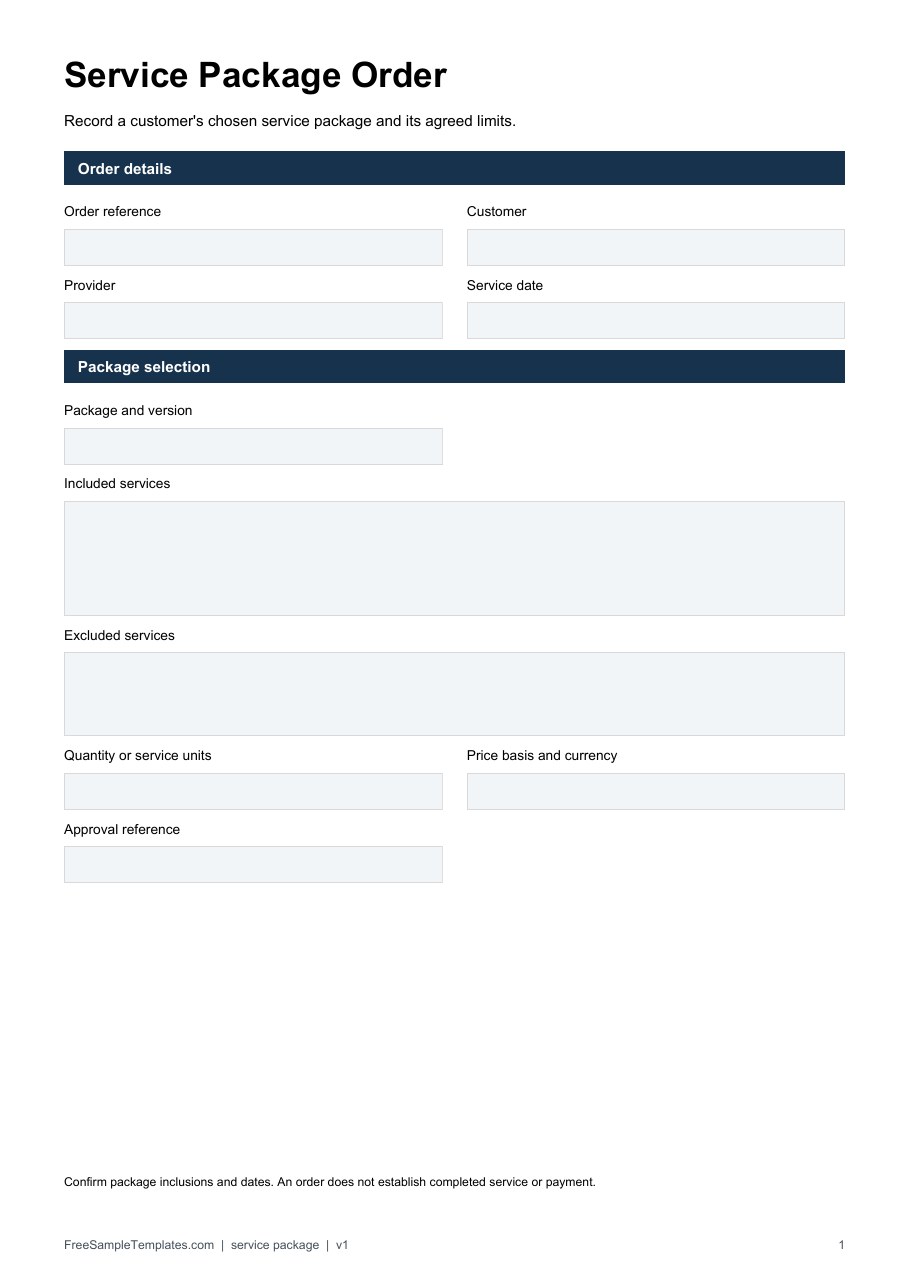
Download Service Package Order (PDF)
Service Order Change Request
Record changes to an existing order before revised work is approved.
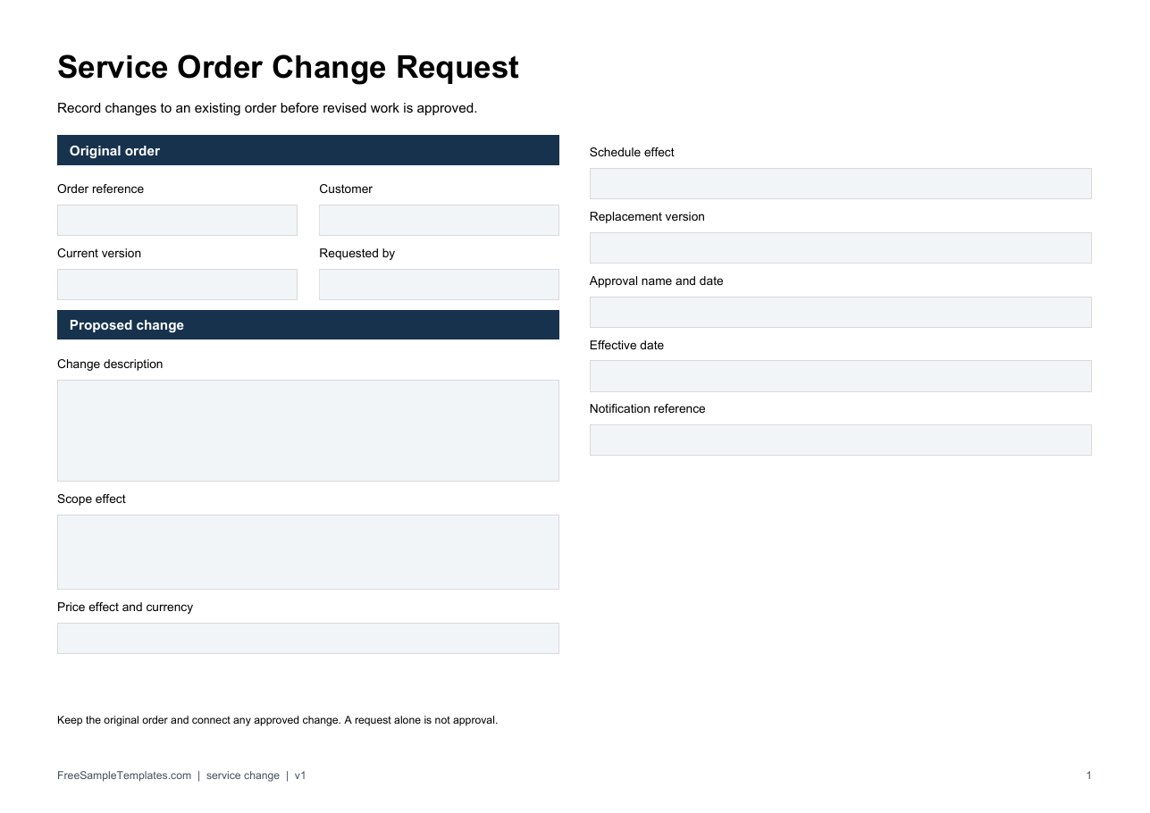
Download Service Order Change Request (PDF)
How to use the new downloads
Name the selected package and its version before listing inclusions. Explain the unit behind each quantity so a visit, month, participant, or hour is not left ambiguous. For a change, cite the original order, describe the proposed effects, and complete the approval and effective-date fields only when those events occur.
A fictional package for three visits should distinguish the price per visit from the package price and identify excluded work. If a fourth visit is requested, connect it to the existing order and review the cost and schedule effects. The change worksheet records a request and its later approval; it does not silently replace the original agreement or prove service delivery.
What Is a Service Order?
A service order is a document used to request, authorize, or organize a service that a company is expected to provide. It creates a written record of the customer’s requirements and gives the service provider information needed to process the request.
For example, an internet provider might use a service order to record a customer’s selected package and installation requirements. A company supplying business services may use one to document requested products or services and quantities. A professional service provider can use a service order to describe the requested work and associated charges.
A service order form is particularly useful when the same type of service is requested frequently because it provides a standardized way to collect the necessary information.
What Should a Service Order Form Include?
The contents of a service order depend on the nature of the business, but a well-designed form may include:
- Service order number
- Order date
- Customer or company name
- Contact person’s name
- Address
- Phone number
- Email address
- Service description
- Requested service date
- Delivery information
- Quantity or service units
- Unit price
- Service charges
- Taxes
- Additional fees
- Payment terms
- Special instructions
- Customer authorization
- Signature
- Terms and conditions
A simple service order does not necessarily need every field. The best form is one that collects the information your business actually needs to process the request.
Free Service Order Templates
These free service order templates provide useful starting points for creating professional service documentation. You can select an example that resembles your business process and customize the wording, fields, company information, and pricing sections.
Using a template can be especially helpful for small businesses and independent service providers that need professional documentation without spending hours designing forms.
Service Order Example
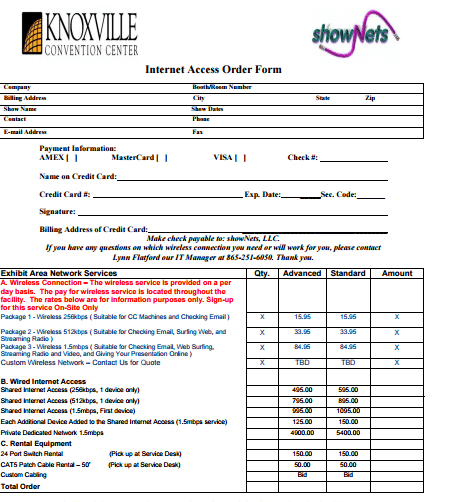
The first example is an Internet Access Order Form associated with a convention-center service. It includes company and contact information, payment information, service packages, pricing options, quantities, and a total order section.
Although it is designed for internet-access services, the structure demonstrates how a detailed service order example can combine customer information with selectable service options and pricing.
You can use the general concept for businesses offering packages, subscriptions, installations, maintenance plans, or other services with multiple pricing options.
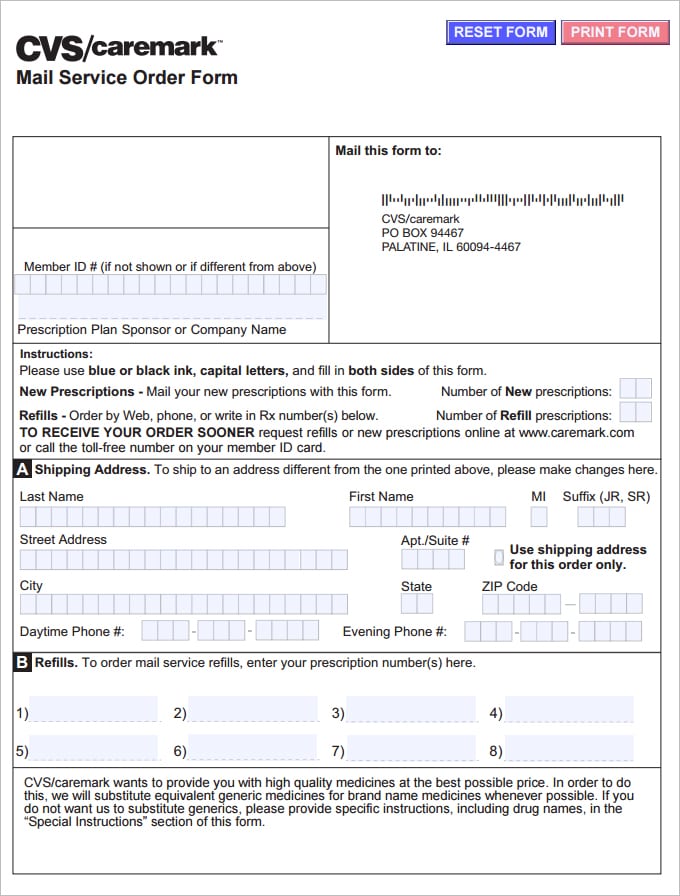
Service Order Form Example
The second example is a Mail Service Order Form. It demonstrates a more specialized order form in which the customer provides identification and contact information, shipping details, prescription/refill information, and instructions.
This illustrates an important principle of service-order design: the form should be customized around the information required to deliver the particular service.
A business can use this type of structure as inspiration for creating a service request form or customer order form tailored to its own industry.
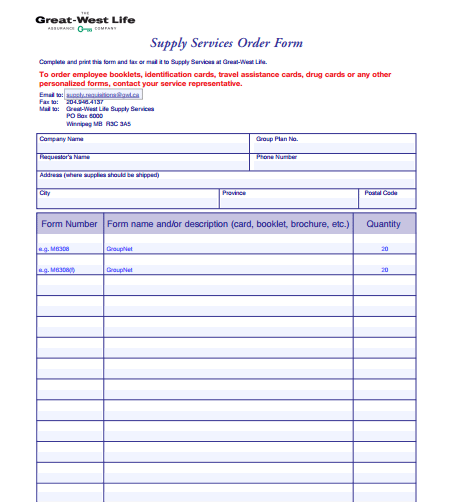
Supply Service Order Form
The third example is a Supply Services Order Form. It provides fields for company information, group number, requester’s name and phone number, shipping address, and a table for form numbers, descriptions, and quantities.
This type of supply service order form can be particularly useful for organizations that request multiple service-related materials or products at the same time.
A similar structure could be adapted for office supplies, promotional materials, service packages, equipment requests, or other business requirements.
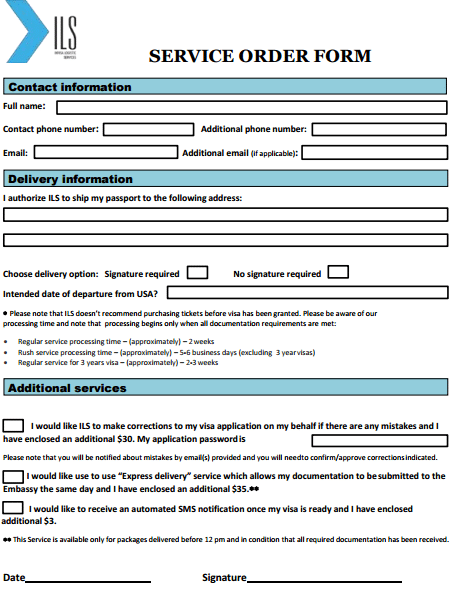
Service Order Template for Word
The page also provides Word-oriented service order examples. One of them is a Service Order Form with contact information, delivery information, delivery options, intended departure date, additional services, date, and signature fields.
A service order template in Word is convenient because Word makes it easy to customize the document for a particular company. You can add your logo, company address, phone number, email address, service descriptions, instructions, and signature fields.
Word is particularly useful when the document requires more text and instructions than complex calculations.
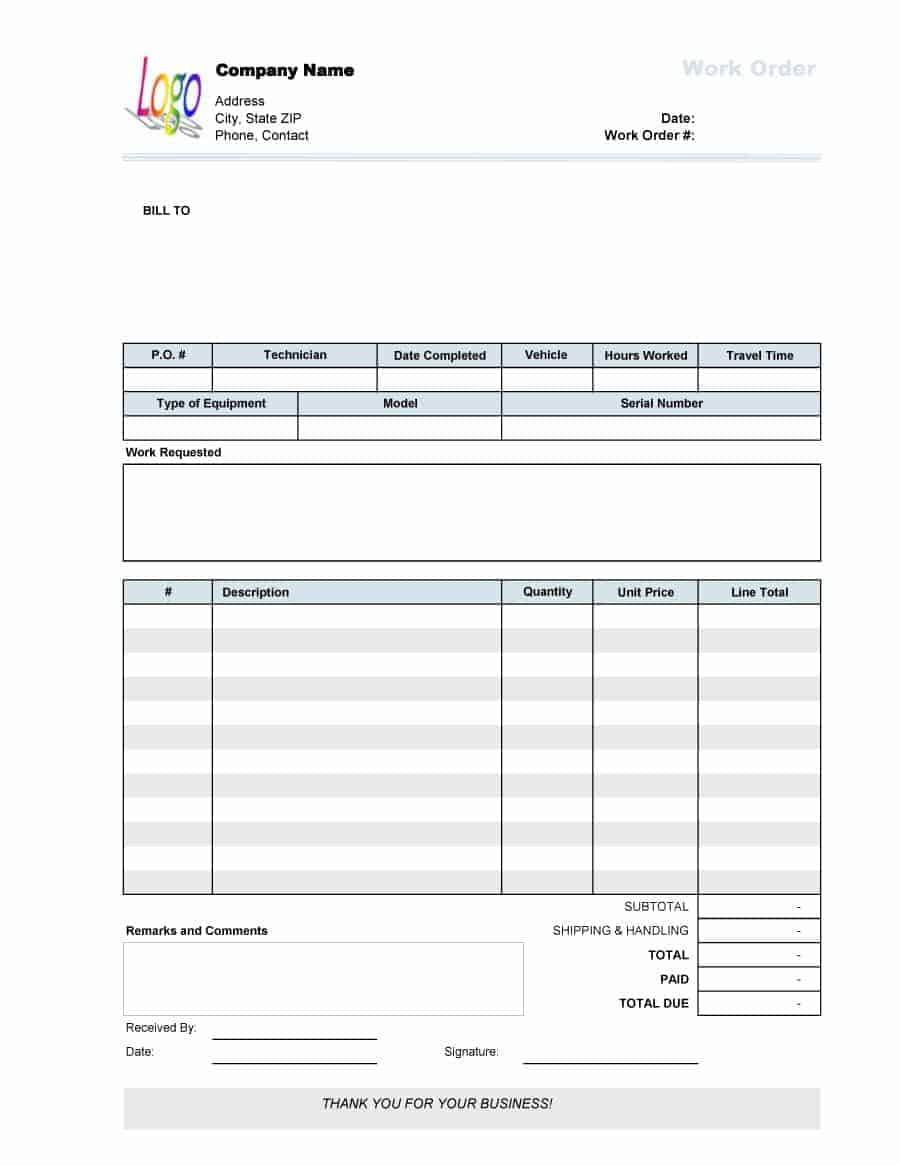
Simple Service Order Form
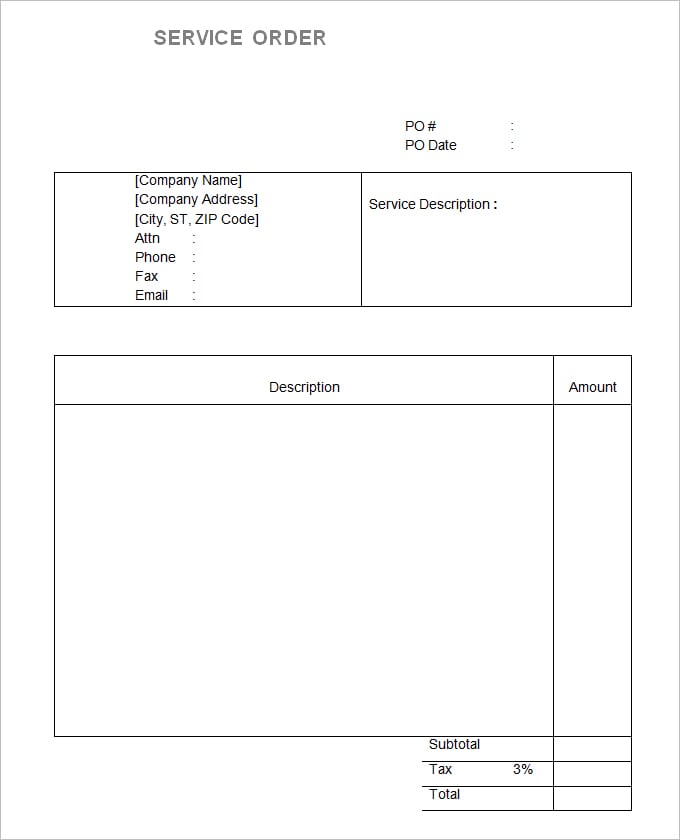
Another template is a straightforward Service Order with a purchase-order number, purchase-order date, company information, service description, description-and-amount table, subtotal, tax, and total fields.
This is a useful example of a simple service-order format because it separates the description of the requested service from the financial summary.
A similar structure can be adapted for consultants, maintenance providers, contractors, repair businesses, designers, and agencies that charge customers for defined services. Review the actual file format and fields before adopting it.
Service Order vs. Work Order
A service order and a work order can look similar, but they are often used at different stages of a business process.
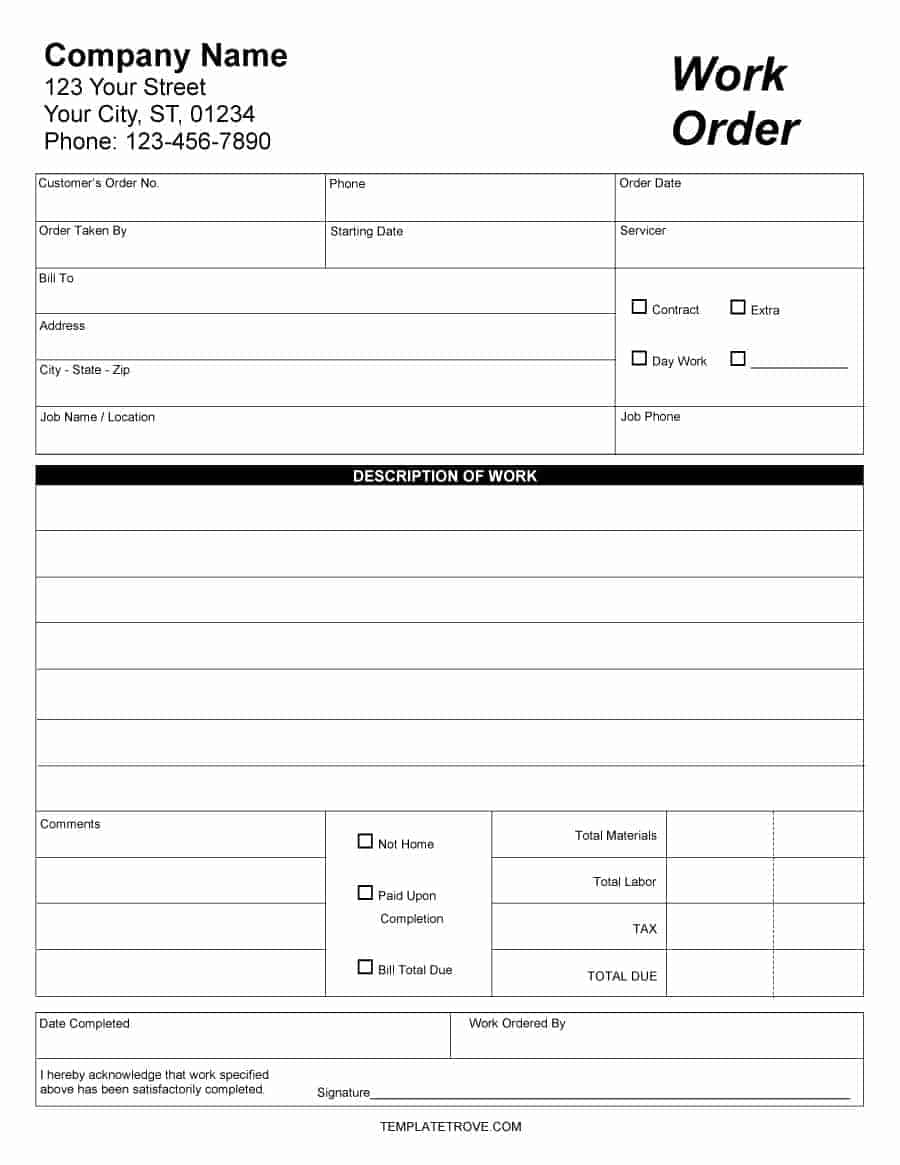
A service order may document a customer’s request to purchase or receive a service. A work order can then be used internally to assign and track the actual work required to fulfill that request.
For example, a customer may submit a service order for equipment maintenance. The business could then create a work order for the technician who will perform the maintenance.
The terminology varies between industries, so businesses should use the terms that best match their existing workflow.
Service Order vs. Purchase Order
A purchase order is generally created by a buyer to request goods or services from a supplier under specified purchasing terms. A service order can be more focused on the details of the service being requested or delivered.
There can be overlap between the two documents. A company might use a purchase order to authorize expenditure and a separate service order to communicate the actual service requirements.
Using clear document names and consistent numbering can help employees distinguish between these records.
Benefits of Using a Service Order Template
A standardized service order form template can make business processes more organized and consistent.
It can help you:
- Record customer requests clearly
- Standardize service information
- Reduce missing information
- Organize pricing details
- Track requested services
- Document delivery requirements
- Record customer instructions
- Obtain authorization or signatures
- Improve communication between departments
- Maintain better business records
- Create a professional customer experience
For businesses handling a large number of service requests, using a standardized form can also make it easier to train employees and maintain consistent documentation.
How to Create a Professional Service Order
Start by identifying the information your business needs before it can process a service request. Add fields for customer details, service descriptions, dates, quantities, pricing, and any other information relevant to the job.
Add your company name, logo, address, telephone number, and email address so the document clearly identifies the service provider.
If customers will complete the form themselves, keep the instructions simple and make the fields easy to understand. If employees will complete the form internally, include the information needed for scheduling, fulfillment, billing, and service tracking.
For forms that include prices, use clearly labeled columns for quantities, rates, taxes, and totals. Proofread the final version and test the form before putting it into regular use.
Editable and Printable Service Order Forms
An editable service order template allows you to customize the document for your own business. You can modify headings, add your logo, change the fields, and include industry-specific terms.
A printable service order form can be useful for businesses that receive requests in person or operate in locations where paper forms are still convenient.
You can also save an editable document as a PDF for electronic distribution, provided the resulting workflow works well for your customers and staff.
The most important goal is to make the form easy to complete and sufficiently detailed to prevent misunderstandings about the requested service.
Note: These templates are general document examples. Customize them according to your business process, contractual requirements, payment procedures, and applicable laws or regulations.
Example: confirming an event internet service request
Consider a fictional exhibitor ordering connectivity for a two-day event. The customer supplies the event name, booth location, on-site contact, requested connection type, required activation time, and the provider’s package identifier. The provider checks that the selected option is available and that the location is described precisely enough for delivery. A package name alone may leave staff uncertain about where the service is needed.
Record the order status as received while those checks are pending. When the provider confirms availability and the customer approves the stated terms through the agreed process, record the confirmation reference and date. Requested activation on Friday morning remains a requirement; it is not proof that activation occurred. Add a separate fulfillment entry when the actual service is delivered.
For a pricing illustration, two service units at 120 each give a subtotal of 240. If an expressly approved setup charge of 30 applies, the subtotal becomes 270 before any applicable taxes. These are invented figures, not prices for the historical templates. Name the unit being charged: a connection, a day, an installation visit, and a support hour are different units. Do not multiply by event days if the selected package already covers the full event.
Record exclusions that matter to the request, such as whether equipment rental or on-site support is included, using the provider’s actual current terms. If the customer changes the booth location or package, create an amendment with a date and approval reference. Keep the earlier confirmed version so staff can see which change superseded it. A revised price needs a visible decision rather than an unexplained replacement total.
Once delivery is documented, reference the accepted order when preparing a service invoice. An order price may still be an estimate or a package selection, so the billing team should confirm the approved basis and actual billable items. Avoid treating a customer’s requested service as proof that every listed charge has become payable.
Make specialized forms suitable for the intended service
The historical mail-service example includes prescription-related fields. It is not a general-purpose instruction for collecting medical details, and completing a sample does not arrange a prescription or establish eligibility for a service. For an ordinary business order, replace unrelated specialist fields with the information your own service actually requires. Organizations providing regulated services need their own approved forms and processes.
Similarly, an old internet-order layout can suggest useful package and location fields without supplying today’s rates, availability, or terms. Separate sample wording from your current offer. For the supply-services layout, define whether the quantity means individual items, packs, or copies of a form. A request for ten packs is materially different from ten sheets, even when the item description is identical.
Keep required customer fields short and label optional information clearly. If staff must check a purchasing reference or clarify a delivery address, give them a separate internal review area. The customer-facing form then remains readable, while staff can record a missing-detail status, the person contacted, and the date of the response. Collect only the information needed for the order through the organization’s approved process.
Download Service Order Templates Here
Service Order Example

Service Order Form Example
Supply Service Order Form
Ms Word Service Order Images
Frequently Asked Questions
What formats are the two new downloads?
The two new files are fillable PDFs with different purposes and matching previews. Open them in a compatible PDF viewer, complete the fields and save your copy. They are not DOCX files, and numerical PDF fields do not calculate totals automatically. The original gallery has its own mixed resources and formats.
When should an order change from received to confirmed?
Use your actual acceptance process. Record who confirmed the service, the date, and the agreed requirements after availability, pricing, and necessary approvals have been checked.
Is a requested service date a delivery record?
No. Keep the requested date separate from scheduled and actual delivery dates. A customer may request a time that the provider has not yet accepted or fulfilled.
How do I describe quantities for a service package?
Name the billing unit and the period it covers. If one package covers the entire event, do not multiply it by the number of days again unless the actual pricing terms require that calculation.
What if the customer changes the order?
Record the changed requirement, its date, the revised price where relevant, and the approval reference. Preserve the earlier version and tell the fulfillment team which version is current.
Can I reuse the prescription-related mail-service example?
Treat it as a specialized historical layout. It does not authorize medical services or make its information requirements appropriate for another business. Use an approved form for the actual service and remove unrelated fields from a general order.
Does a service order replace a purchase order?
Some organizations combine records, while others use the buyer’s purchase order alongside a provider’s service order. Define the purpose of each and cross-reference their identifiers rather than assuming they are interchangeable.
What is needed before preparing the invoice?
Confirm the accepted pricing basis, approved changes, actual billable items, and the correct customer billing reference. The initial request alone does not prove that the service was delivered or that an estimate became the final charge.
