
Proxy appointment templates organize a proposed appointment and its meeting-specific limits for review under the organization’s rules.
This page now includes two original downloads: Meeting Specific Proxy Appointment and Directed Voting Proxy Worksheet. Choose the Meeting Specific Proxy Appointment to identify the member, proposed proxy holder, meeting, and submission requirements. Choose the Directed Voting Proxy Worksheet to record proposed choices against identified resolutions.
The new files appear first with previews and clearly labeled download buttons. The original gallery and its resource examples follow the practical guide; descriptions of the older collection refer to that original gallery. The new PDFs have fillable fields; save a local copy, open it in a compatible PDF viewer, and review the saved result before printing or sharing.
A proxy appointment is also different from a shareholder proxy statement. Investor.gov describes a proxy statement as a document giving shareholders meeting information and details of matters to be voted on. It is not simply another name for appointing a substitute. This guide focuses on preparing appointment information and understanding the organization’s required submission process.
Two new templates to download
Choose the Meeting Specific Proxy Appointment to identify the member, proposed proxy holder, meeting, and submission requirements. Choose the Directed Voting Proxy Worksheet to record proposed choices against identified resolutions.
Meeting Specific Proxy Appointment
Prepare a meeting-specific appointment for review against the organization’s rules.
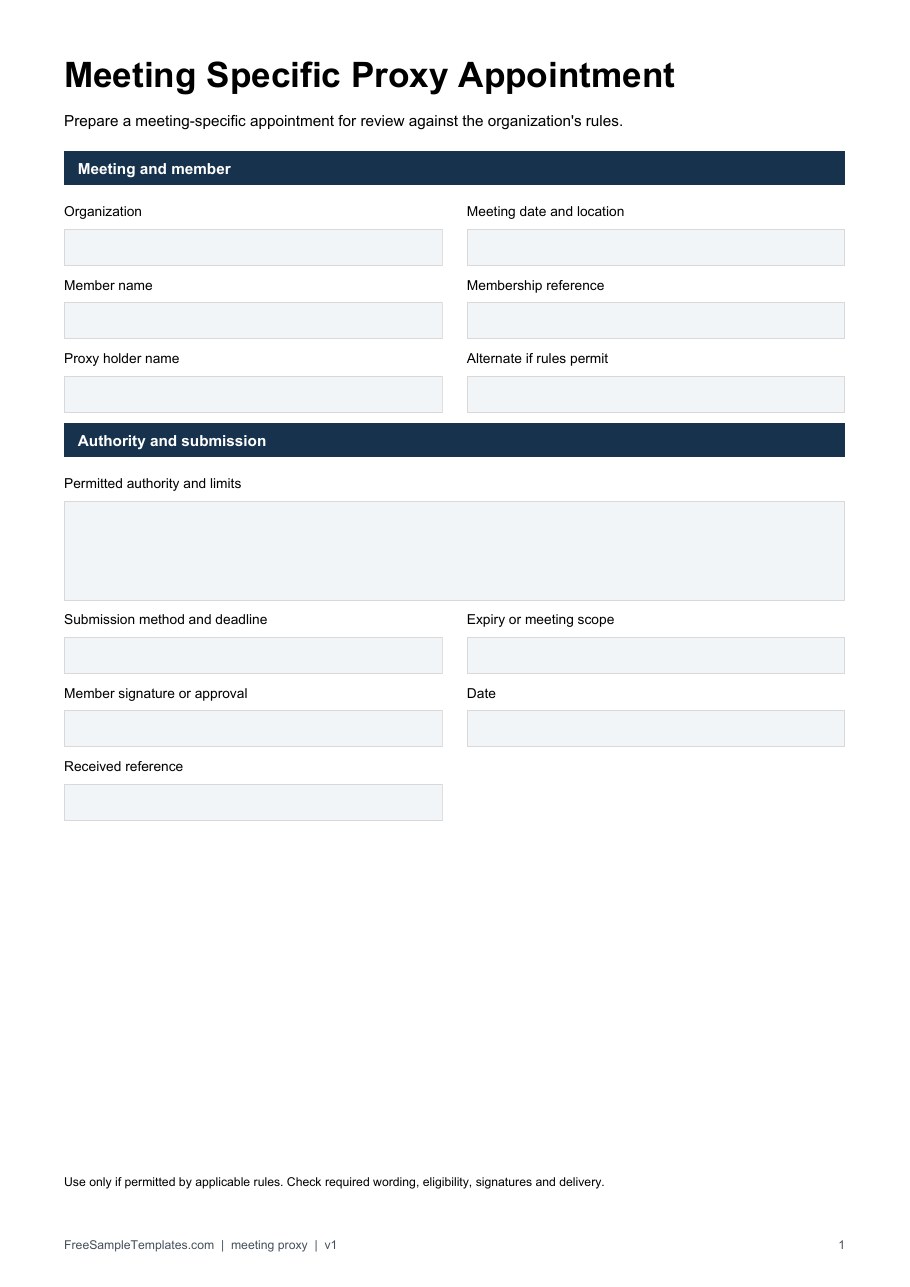
Download Meeting Specific Proxy Appointment (PDF)
Directed Voting Proxy Worksheet
Record proposed instructions by resolution without inventing voting authority.
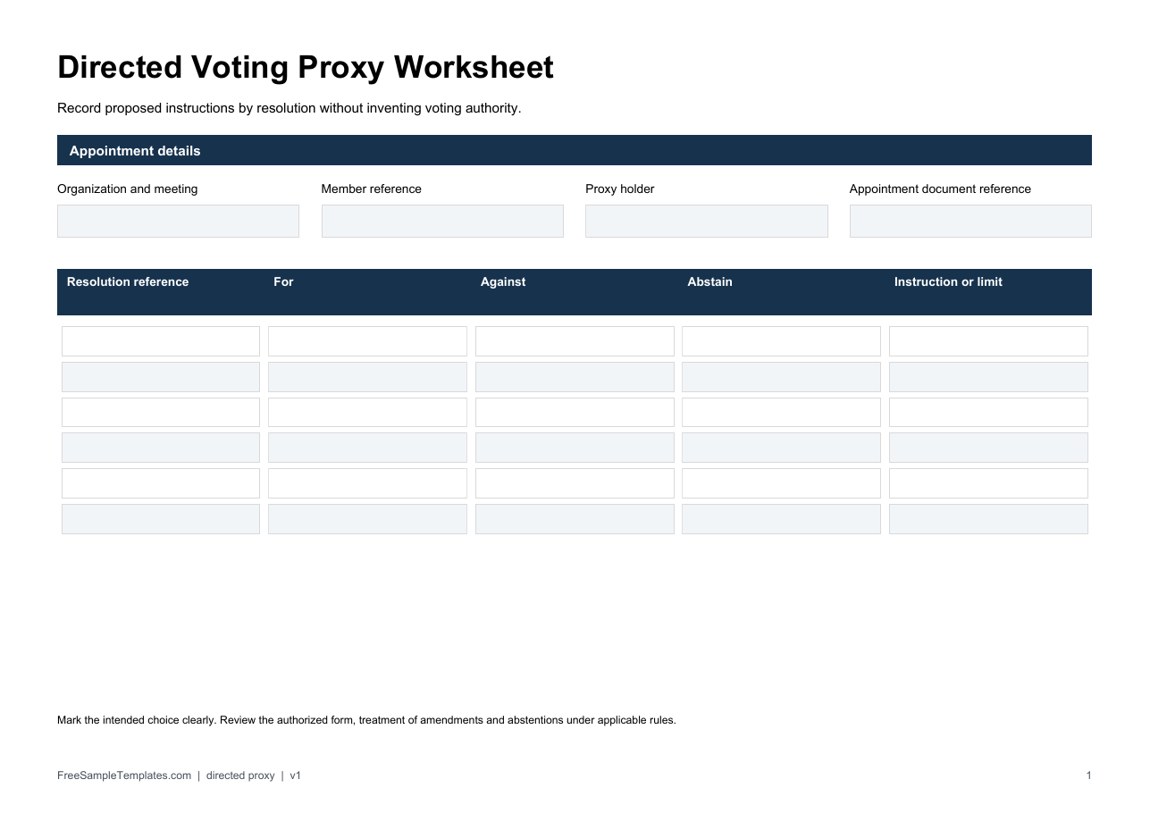
Download Directed Voting Proxy Worksheet (PDF)
How to use the new downloads
Use the appointment worksheet only where proxy participation is permitted and compare it with the organization’s supplied materials. State the meeting scope and delivery requirements instead of assuming the appointment continues indefinitely. The directed worksheet separates for, against, and abstain choices, with an additional space for an instruction or limit.
If a fictional meeting lists resolutions A and B, use those exact references so the proposed instructions can be matched to the published agenda. Check how the applicable rules handle amendments, alternate holders, revocation, and abstention. Recording an instruction on a generic worksheet does not grant voting rights or replace a required official form.
Confirm that a proxy is appropriate for the meeting
Identify the organization and meeting before drafting. A company shareholder meeting, association meeting and public election can have different procedures. A sample intended for one setting should not be reused in another on the assumption that the word proxy makes it suitable.
Obtain the organization’s meeting notice and relevant instructions. Check who may appoint a proxy, whether the organization provides a required form and how it receives appointments. Use those materials as the starting point instead of inferring rights from an attractive sample.
A meeting agenda can identify the planned matters, but it does not by itself establish who is entitled to vote or delegate participation. Read the meeting documents together. If the agenda and voting materials use different resolution references, resolve the difference with the appropriate administrator before providing instructions.
Understand the document you actually need
For U.S. shareholder voting, Investor.gov shareholder-voting guidance distinguishes a proxy card for a registered owner from a voting instruction form for a beneficial owner. It describes other voting methods that may be available through the supplied materials. That distinction means a generic appointment sheet may not be the correct route for a holding through an intermediary.
Use the voting materials and instructions actually provided for the holding or membership. Do not assume that having an account statement or an interest in an organization entitles a person to use any downloaded proxy form. The responsible organization or intermediary can identify its supported procedure.
A general appointment template can be useful as a reference for the kinds of fields to review. It should not replace an official card, required control number or authenticated submission process where one is provided. The layout organizes information; the actual process determines how it must be submitted and assessed.
Identify the appointing person and proposed proxy
The form needs to identify the person making the appointment and the person proposed to act. Use the details required by the actual procedure, and distinguish those roles clearly. The appointed person’s name should not appear in a field intended for the member or shareholder making the appointment.
Check any membership or holding reference through the appropriate records. Do not put unrelated identity information into a sample simply because there is an empty field. A fictional example should remain clearly fictional rather than using another person’s real number to make the page look complete.
For ordinary communication details, a contact information form can help organize an administrator’s public contact channel. Keep the appointment’s submission details aligned with the actual meeting instructions. A general directory entry is not evidence that an appointment should be emailed to that person.
Specify the meeting and scope
Describe the meeting the appointment concerns using the required name, date and other identifiers. Avoid vague wording such as all business meetings when the actual intention concerns one event. If the meeting is adjourned or rescheduled, check how the appointment is treated under the governing process.
Identify the rights or matters covered by the appointment only as permitted by the applicable rules. Attendance, speaking and voting may need different treatment. A title such as limited proxy does not explain the limitation; the operative wording needs to identify what is authorized.
If voting instructions are given, connect each instruction to the exact resolution or matter in the supplied materials. A number alone can become ambiguous when papers are revised. Retain enough description or reference for the administrator and appointed person to understand which instruction applies.
A fictional preparation example
Imagine an organization called Example Members Association has issued instructions allowing a member to submit its prescribed appointment form for an upcoming general meeting. Member Avery proposes to appoint Morgan for that meeting. Avery’s preparation notes identify the meeting date, the official form version and the resolution references supplied in the notice.
The notes also identify the submission method and deadline from the association’s actual instructions. Avery checks the proposed instructions against the meeting papers before completing the prescribed form. The downloaded sample is used to review the information needed, rather than to invent a separate procedure.
This example does not supply operative legal wording, a universal deadline or assumed voting rights. It demonstrates preparation and matching references. In a real case, the organization must establish whether the appointment satisfies the applicable requirements and what the appointed person may do.
Make voting directions understandable
Where the process permits directions, use its stated choices and complete them clearly. Do not create an extra option that the official form cannot process. If an instruction is unclear, obtain clarification before signing or submitting the form rather than hoping the administrator will infer the intended vote.
Understand what the organization’s instructions say about unanswered choices or any permitted discretion. Do not assume a blank box means abstain in every system. If the appointment allows a person to exercise judgment on some matters, the intended scope should agree with the actual permitted arrangement.
Keep instructions distinct from background comments. A long note about why a member prefers a result may not be a usable voting instruction. The person making the appointment should review the specific choices and references, while any explanatory information should be handled according to the supported process.
Check execution and delivery requirements
Use the signing, authentication and delivery method required for the meeting. Requirements can differ according to the organization and jurisdiction. A visible signature box on a template does not establish whether an electronic signature, witness or other authentication will be accepted.
As a jurisdiction-specific example, GOV.UK model articles for private companies limited by guarantee describe written proxy notices, identification of the member and proxy, meeting references and delivery in accordance with the articles and notice instructions. They also allow the company to require a particular form. These model provisions are not universal rules for every organization.
Confirm the deadline and receiving address in the actual notice. A template’s old date or generic address should be removed, but replacing them with guessed details is not enough. Allow time to resolve a rejected or incomplete submission through the relevant administrator’s process.
Keep submission and acceptance distinct
Retain an appropriate record of what was submitted and when. Where the supported system provides a receipt or acknowledgement, preserve it with the appointment reference. A sent email or saved form may document your action without establishing that the organization accepted the appointment.
If the administrator reports a problem, identify the exact issue and follow the correction instructions. Keep any revised version clearly connected to the earlier submission. Multiple unexplained forms can make it harder to establish the intended appointment and voting directions.
Do not claim that the template guarantees a vote will count or protects all of a person’s rights. A valid appointment and participation depend on the actual rules, eligibility and process. The form’s purpose is to communicate the intended appointment accurately within that system.
Ask how changes or revocation work
A change of intention should be handled through the procedure that governs the appointment. Check how a replacement or revocation is submitted and the relevant timing. Do not assume that editing the saved copy on your computer changes a form already received by the organization.
Keep the version and delivery reference clear when communicating a correction. If the proposed proxy changes, identify the previous and replacement information according to the administrator’s instructions. The responsible person should verify the resulting status rather than treating a new draft as an accepted change.
Attendance by the appointing person can also interact with proxy arrangements in different ways. Consult the actual meeting materials before assuming that arriving at the meeting automatically cancels an appointment or leaves it unaffected. A universal rule would be misleading across different organizations and jurisdictions.
Keep other authorizations separate
A meeting proxy is not a general power of attorney, ownership-transfer document or open-ended authority to conduct business. Do not add language authorizing unrelated purchases or contracts because the sample includes a large Notes area. The document must fit the intended and permitted purpose.
An unrelated two-party contract should describe its own transaction and obligations rather than borrowing a proxy appointment to authorize them. The proxy guide concerns participation in a specified process. Different legal documents may be necessary for other forms of representation.
Before finalizing, review identities, meeting references, permitted scope, directions, execution and delivery together. Use the organization’s prescribed form where required and resolve legal or procedural questions with the appropriate adviser or administrator. Accurate preparation helps communicate the appointment without pretending that a downloaded layout establishes the underlying rights.
Download Proxy Templates Below
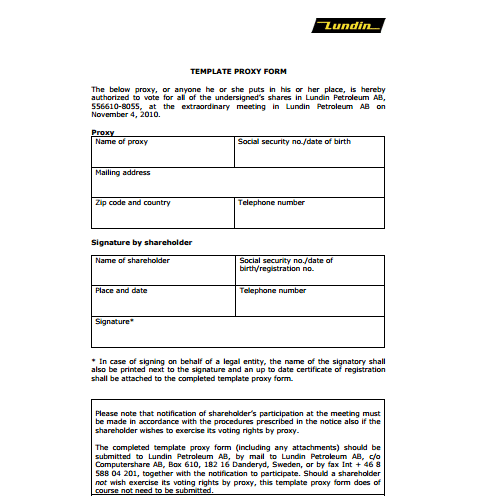
Proxy Template
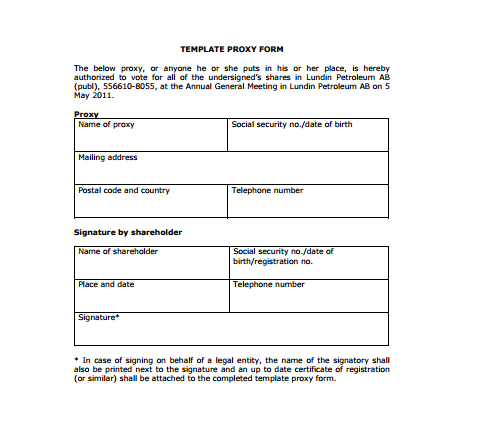

Proxy Appointment Template
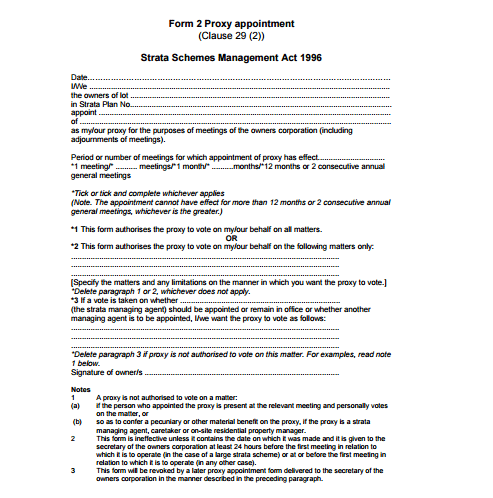
Proxy Form Sample
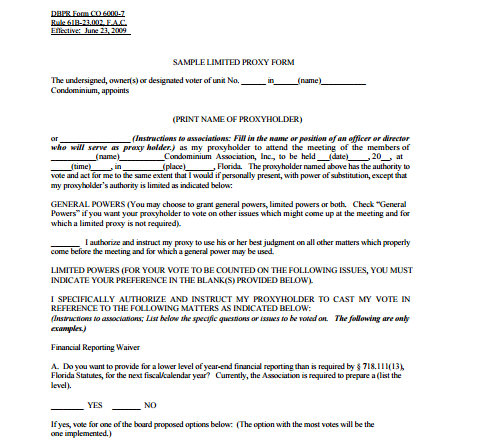
Limited Proxy Template
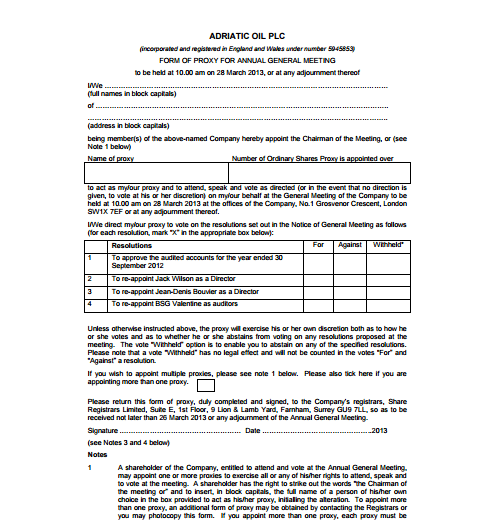
Form OF Proxy Template
Proxy template FAQs
Is a proxy appointment the same as a proxy statement?
No. A shareholder proxy statement supplies meeting information and details of matters to be voted on. An appointment form concerns another person’s authority within a permitted process. Use the document required for the actual meeting rather than treating their names as interchangeable.
What formats are the two new downloads?
The two new files are fillable PDFs with different purposes and matching previews. Open them in a compatible PDF viewer, complete the fields and save your copy. They are not DOCX files, and numerical PDF fields do not calculate totals automatically. The original gallery has its own mixed resources and formats.
Can I use a generic form instead of supplied voting materials?
Follow the organization or intermediary’s instructions. It may require a particular proxy card, voting instruction form or authenticated process. A generic sample can help review fields but does not replace a required submission method.
Does limited proxy mean the same thing everywhere?
No. Identify the actual authorized scope and check it against the rules that apply. The title alone does not explain which meeting, matters or rights are included, and it does not establish legal validity.
Can I revoke an appointment by editing my saved copy?
Editing a local file does not necessarily change an appointment already submitted. Follow the actual replacement or revocation procedure and timing, retain the relevant reference and confirm the resulting status through the appropriate process.

