
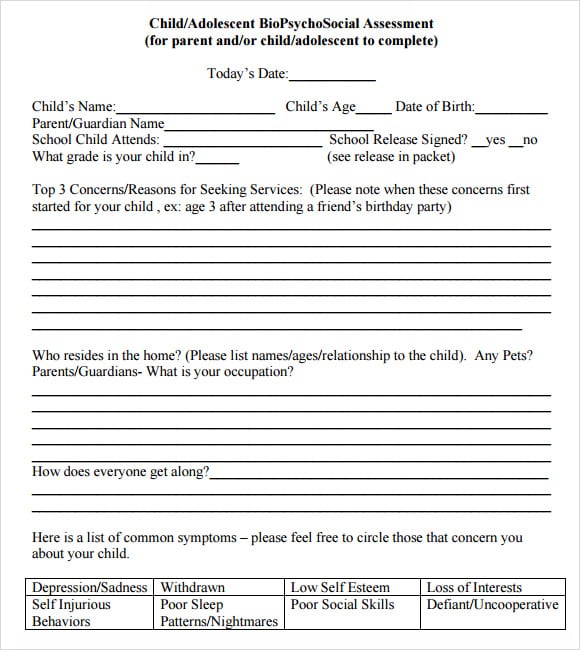
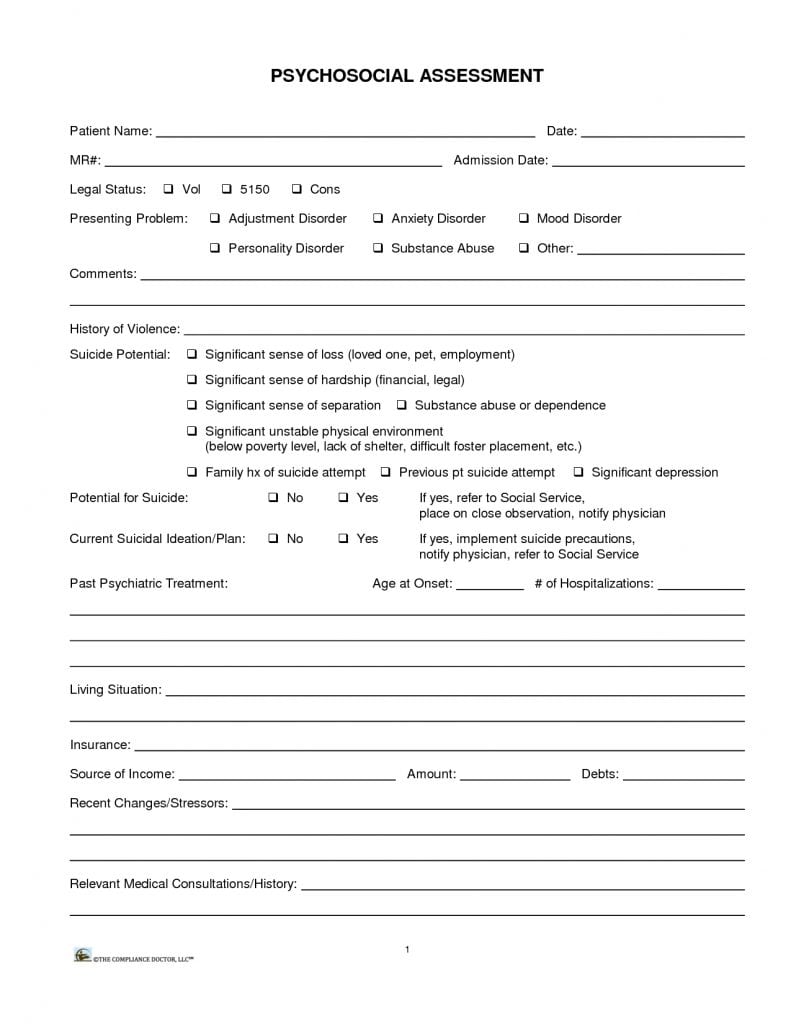
These biopsychosocial assessment questions templates provide examples of how information can be arranged for professional review. The collection contains five previews, with two linked PDF resources and three image-only examples. Choose a layout by its actual fields, intended population, and organizational requirements; the number of pages alone does not establish whether an assessment is appropriate.
A template can support documentation, but it does not diagnose a condition, establish professional competence, or guarantee a treatment outcome. Qualified practitioners should use their approved assessment procedures and work within their role. Students can study the layouts with fictional information and appropriate supervision rather than using them to assess friends or relatives.
Before entering personal information, review the form’s purpose, confidentiality arrangements, and current suitability. Explain the process in language the person understands, allow space for their perspective, and distinguish reported information from professional observations. The following guide concerns form selection and responsible documentation, rather than a complete clinical assessment protocol.
Understand the purpose of the record
A useful assessment record explains why the person is seeking support, what information was collected, and which matters require further professional consideration. It should help an authorized reader understand the context without forcing every experience into a predetermined answer. A blank field may mean information has not been collected; it should not automatically be interpreted as an absent concern.
SAMHSA’s TIP 42 describes biopsychosocial assessment in the context of co-occurring substance use and mental health disorders as a multidisciplinary process. Its guidance also recognizes that different professionals assess different areas according to their role. That context matters: a downloadable sample is not a substitute for the complete guidance or the organization’s approved approach.
Compare the two PDFs and three image examples
Two download buttons in this collection point to PDF files. The remaining three previews are image-only examples with no separate document download shown. Inspect each resource before adopting it, because these formats offer different opportunities for editing, printing, accessibility, and documentation.
A PDF may be a fixed printable page or contain interactive fields; a PDF extension does not prove that it is fillable. Likewise, an image can demonstrate visual arrangement without providing an editable questionnaire. Do not promise colleagues a Word version or an interactive form merely because the article belongs to a general template category.
Check the usable writing space
Look at the room available for narrative answers, source details, review notes, and signatures where required. A narrow line might work for a short administrative identifier but be unsuitable for a person’s explanation. If an approved attachment is needed, connect it to the correct record and section rather than allowing loose notes to become separated.
Check the intended setting
An adult service, a school placement, a hospital, and a community organization may require substantially different information. A sample designed for one setting should not be transferred unchanged to another. Ask the responsible supervisor which sections are required, which are outside your role, and whether a different approved form should be used.
Prepare the identification and encounter fields
Use the identifiers required by your organization and avoid collecting unnecessary personal details. Record the encounter date and the person completing the document so that a later reader can place it in context. Where multiple appointments contribute to the record, distinguish their dates rather than presenting all information as if it was gathered together.
Administrative contact information should be maintained through the appropriate system. A separate contact information template can illustrate basic contact-field organization, but it is not a clinical record system. Check permission and safe contact preferences before copying any details between documents, especially when another person may answer a shared telephone.
Keep the person’s account identifiable
Write reported information in a way that preserves its source. For example, identify whether a statement came from the person, an authorized support person, an existing record, or a professional observation. Avoid turning a secondhand account into an established fact simply by placing it under a formal heading.
Where sources differ, document the difference using the organization’s method. A disagreement may need clarification, and missing information may require follow-up. The purpose is a traceable account, not an artificial appearance of completeness. Do not guess dates, invent answers, or substitute a confident conclusion for an unresolved question.
Use neutral language
Prefer descriptions that can be understood and reviewed. Avoid insulting labels, assumptions about motivation, or statements that treat a person as their condition. If a direct quotation is needed, make it clear that it is a quotation and include only the material relevant to the record’s purpose.
Organize sections without treating headings as conclusions
Biological, psychological, and social headings can help organize a broad account, but their presence does not prove that every relevant area has been assessed. The practitioner should determine the appropriate scope. A form may need additional approved sections, or some sections may need completion by another qualified team member.
Avoid using a checklist tick as a replacement for needed explanation. When a response requires context, provide the relevant note or approved reference. Keep observation, reported history, professional interpretation, and next steps distinguishable so that readers can understand how the assessment record was developed.
Document relationships and supports carefully
Relationship information can be complicated, change over time, and differ between people’s accounts. Record the person’s description of their supports without assuming that every relative is available, safe, or involved. Clarify permissions before contacting another person, following the rules that apply to the service.
If a relationship diagram is appropriate, the genogram templates guide explains the importance of a clear legend and identified sources. A diagram is an aid to organizing reported relationships; it does not independently establish a diagnosis or explain why someone behaves in a particular way. Keep uncertain information visibly uncertain.
Leave room for priorities and strengths
A form focused only on difficulties can obscure the person’s own priorities and the resources they already use. Provide suitable space for what the person wants the service to understand. Record these statements faithfully and avoid translating them into a predetermined goal without the appropriate discussion.
Ask the responsible professional how this information should be integrated into the approved record. Documentation should support a usable account rather than reward longer answers. A concise, specific entry can be more informative than a page of repeated phrases, especially when it explains the source and relevance of the information.
Handle sensitive material through approved procedures
Confidentiality, consent, safeguarding, access, and disclosure requirements depend on the service and applicable rules. Explain the relevant arrangements using the organization’s approved wording. Do not add a blanket promise of absolute secrecy to a sample form, because that wording may conflict with professional or legal responsibilities.
Sensitive information should be collected and stored through approved channels. A public file-sharing link or an unsecured personal device is not made suitable simply because a form looks professional. Follow the organization’s procedure for concerns needing urgent attention rather than relying on a downloaded questionnaire as an emergency protocol.
Separate assessment from other documents
An assessment record serves a different purpose from an appointment confirmation, workplace statement, referral, or treatment plan. These documents may be related, but their contents and authorized audiences can differ. Copying the full assessment into another document can disclose unnecessary information.
The doctor’s note templates guide discusses factual statements issued within an authorized clinician’s scope. Such a statement does not replace a comprehensive assessment. Decide what the recipient actually needs, who is authorized to provide it, and which document is appropriate before transferring information.
Use a fictional example to check the layout
For a classroom exercise, create a clearly fictional record such as “Example Client A” and label every page as training material. Try entering an encounter date, a source label, a brief reported priority, and an outstanding information item. This exercise tests whether the layout keeps information readable without pretending to demonstrate a valid diagnosis.
Check whether long entries run beyond their boxes, whether printed text remains legible, and whether an attachment reference stays with the correct section. Remove the fictional entries before preparing a blank approved version. Real information should not be used to test an unfamiliar public download.
Review and maintain the approved version
Have the responsible professional review the form before use. Check that instructions are clear, unsupported claims are removed, and required fields match the service’s process. Confirm that any consent text or scoring method comes from the appropriate approved source rather than being invented for the template.
Give the approved form a version identifier and keep its review history in the appropriate place. When the organization changes its requirements, replace obsolete copies and explain the change to users. A visually tidy page is useful only when its purpose, content, and handling remain suitable.
Explore the original resources
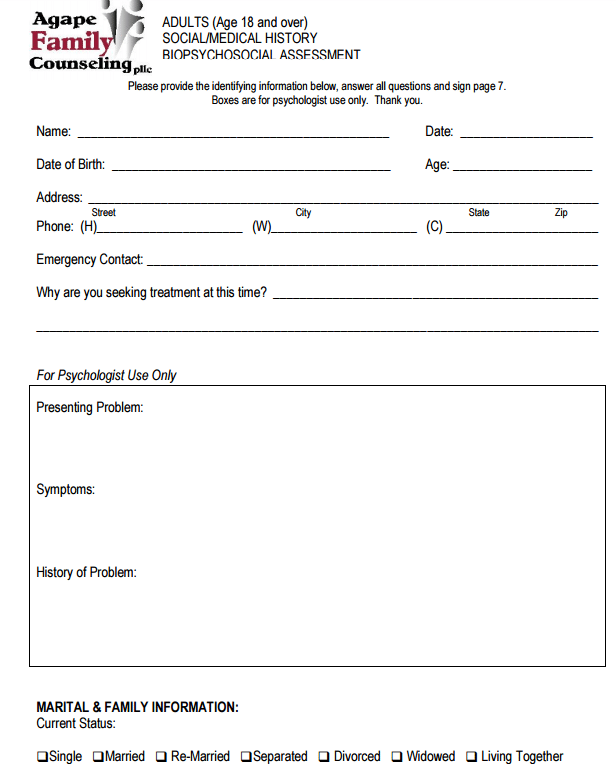
The five previews and the two original PDF destinations remain below. Review the actual files before printing or completing them. Use the image-only examples for comparison of layout, and obtain an approved usable form through your service when editing or accessibility requirements cannot be met by the available resource.
Biopsychosocial Assessment Questions Templates:
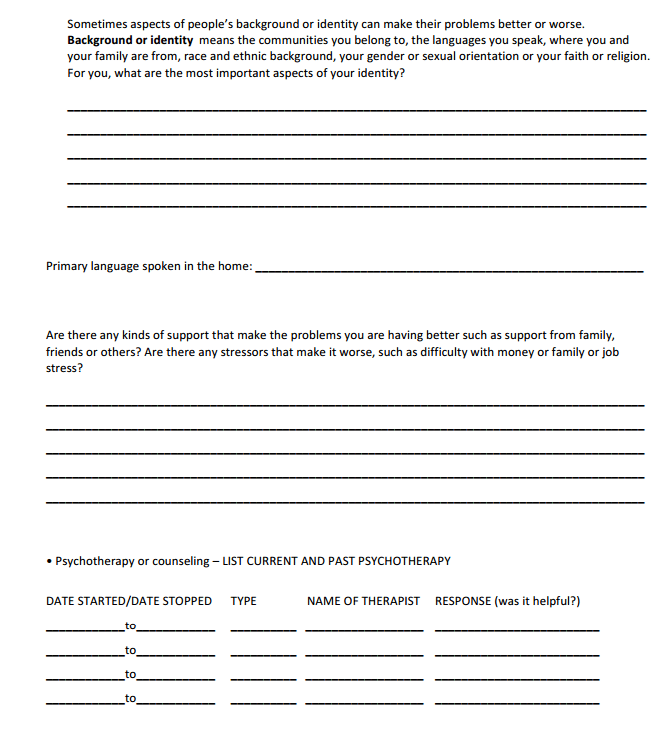

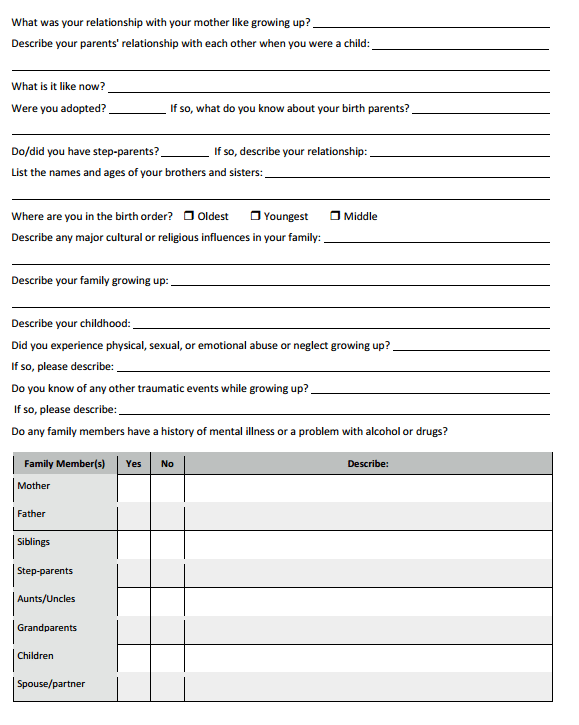
Image Only Examples:
Frequently Asked Questions
Are all five examples downloadable questionnaires?
No. This page shows five previews, but only two have linked PDF resources. The other three are image-only examples. Do not infer an editable file from the preview.
Are the PDFs fillable?
That has not been established from the file extension. Open the selected PDF and inspect its fields and accessibility before deciding how it can be used.
Can a template diagnose a mental health condition?
No. A sample layout does not establish a diagnosis. Assessment and interpretation belong within the appropriate qualified professional’s role and approved process.
How long should an assessment take?
There is no universal duration established by these templates. Scope, setting, available information, and professional requirements affect the process; a fixed time should not be promised.
Should every blank be filled with an assumption?
No. Record missing information using the service’s approved method and identify follow-up needs. Guessing makes the record less reliable.
Can students use these examples?
They can compare layouts with clearly fictional information and suitable supervision. A classroom sample does not authorize unsupervised clinical assessment.
Is a genogram required?
The responsible professional determines whether a relationship diagram is useful and appropriate. If used, it needs a clear legend, source identification, and suitable confidentiality arrangements.
Can the completed assessment be sent to an employer?
Do not assume that the full record is appropriate for that recipient. Follow applicable consent, disclosure, and organizational requirements, and use an authorized purpose-specific document where appropriate.


