
A request form template organizes a proposed action so that the appropriate person can review it. It identifies the requester, the need, relevant details, required timing, and the decision or next step. Submission is the beginning of a process rather than proof that the request is approved or fulfilled.
The six previews below cover mixed purposes, including vacation, check, position, project, and report requests. Three original destinations are ZIP archives, while the remaining previews have no associated download links. The final tutorial heading has no separate preview, so it does not add a seventh resource.
Choose a form suited to the actual process. A maintenance request describes a reported issue, a purchase order records an ordering transaction, and a action plan organizes steps after an objective is agreed. This page explains common request structure while keeping those specific functions distinct.
Identify the action being requested
State what the recipient is being asked to decide or arrange. A request for information differs from a request to approve expenditure, change staffing, or reserve time away. The heading and fields should make the intended action recognizable before the reviewer reads supporting detail.
Avoid using one broad form without adjusting its purpose. A vacation request needs a relevant period, while a report request needs the report scope and intended use. Keeping irrelevant fields can create confusion or make people supply information that the process does not need.
Write the reason in factual terms. Explain the need and relevant context without presenting the desired outcome as already agreed. A well-organized request can still need clarification or be declined, so the language should leave room for the actual review.
Name the requester and responsible recipient
Record the requester’s name, relevant role or department, and an appropriate contact route. Include only information needed to manage the request. A shared internal reference may be more suitable than repeating private contact details on every copy.
Identify who receives the form and who has authority to decide. These may be different people. A coordinator can check completeness without approving the request, and a preparer can describe the need without holding authority to commit resources.
Give the request a reference where several submissions could be confused. A clear identifier helps users connect attachments, questions, decisions, and follow-up actions. Similar descriptions from different periods should not be treated as the same request without checking their context.
Make dates and timing meaningful
Record the submission date and any date by which the action or decision is needed. Distinguish those dates from the period covered by the request. A leave period, project start, or report reporting period describes a different function from the date the form is sent.
Explain a relevant timing constraint rather than marking every request urgent. A specific dependency helps a reviewer understand priority. The requested date remains a request until the appropriate decision or commitment is made.
If timing changes, record the update through the actual process. A revised date should not silently replace a previous commitment or create conflicting copies. Identify the current version when people may otherwise act on an earlier instruction.
Include enough detail for the decision
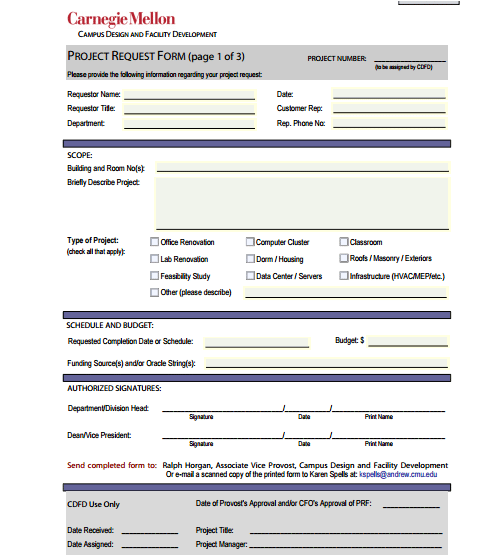
Describe the scope, quantity, location, or other information relevant to the particular request. A project request may need an objective and affected area, while a check request may need payee and supporting references. These examples are planning concepts rather than requirements for every organization.
Separate known facts from assumptions. If a cost, staffing requirement, or availability is uncertain, identify that uncertainty. A plausible-looking figure can mislead the reviewer when it is presented as confirmed information.
Use a supporting document reference when extensive detail belongs elsewhere. Name the relevant attachment and version so that it can be found. The form should summarize the decision needed without replacing a specification, policy, or evidence record with an incomplete sentence.
Choose the right fields for the request type
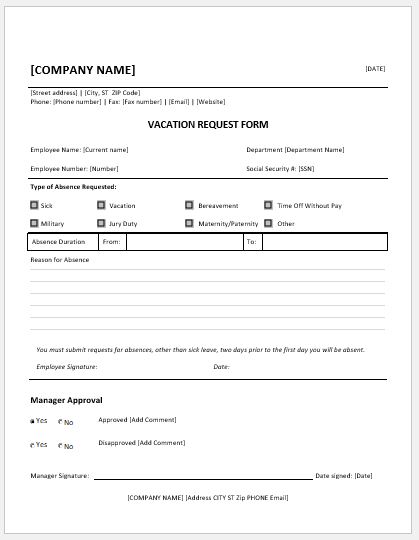
For vacation or other time-away requests, the period and relevant coverage information may matter to the employer’s process. A generic template does not establish eligibility, entitlement, or permission. Use the applicable policy and keep approval distinguishable from the employee’s proposed dates.
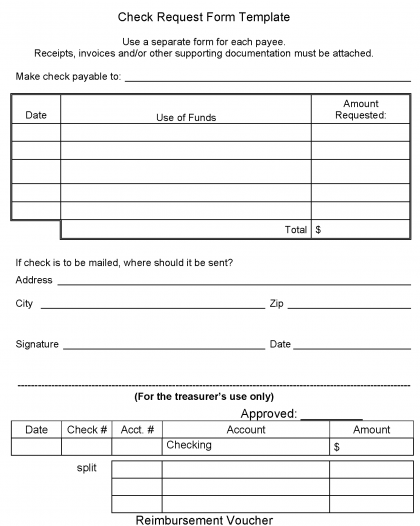
For a payment-related request, identify the payee, purpose, amount, and appropriate supporting documents according to the real process. Requesting payment is not proof that the amount is authorized, owed, or already paid. Payment status needs its own record.
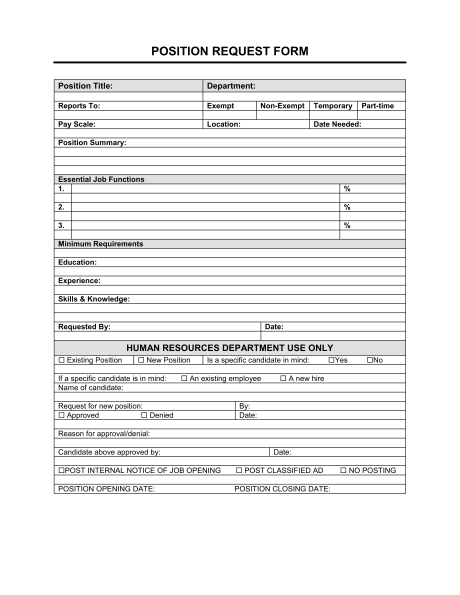
For a position or project request, the reviewer may need the proposed scope, reason, expected resources, and dependencies. A request does not establish that hiring, funding, or project delivery will occur. Those outcomes need the relevant decisions and later actions.
Fictional example: requesting an internal report
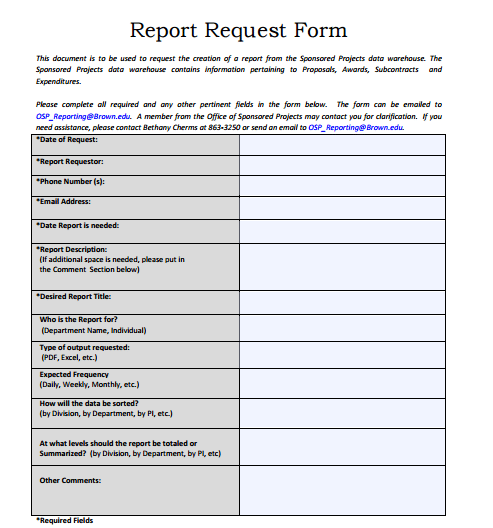
Imagine an invented department asking for a summary of completed service requests for one specified month. The requester identifies the period, desired fields, intended internal review, and requested delivery date. The form asks for a report rather than promising that the data is already prepared.
The recipient finds that the requested dataset includes a category whose definition is unclear. The request moves to awaiting clarification, and the requester explains the intended category. This is a meaningful status change even though no report has yet been delivered.
After the scope is agreed, the responsible team confirms a delivery date. The record distinguishes the original desired date from the confirmed date. When the report is supplied, the delivery reference connects it to the request without treating every analytical conclusion as already reviewed.
This example illustrates scope and status only. A real organization needs its actual data-access rules, responsibilities, and reporting process. Invented names, dates, or categories should be replaced before the form becomes a working record.
Keep decision fields separate from submission
A requester’s signature or confirmation can indicate what they submitted. It does not replace an authorized approval. Label the relevant fields so that a person completing the request cannot accidentally appear to have approved their own proposal.
Record approved, declined, or clarification-needed decisions according to the process. Include the relevant conditions or reference when the decision applies only to part of the request. A simple yes box can be insufficient when the scope changes during review.
Do not prefill approval names, dates, or marks from a sample. A blank field is more accurate than an invented decision. The finished form should describe what actually happened rather than look complete at the expense of an honest status.
Define statuses and ownership
Useful statuses can include submitted, awaiting information, under review, approved, declined, in progress, and fulfilled. Use only the labels needed and define their meanings. Approval and fulfillment describe different events and should not be collapsed into one generic complete label.
Assign the next action to a clear owner where follow-up is needed. A request that everyone can see may still have no one responsible for moving it forward. Ownership should reflect the actual role rather than whoever happened to print the document.
Where a request depends on another decision, identify that dependency. A submitted project request may be waiting for a scope review rather than ready to begin. Recording the obstacle helps the reviewer choose a next step instead of repeatedly asking for the same missing information.
Handle attachments and sensitive information
Attach relevant evidence through the approved route and give it a useful reference. Avoid collecting information simply because a sample contains an empty field. The necessary detail depends on the request’s purpose and the organization’s actual requirements.
A generic administrative request form is not a clinical order, prescription, or specialist authorization. Healthcare and other regulated settings use their applicable processes and authorized users. This overview does not supply the fields or authority required for those decisions.
For examples and blank masters, use invented data and clear actual names or private details. A request can reveal work arrangements, financial information, or other sensitive context. Share completed copies only through the appropriate process.
Inspect the archived resources
The ZIP destinations indicate packaged resources, but their actual contents and formats need inspection. A preview shows the general layout, while the usable file determines what can be edited. Do not assume every example supplies an editable spreadsheet or a ready-made online workflow.
The position, project, and report previews can suggest fields even though their original gallery entries have no download links. A preview image alone is not a functional file button. Choose the layout idea deliberately while identifying what the original resource actually provides.
When adapting a file, check room for the request description, timing, attachments, and decision. Remove irrelevant sample sections and preserve useful distinctions. A shorter, clearly scoped form can be more effective than a crowded page pretending to cover every request type.
Review, communicate, and close
Before submitting, check the purpose, recipient, dates, supporting references, and any open assumptions. A complete submission gives the reviewer the information needed for the actual decision. It does not guarantee that the desired outcome will be approved.
Communicate the decision through the appropriate route and keep it connected to the request reference. Where work follows approval, record its progress separately. The request should not be marked fulfilled merely because an approval email exists.
At closure, record the actual outcome and any remaining action. Preserve the relevant record through the organization’s process and clear completed information from the reusable master. A practical request template supports accurate communication, review, and follow-through rather than promising automatic fulfillment.
Get Request Form Templates Here

Check Request Form Sample
Position Request Form Sample
Project Request Form
Business Report Request Form
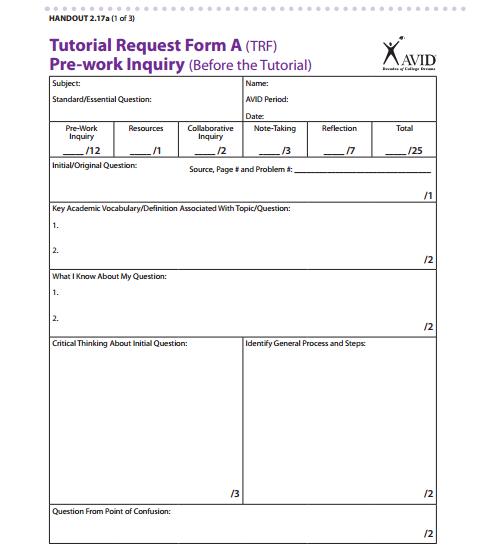
Tutorial Request Form Example
Frequently Asked Questions
Does submitting a request form mean it is approved?
No. Submission, review, approval, and fulfillment are different events. Record the actual status through the applicable process.
Are there six editable downloads below?
The gallery has six previews and three original ZIP destinations. The remaining previews are not associated with download links, and the tutorial heading adds no separate resource.
Can one form cover every request?
A common structure can help, but adjust fields to the purpose. A vacation request and a payment request need different information and review.
Should I mark every request urgent?
Explain the real timing constraint and required date. An unsupported urgency label gives the reviewer less useful information than a specific dependency.
What if a supporting detail is unknown?
Identify it as awaiting confirmation and use the clarification process. Do not fill the field with an invented fact.
Is approval the same as fulfillment?
No. Approval records a decision, while fulfillment records that the approved action has actually occurred.
Can the template replace a medical order?
No. A generic administrative layout does not supply clinical authority or replace the applicable specialist process.
What should I remove before reusing the file?
Clear actual requester details, dates, references, decisions, and completion marks. Retain the fields and current instructions appropriate to the next request.


