
A password list template gives you a consistent place to organize account information, but the way you use it matters. A blank printable sheet can become an account inventory, a migration checklist or a reference to credentials stored elsewhere. Filling an ordinary spreadsheet with every real password creates a sensitive collection that needs protection; the template itself does not provide that protection.
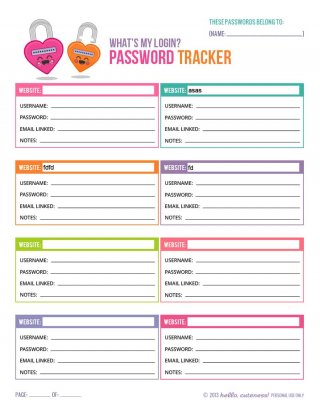
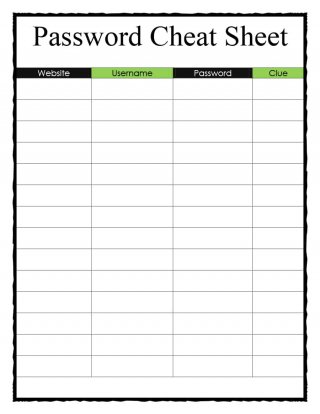
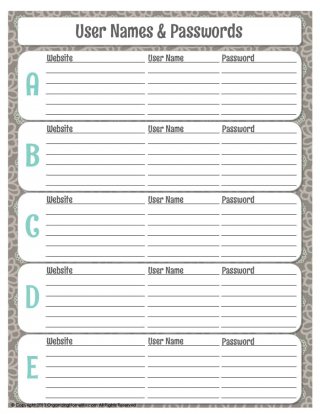
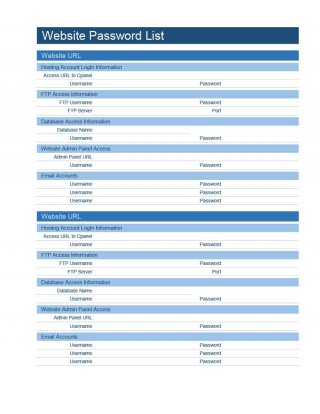
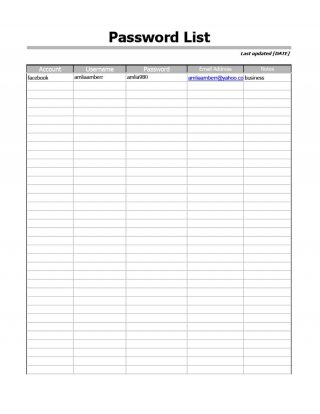
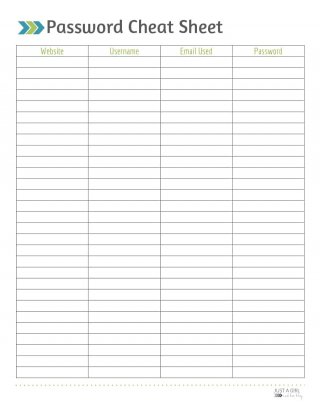
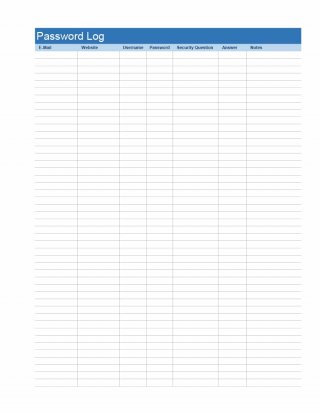
This collection contains seven previews with links whose filenames indicate two PDF files, two Word DOCX files and three Excel workbooks, including XLS and XLSX formats. Choose a layout by the information you need to organize and the software you can use. The previews and resource links appear below this guide. The different extensions describe the linked files, rather than a guarantee that every layout works in every application.
A useful starting point is to record the service name, account owner, sign-in address and the location of the appropriate password-manager entry, leaving the password column blank. This makes the sheet useful for finding accounts without exposing the secret used to access them. If an organization manages the account, follow its approved credential-storage and access procedures before adapting any personal worksheet.
Decide what the list should accomplish
An account inventory answers questions such as which services you use, who owns each account and whether an account is still needed. A credential store holds the secrets themselves. A recovery plan explains how an authorized person can regain access when a device, password or owner is unavailable. Those jobs require different information, even when they concern the same account.
For a household inventory, the service category might be email, utilities, subscriptions or cloud storage. For a small business, categories could include website administration, supplier portals and software licenses. Give each row a specific purpose so you can remove unnecessary columns. A list meant to help identify subscriptions usually does not need passwords, payment-card numbers or recovery answers.
An account inventory worksheet can also reveal neglected ownership. For example, an old supplier portal may still belong to a former employee’s personal email address. Recording that ownership issue lets the organization arrange an approved transfer. Merely copying the previous employee’s password into a spreadsheet does not resolve whether another person is permitted to use the account.
Choose a file format for the intended workflow
PDF is useful when you want a consistent blank page for a limited paper exercise. Before printing, check that the rows leave enough room for the information you actually plan to record. A cramped sheet can encourage unreadable abbreviations. Print an empty copy first and decide whether the layout needs to be replaced with another preview.
Word layouts are useful when the labels need substantial editing. You might change Password to Password-manager entry or replace Security question with Recovery procedure reference. These label changes help the document reflect its real purpose. Save a blank master separately from any completed version so the next copy does not accidentally include another person’s details.
Excel can make a larger inventory easier to sort by owner, category or review date. Sorting must include the whole record so a service name stays with the correct owner and notes. Do not assume a downloaded workbook contains security features, formulas or validation simply because it has an Excel extension. Check its visible structure before relying on any of those features.
The collection includes both older XLS and newer XLSX filenames. Use a compatible application and inspect the result after opening or converting a file. Verify that headings, rows and page breaks still make sense. A successful conversion is a formatting result; it does not establish that a filled workbook is suitable for holding secret credentials.
Build useful fields without collecting unnecessary secrets
Start with the service name and its official sign-in address. An account nickname can distinguish a personal account from a business account with the same provider. Include the owner or responsible role, a non-secret reference to where credentials are managed, and a short statement of the account’s purpose. Those fields usually explain how the account fits into everyday work.
Add a review date and a status such as active, transfer required or closure requested. If the account supports multifactor authentication, a simple enabled or review needed entry can help organize follow-up. Avoid copying one-time authentication codes into the sheet. A method reference should describe an approved process without exposing information that would let someone bypass it.
Recovery notes should be similarly limited. Write a reference such as See approved recovery instructions in restricted company storage, rather than placing a recovery code beside a password. Security-question answers, access tokens and recovery codes can be sensitive even when the template does not label them as passwords. Remove columns you cannot justify keeping.
For provider support details, a separate contact information form can hold the service’s public support address and reference number. Keeping ordinary contact information clearly labeled helps prevent staff from treating it as a place to collect login secrets. Record only contact details obtained through the provider’s legitimate channels.
Example of an inventory entry
Consider a fictional design studio reviewing its software accounts. Its inventory row could read: Service: Example Layout App; owner: Operations manager; purpose: Shared design subscription administration; credential reference: Approved vault entry called Layout administration; authentication status: Enabled; review action: Confirm the subscription owner before the next renewal.
There is no real password, recovery code or financial account number in that example. The row still tells the reviewer what to check and where the authorized process begins. The sign-in address should be added from the actual provider’s verified website when the studio creates its real inventory. A plausible-looking address copied from an example would not establish the correct destination.
If the review finds that the account belongs to someone who has left, the action becomes Assign transfer review to operations. Put that action in a task list with an owner and due date so it is completed through the provider’s supported process. The inventory records the issue; the task list tracks the work needed to resolve it.
Use an appropriate system for real credentials
CISA password-manager guidance recommends long, random, unique passwords and a password manager to generate and store them. Its guidance also warns against keeping passwords in easily accessible physical or digital files. A password manager still needs an appropriate access and recovery setup. Consult the provider’s instructions and your organization’s policy when choosing how to manage that setup.
CISA multifactor-authentication guidance also explains that multifactor authentication adds a further identity check beyond a password. For business accounts, its guidance encourages phishing-resistant methods. The presence of an MFA column on a template does not enable protection: someone must configure the supported method through the actual account and confirm that authorized users understand how it works.
A worksheet is therefore best treated as an organizational aid within the larger access process. It can show which accounts need review, but it cannot enforce permissions or confirm a person’s identity. A cell labeled confidential is only a label. Do not assume that hiding a column, changing a filename or placing the workbook in an ordinary shared folder creates a suitable credential vault.
Plan who can view and maintain the inventory
Even a list without passwords may reveal which systems an organization uses and which person controls an account. Decide who needs that information before sharing the document. Someone preparing a subscription budget may need account categories and renewal owners, while someone handling access administration may need a different, more restricted record.
Assign one person or role to maintain the inventory. Multiple independent copies make it difficult to know which owner or status is current. Mark the working version with a clear document date and distinguish it from the blank master. If you circulate a limited copy, specify the purpose and remove fields the recipient does not need.
For ordinary administrative contacts, contact list templates can support a separate directory of responsible people. Keep that directory focused on approved contact details. Connecting an account to a role can help continuity, but the role’s name does not authorize everyone in the department to sign in using the same credentials.
Review changes at meaningful points
Review the inventory when an employee changes roles, a service is introduced, a subscription ends or responsibility transfers. Those events create a concrete reason to check the record. A periodic review can also identify rows that were never completed, but the interval should match the organization and its requirements rather than a date printed on a generic template.
During a review, check whether the service is still used, the owner remains appropriate, the sign-in address is current and outstanding actions have been resolved. Update the record after an approved transfer or closure has actually happened. Do not mark an account closed merely because someone has requested cancellation; retain the action status until confirmation arrives.
Keep a short note explaining significant changes without recording secrets. For example, Ownership transferred through provider support on the stated date gives a future reviewer more context than Done. If supporting confirmation is retained elsewhere, record its reference and location according to the organization’s recordkeeping arrangements.
Avoid common template mistakes
One common mistake is assuming every account needs a shared login. Where a service supports individual users and roles, use its approved access features. A single spreadsheet entry should not become a reason to share a credential among people who need different permissions. The appropriate arrangement depends on the service and organization.
Another mistake is turning the sheet into a miscellaneous information dump. Payment details, identity documents and private recovery information do not belong in an inventory simply because a Notes column has room. Define what the notes are for, such as ownership issues or next review actions, and remove unrelated information.
Finally, check the completed document before printing, emailing or exporting it. Confirm that the blank master remains blank, that no example has been mistaken for a real account, and that recipients are appropriate for the information included. These checks help the worksheet serve its intended purpose while reducing accidental disclosure of account details.
Download password list templates

Password list template FAQs
Is an Excel password list a password manager?
No. An ordinary workbook is a document with cells; it does not automatically provide the credential-management protections or access workflow of a dedicated password manager. Use the workbook as a non-secret account inventory unless an approved process explicitly provides for another use.
Which formats are linked in this collection?
The seven linked filenames indicate two PDFs, two Word DOCX files and three Excel files: one XLS and two XLSX. Check the selected file in your application before editing, printing or converting it. The preview images provide a layout reference.
Can I leave the password column empty?
Yes. Rename it Credential reference or Password-manager entry and use a non-secret reference to the approved storage location. An inventory can remain useful by identifying the service, owner, purpose, status and follow-up action without containing passwords.
Should recovery codes go beside the account password?
Do not add them to an ordinary inventory. Recovery codes and security answers can grant access or help regain it. Follow the service’s instructions and the organization’s approved recovery-storage process, and record only an appropriate reference in the inventory.
How do I use the sheet when someone leaves a business?
Identify the accounts and responsible owner, then track authorized transfer, access removal or closure through the provider and company procedures. Update the inventory when those actions are confirmed. Avoid treating a departing person’s credentials as a substitute for an approved transfer.

