
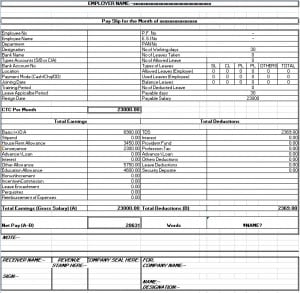
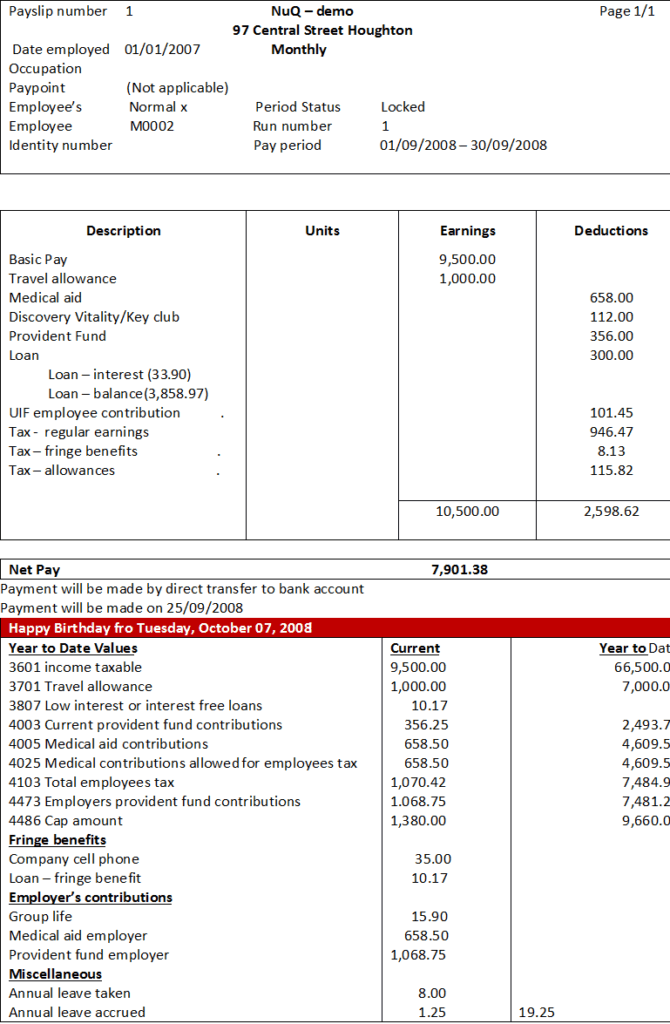
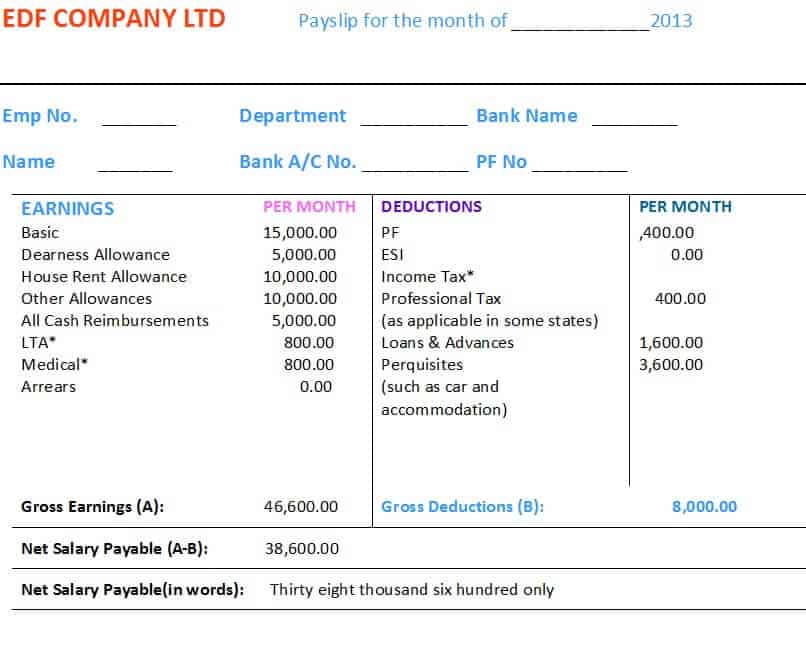
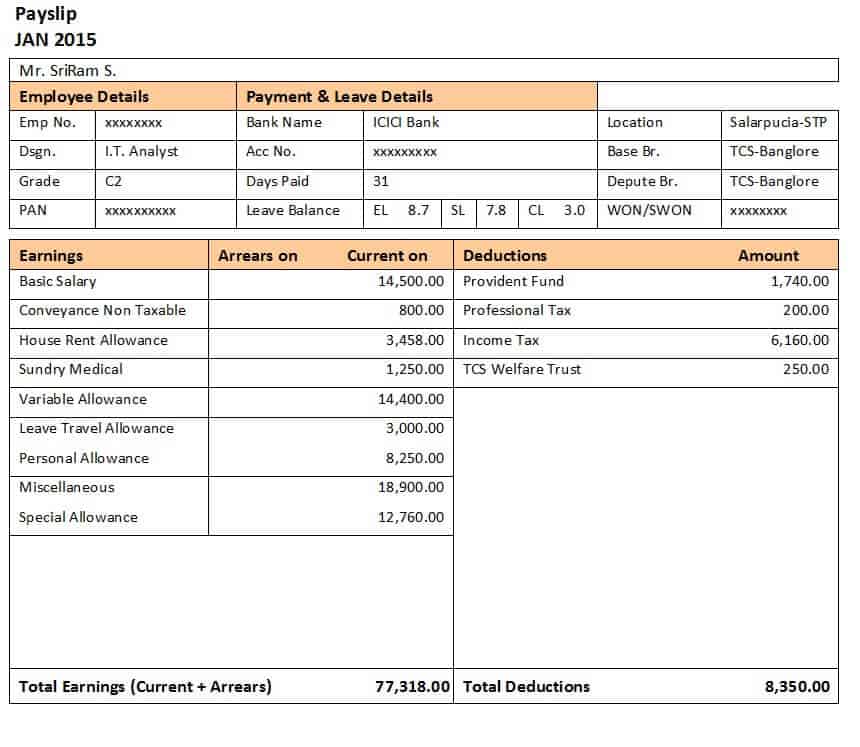
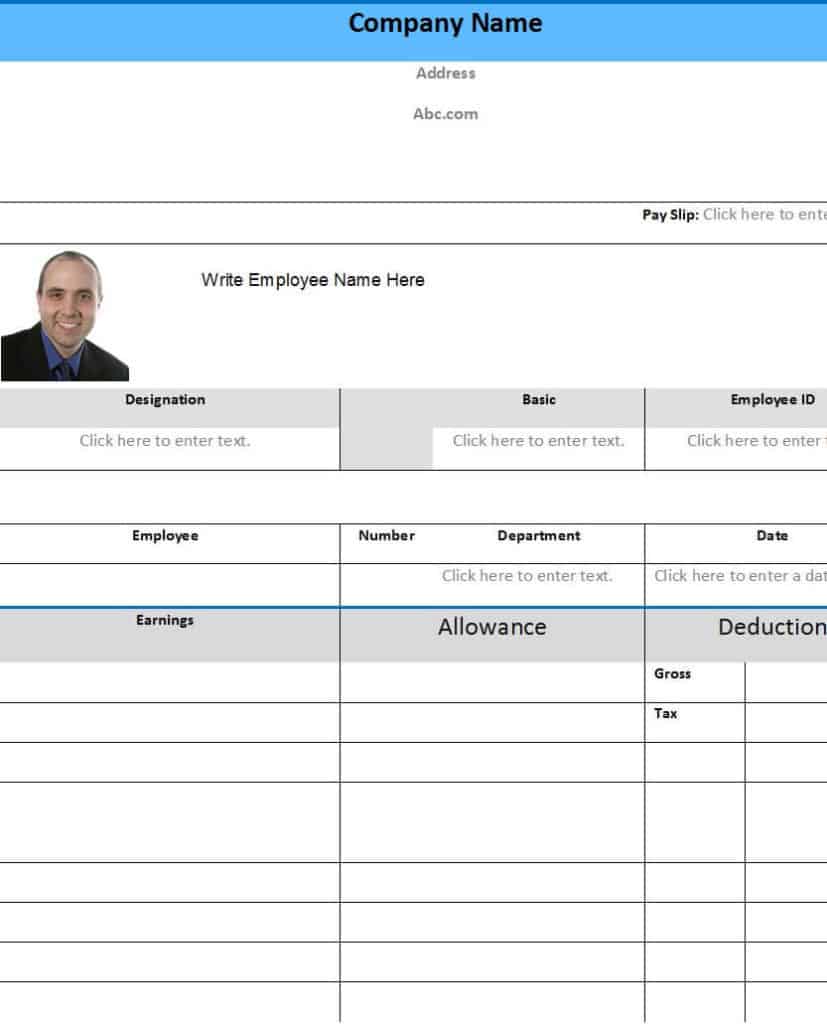
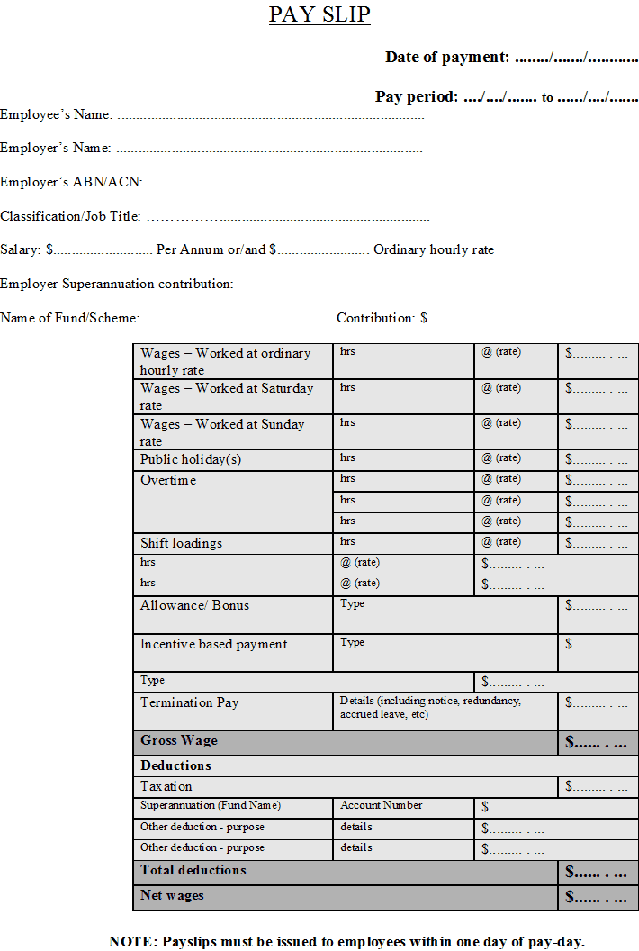
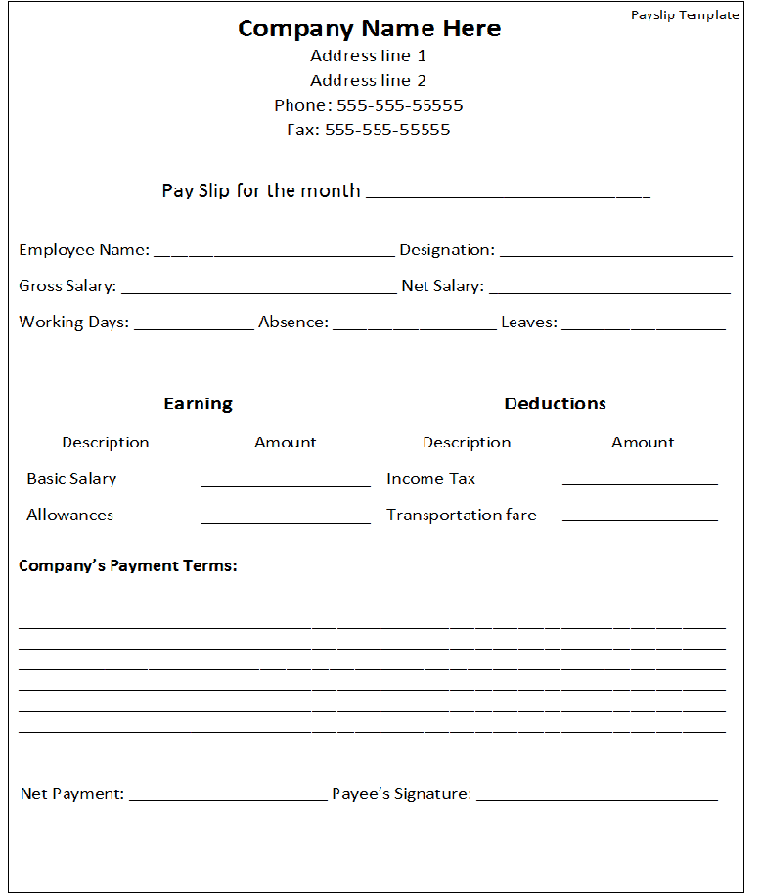
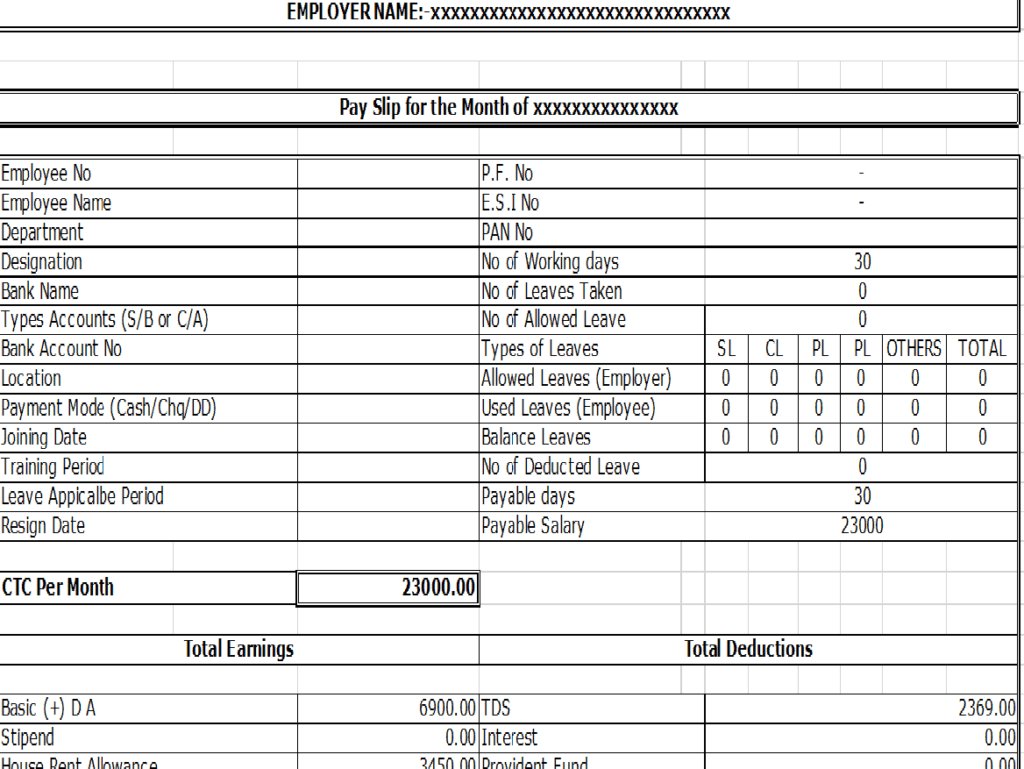
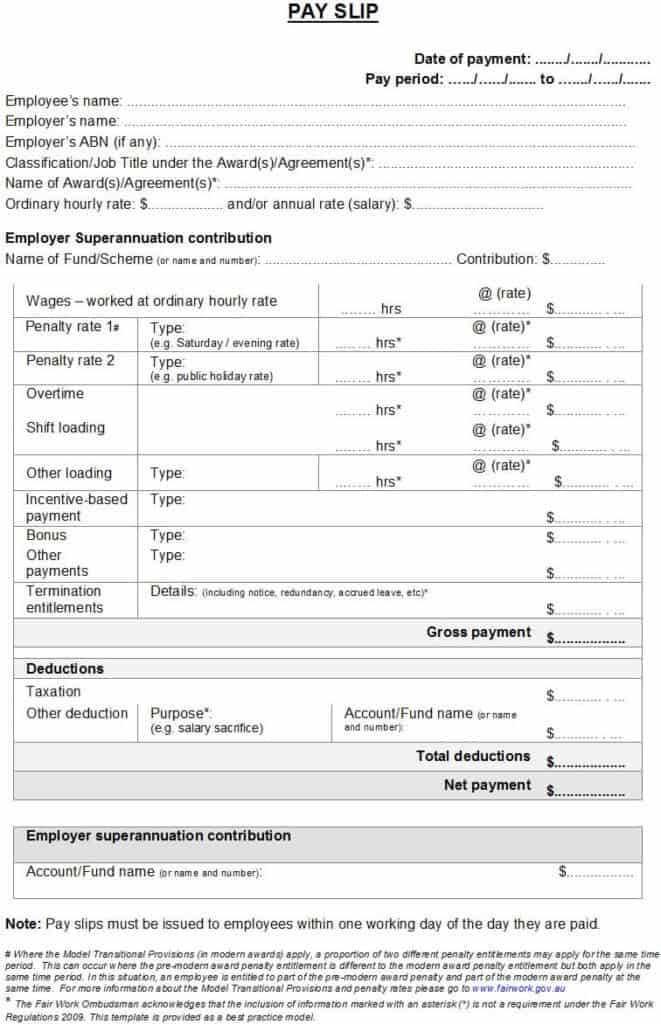
A salary sheet format helps payroll staff organize the information used to prepare employee pay statements. A salary slip communicates an individual’s pay breakdown. These related layouts need accurate payroll inputs and applicable rules; a downloaded format does not calculate every deduction correctly or prove that payment reached an account.
The ten original previews below lead to one XLSX resource, one DOCX resource, and eight ZIP archives. Many resources also appear in the site’s payslip collection. Inspect the actual fields and formulas before assuming that every preview is an editable spreadsheet or multi-employee salary sheet.
This guide focuses on choosing and preparing payroll layouts. The payslip guide focuses on the employee-facing statement and review, the direct deposit guide covers payment enrollment, and a expense report keeps reimbursement records distinguishable from earnings. The documents should connect through the real payroll process.
Choose between a worksheet and a statement
An internal salary worksheet can collect several employees’ payroll inputs and review information. An individual statement communicates one employee’s period and pay components. Sharing an internal multi-person sheet as a payslip can expose information unrelated to the recipient.
Review the actual resource rather than its caption. A file may provide one statement layout instead of a payroll register. The presence of an Excel extension does not establish that it contains several employees, validated formulas, or a complete calculation engine.
Choose the layout for the task it actually supports. Preparation, review, employee communication, and payment processing are related stages but not the same function. A single attractive page does not necessarily supply every record needed across those stages.
Identify the pay period and employee correctly
Use the relevant employer, employee, period, and payroll references from the actual records. A period start and end date differ from a payment date. Clear labels prevent the user from treating one date as a substitute for all payroll timing.
Keep employee identifiers consistent with the organization’s process. Similar names can otherwise cause one person’s amounts to be assigned to another. A unique reference can support matching while the actual identity and records remain appropriately controlled.
Distinguish ordinary period figures from year-to-date figures where the layout includes both. Copying a cumulative amount into a period field can distort the statement. The same field name should not mean different things in different parts of the file.
Obtain inputs from appropriate source records
Use the actual approved pay basis and relevant time or other source records. A salary sheet should not invent worked hours, rates, bonuses, or allowances merely to complete its columns. The figures need a traceable basis in the organization’s process.
Separate an estimate used for planning from actual payroll data. A projected salary cost does not become a completed employee statement. If a provisional worksheet is used, keep that status clear and do not issue it as final.
Resolve missing or conflicting inputs with the responsible payroll process. A blank or inconsistent source should remain a question for review rather than be converted into zero or a copied prior-period value without justification.
Treat deductions and contributions as rule-dependent
The applicable tax, social contribution, pension, and other deduction treatment depends on jurisdiction and circumstances. A generic template cannot supply universal rates or establish that a particular deduction is permitted.
Keep employee deductions distinguishable from employer-only costs when relevant. These categories do not necessarily have the same effect on an individual’s net pay. A label such as contribution is insufficient if it obscures which party’s amount is shown.
Use the appropriate payroll calculation method and current requirements. Do not adopt an old sample’s percentage because its resulting total looks plausible. Correct arithmetic and correct rule application are separate questions.
Review recordkeeping requirements separately
The United States Department of Labor's recordkeeping guidance explains that covered employers must retain accurate worker information and relevant hours and wage data. It does not prescribe one universal template. This is a jurisdiction-specific example of requirements beyond visual layout.
The actual employer needs the requirements applicable to its workers and location. An individual salary slip may not contain every internal record an authority requires. A worksheet and employee statement can support the process while other records remain necessary.
This article does not set one retention period, overtime threshold, or minimum rate for every payroll. Use the appropriate current sources and qualified payroll review for the real arrangement. A generic sample cannot establish worldwide compliance.
Fictional example: a simplified pay layout
Imagine an invented worksheet with period earnings of two thousand units of currency and total employee deductions of three hundred. Under the example’s simplified definitions, the resulting net figure is one thousand seven hundred.
The worksheet keeps the period and employee reference clear. It shows the deductions as a separate subtotal rather than silently replacing earnings with the net amount. If the example also records employer-only costs, those do not become employee deductions simply to fit a total.
The resulting statement describes the calculation. A separate payment record establishes whether the amount was actually sent and received under the applicable process. A prepared statement is not evidence that a bank transaction has already completed.
These amounts demonstrate basic presentation only. They are not tax calculations, permissible deduction rates, or pay benchmarks. A real payroll uses the actual earnings, applicable rules, authorized inputs, and proper payment records.
Inspect formulas before relying on them
For the XLSX resource or a spreadsheet extracted from an archive, check the actual formula references and inputs. A copied formula can omit a newly inserted row, use the wrong employee’s cell, or include a component twice.
Confirm that numeric fields contain numbers and that signs match the intended calculation. A deduction entered as an addition can overstate net pay. Text-formatted values can be excluded from arithmetic even when they look like ordinary numbers.
Review any period and cumulative totals separately. Sorting or copying a sheet should not detach names from their amounts. The template can support calculations only when its actual formulas and data structure match the payroll’s definitions.
Use Word layouts for presentation deliberately
A DOCX resource can provide headings and tables without automatically calculating the figures. Use verified payroll outputs and review the arithmetic through the actual process. Typing amounts into a Word table does not validate them.
Keep enough space for component descriptions and dates. A long allowance or deduction label can wrap differently from the sample. Readability matters because the recipient needs to understand the statement rather than merely see a professional-looking total.
If converting a Word layout to a spreadsheet or another format, review the new file as a separate working artifact. The original destination does not establish that the converted version has functioning formulas or suitable data controls.
Separate review from payment execution
Use the actual payroll approval process and identify the relevant version. Preparing a worksheet, reviewing it, releasing statements, and sending payments can happen at different stages. A generic completed box should not imply that all stages occurred.
Connect approved figures to the payment process through the appropriate references. Direct deposit enrollment describes an intended payment destination, while a payment record describes a particular transaction. Neither substitutes for accurate earnings calculations.
If an error appears, record the correction through the real process and keep relevant versions distinguishable. Do not issue two inconsistent statements without explaining which is current. The actual organization determines the appropriate adjustment and communication route.
Protect employee information and sample masters
A salary worksheet can contain several people’s private pay details. Use the appropriate storage and sharing route and provide an employee only the relevant statement. A template’s public origin does not make completed payroll information suitable for public sharing.
For demonstrations, use invented employees and figures. Clear actual names, identifiers, amounts, dates, and approval marks from a reusable master. Do not distribute a previous payroll run as a supposedly blank example.
Review archived files for actual contents and access conditions. The ZIP name alone does not establish the editable format, and a preview does not establish the accuracy of every formula. Use a resource according to its inspected capabilities.
Choose this collection for the right task
Many gallery resources overlap with the payslip article, while this page also includes the original XLSX salary resource. Use this guide for layout selection and preparation questions, then the payslip guide for the individual statement’s interpretation and issue process.
If you need a multi-employee payroll sheet, inspect whether the chosen file actually supplies one. Do not assume the title’s use of salary sheet means every resource is a payroll register. A suitable individual slip may still be useful for another stage.
A practical salary format brings order to accurate payroll information. It cannot guarantee lawful deductions, error-free calculations, or successful payment. Its value comes from a defined purpose, traceable inputs, reviewed calculations, appropriate employee communication, and clear records of actual events.


Frequently Asked Questions
Is a salary sheet the same as an individual salary slip?
Not necessarily. An internal sheet can organize payroll preparation, while a slip communicates one employee’s pay breakdown. Inspect the actual layout.
Are all ten resources spreadsheets?
No. The original destinations include one XLSX file, one DOCX file, and eight ZIP archives whose contents need inspection.
Why do some resources also appear on the payslip page?
The collections overlap. This guide focuses on choosing and preparing layouts, while the payslip guide focuses on the individual statement.
Does the template supply current tax rates?
Do not assume so. Use the applicable current payroll requirements and calculation process.
Does a prepared slip prove payment reached the bank?
No. A statement describes payroll figures, while the actual payment has its own record and status.
Can a Word table calculate payroll automatically?
The resource does not establish that feature. Use verified payroll outputs and review the actual calculation process.
Should an employee receive the whole payroll worksheet?
Use the appropriate sharing process and individual statement. A multi-person sheet can expose other employees’ information.
What should I clear from a reusable master?
Remove actual employee details, figures, dates, and completed approval marks while retaining the reviewed blank structure.

