
A company letterhead template provides a consistent master for authorized business correspondence. Verify the organization name and contact details, plan continuation pages and keep the writing area readable. Maintain the blank master separately from individual letters so one recipient’s information is not reused accidentally.
Use an alternative letterhead layout for comparison, prepare an introduction letter for first contact and organize an attached company profile when more background is needed. Check that each document uses the current approved identity and contact route.
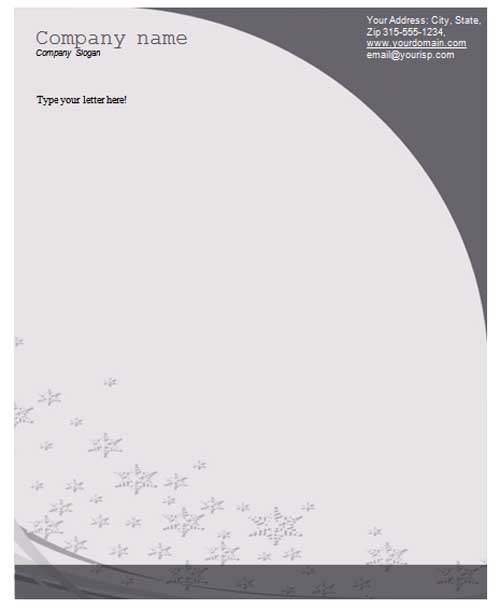
The two previews below link to ZIP archives with DOC-oriented names. Review the actual archive contents before selecting an editor or assuming that all design elements are easily editable. The linked full-size preview images are visual references; they are not the same as the working letterhead files.
This page focuses on an organization’s shared correspondence master. A general letterhead template can be useful for a different personal or simple document purpose. A business reference letter may use company letterhead when the writer is authorized to speak for the organization, but the heading alone does not establish that authority or verify the letter’s contents.
Decide which company details belong on the page
Start with the organization’s actual approved name and the contact route used for correspondence. An address, work telephone number, website, or general mailbox may be appropriate depending on the business and the document. Avoid adding every available contact simply because a sample has room for several lines.
Distinguish an office address from a mailing address or service area. If the company has several locations, make it clear which one the letter concerns. A recipient should not have to guess whether the address is a headquarters, a branch, or the place to send a reply.
Use the organization’s approved logo and identity elements. A logo copied from another business, a decorative seal, or an unrelated badge should not be used to imply affiliation or endorsement. If formal company disclosures are required for your correspondence, use the actual applicable requirements and approved details rather than treating a generic template as the deciding source.
Separate the reusable heading from the letter
The blank master can contain the company identity, contact area, and consistent page structure. The recipient, date, subject, body, and signature belong to the particular letter. Keeping those parts separate reduces the chance that a new document inherits another customer’s details or a previous writer’s signature.
Leave a clearly usable body area. A large logo may look attractive in a preview but push a short letter onto a second page. A narrow text column can make ordinary sentences wrap awkwardly. Choose a size and arrangement that supports the types of correspondence the business actually sends.
Keep important identity text readable without relying only on an image. A logo may contain stylized lettering that is difficult to read when printed small. The business name and the reply route should remain understandable in the final document and in the form in which recipients are likely to receive it.
Fictional example: an office correspondence master
Imagine a fictional business, Alder Studio, using a simple first-page header with its name, approved logo, general correspondence route, and mailing address. The body starts beneath the header with space for a dated letter. The footer includes a short page reference where the document needs one. No real company details are supplied here.
The master does not contain a prefilled client name, project amount, or signature. A staff member preparing a letter adds the actual recipient and content through the business’s document process. That makes the master reusable without creating the appearance that a previous completed letter is still current.
For a letter about an existing project, the subject can identify the relevant project or order reference. That reference belongs in the letter’s content, not permanently in the company’s master heading. Otherwise every later letter could accidentally display the old project identifier.
The example demonstrates a practical separation between identity and message. It does not prescribe a universal design or required disclosure set. Your organization’s actual correspondence needs determine the fields, authorized users, and review process.
Plan the second and later pages
A multi-page letter needs a continuation layout that remains recognizable without repeating a large first-page design. A smaller heading, page number, or other clear reference may help keep the pages together. Check that the continuation approach works for the actual types of document the business sends.
Do not let the full first-page heading consume the same amount of space on every page unless there is a deliberate reason. A long report and a one-page letter may need different masters. The shared identity can remain consistent while the document structure serves its actual purpose.
Check where the body starts and ends on each page. A heading should not obscure the first line of a paragraph, and a footer should not overlap the signature or final text. Avoid forcing placement with repeated blank lines that may move unpredictably when a different amount of content is entered.
Review print and electronic output
Inspect the final printed or exported version, not just the editable file. Confirm that the logo, business name, and contact details remain readable, the body has enough room, and no element is cut off at the page edge. The preview image does not establish how your printer or exported PDF will handle the layout.
If the letter may be printed in black and white, check that important details do not depend on a faint color difference. A pale decorative band may become difficult to see, while a colored contact line can lose contrast. Keep the essential information readable in the actual output route used by the business.
For digital distribution, check that the document contains the intended version and that any links lead to the organization’s actual routes. A visible website label can be wrong even when the design looks polished. Replace historical sample links and details in your own adopted master rather than copying them as if they belong to the company.
Control who uses and changes the master
Identify the person or team responsible for the letterhead source. When a contact route, office address, or logo changes, update the master and replace the version staff use for new letters. Several files named “final letterhead” can leave the office issuing correspondence with conflicting details.
Use the organization’s actual process for approving correspondence. Letterhead makes a document recognizable, but it does not grant every staff member permission to issue commitments or speak for management. A signature or approval should reflect the real writer and decision, not a copied image retained from another letter.
A company profile can describe the business’s services and background separately. The letterhead itself should carry only the identity and contact information needed for correspondence. Adding the entire profile to the page heading leaves less room for the message and makes each letter harder to read.
Clean the master before reuse
Remove actual recipient details, dates, project references, amounts, signatures, and private information from a reusable copy. Keep the structural labels only if they are genuinely helpful. A sample signature should not remain in a document that other staff may mistake for authorized completed correspondence.
If you need several versions, label their purpose clearly, such as first-page correspondence and a continuation page. Keep their identity details consistent and show which source is current. A branch-specific version should identify the relevant branch accurately rather than retaining another office’s reply route.
Review a representative short letter and a longer letter in the adopted layout before putting the master into regular use. The aim is to see whether the actual content remains readable and whether the identity area behaves consistently. This review does not verify a historical download’s features; it evaluates the version your organization prepares.
A letterhead can support clear, consistent communication, but it cannot guarantee credibility, brand recognition, or a positive response. Those depend on the actual business and the message. Use the template to make the source and contact route understandable while keeping the correspondence accurate and appropriately approved.
Download Company Letterhead Template:


Frequently Asked Questions
Are the linked resources direct Word files?
The existing destinations are ZIP archives with DOC-oriented names. Review their actual contents before selecting an editor or assuming all elements are editable.
What makes this different from a general letterhead?
This guide focuses on a company’s shared correspondence identity and master. A personal or simple general letterhead may have a different purpose and contact structure.
Which details should remain in the blank master?
Use the approved company identity and relevant correspondence routes. Keep recipient details, actual dates, project information, and signatures in the individual letter.
Does letterhead make a letter authorized?
No. Follow the organization’s real writing and approval process. A logo or heading does not itself give a writer authority to make commitments.
Should later pages repeat the full first-page design?
Choose a continuation layout that supports the actual document. A smaller heading or clear page reference may preserve identity without taking excessive body space.
How do I check the final appearance?
Review the printed or exported copy for readable identity details, sufficient body space, correct links, and elements cut off at the edges.
Can the template determine mandatory company disclosures?
No. Use the applicable requirements and the organization’s approved information. A generic design does not establish the disclosure rules for every business.
What should happen when contact details change?
Update the maintained source and replace the master used for new correspondence. Identify the current version and its owner so old details do not continue to circulate.
