A to-do list template captures actions you want to take and helps select what matters next. Write concrete items, separate errands from larger projects and review unfinished work regularly. The list should reduce the effort of remembering rather than grow into an unmanageable backlog.
Use a checklist for repeatable checks, a grocery list for household purchases and a daily activity log when comparing plans with actual use of time. Move larger commitments into a task plan instead of hiding several steps in one vague reminder.
The five previews below include simple, personal, example, PDF-labeled, and printable layouts. Four have external destinations, including a DOC link, an older Box link, and a stock-image page; one graphic is unlinked. Check the actual resource before assuming every preview supplies an editable Excel file.
This guide focuses on a simple personal capture-and-review method. If you need several owners, dependencies, and formal status reporting, use a structured task register instead. A to-do list helps you make choices, but it cannot guarantee that everything will be finished or that no commitment will be forgotten.
Capture the action rather than the worry
When something comes to mind, write the next action in a form you can recognize later. “Call the repair shop to ask about the booking” is more useful than “car.” The clearer wording tells you what to do when you return to the list.
A broad goal may need a separate plan. “Move home” contains many actions, while “Ask the removal company which dates are available” is a manageable next step. You do not have to put the entire plan on today’s list.
Keep the capture method easy to reach. A paper page or a simple document can work if you actually use it. Avoid scattering the same reminders across several places without a regular way to review them.
Do not copy every passing thought into a permanent obligation. Some ideas are possibilities rather than commitments. Mark or separate them so your active list does not imply that you must complete all of them.
Choose a small set for today
A long master list can hold future actions. A daily to-do list should show the selected actions you realistically intend to work on today. The two serve different purposes.
Check the day’s appointments and available time before choosing. A day with travel or several meetings may support fewer extra tasks. Selecting a smaller set deliberately is more useful than filling every line and carrying most of it forward.
Consider genuine deadlines, consequences, and the next step that unlocks other work. An easy task can be worth doing, but doing only easy items may leave an important commitment untouched.
Leave room for necessary interruptions. A list is a working choice, not proof that the day will unfold exactly as planned. Review it when circumstances change instead of treating the original order as unalterable.
A personal example
Imagine a person with an afternoon appointment and several household errands. Their master list includes arranging a repair, buying supplies, reviewing a long-term subscription, and planning a future trip.
For today, they choose to confirm the repair booking, collect the needed supplies, and prepare the documents for the appointment. The subscription review and trip planning remain on the master list for a later review.
The selected actions are specific: “Call repair shop before noon,” “Buy the three items on the shopping list,” and “Put the appointment documents in the folder.” Each has an identifiable finish point.
A shopping list template can hold the detailed items, while the to-do list contains the action to make the purchase. Keeping that detail separate prevents the daily action list from becoming crowded with every individual item.
The example is fictional. Use your own commitments and available time rather than copying the number of tasks as a rule. The useful principle is choosing consciously from the larger set.
Dates belong on real commitments
Record a due date when it represents a genuine deadline. Do not assign every action an arbitrary date merely because the template has a date field. Repeatedly overdue invented deadlines can make the list harder to trust.
A task that must happen at a particular time also belongs in the appropriate calendar or schedule. Use a daily schedule template to allocate appointments and work periods. A reminder on a list is not the same as reserving time.
For a task with no deadline, consider a review date or a context rather than pretending it is due today. “Review on Friday” means decide what to do then; it does not necessarily promise completion.
Keep the meaning of a date clear. A purchase deadline, a planned work session, and a reminder to check an unanswered request are different. A short note can avoid confusion.
Use categories only when they help
A personal to-do list might group actions by home, work, errands, or calls. Use categories that help you choose what can be done in the situation you are in.
Do not create so many labels that categorizing takes longer than acting. A few useful groups are often enough. If the categories never affect your choices, a plain list may be simpler.
You can separate waiting items from actions you can take now. “Waiting for the repair estimate” is not the same as “Call to request the estimate.” Add a follow-up reminder when appropriate.
Keep someday ideas apart from current commitments. An optional book to read or a possible future outing should not compete with an urgent appointment document simply because both fit on the same page.
Break down a stuck item
If the same item is carried forward repeatedly, ask why. It may be too broad, lack an input, require a decision, or no longer matter. Copying it again without clarification does not address the obstacle.
Turn a broad item into the next visible action. “Sort finances” might become “Collect the current bills and account records for review.” Do not use a to-do list as a substitute for appropriate financial advice; the action simply identifies preparation.
For a task needing information from someone else, write the request you can make. For a task requiring a decision, identify the question and what you need to answer it. Keep uncertain information separate from a confirmed commitment.
If the work is a larger shared project, the task list templates provide a more structured option with ownership, dates, and dependencies. This page’s simple personal method should not be stretched into an informal team system that nobody has agreed to use.
Review and close the loop
At a suitable point in the day, check what was completed, what changed, and what remains. Mark completed actions clearly. You can retain them for a short review or archive them as your process requires.
For unfinished work, decide whether to keep, reschedule, clarify, delegate through agreement, or remove it. Do not automatically move every item to tomorrow. Some actions no longer serve the purpose.
Review the master list regularly enough that future commitments remain visible. Choose a routine you can maintain. A weekly review may suit one person, while another needs a different interval.
A short review can also reveal whether the list is overloaded. If the selected work routinely exceeds the available time, reduce the selection or reconsider the scope. The template cannot create additional hours.
Choose among the preview resources
The simple preview can inspire a short action list. The personal layout may suit separate reminders or categories. Check whether the actual destination provides a file you can use in your chosen editor.
The direct DOC destination identifies an older document format. Open the actual resource through an appropriate process and inspect the layout. Do not assume that it behaves like a modern spreadsheet.
The older Box destination may require access or may no longer supply the original resource. Do not bypass permissions or claim that an image preview proves a public file is available.
The PDF-labeled preview has an unlinked graphic, while the final destination is a stock-image page. A stock image can illustrate a list without supplying an editable planning document. Check the actual format and use terms.
Customize a simple layout
Replace sample headings and remove fields that do not help your method. A personal page may need only actions and a completion mark. A due-date or notes column can be useful when it has a clear purpose.
Leave enough writing space for understandable actions. A crowded printable page can encourage shorthand that makes little sense later. Test the printed size or the document view you will actually use.
Keep private information off a page likely to be seen by others. A reminder can refer to a confidential matter without displaying account details, passwords, or private case information.
Save a blank master and a working version if you use a document. For paper, identify the date or period so old pages are not confused with the current selection.
Make the list serve your decisions
A to-do list is most useful when it helps you choose an action and remember the next commitment. It should not be treated as a score of personal worth or a promise to complete every possible task.
Simplify the method when maintaining it becomes burdensome. Keep specific actions, real deadlines, and an appropriate review. Add structure only when it solves an actual problem.
The previews below provide starting layouts. Choose an available resource that fits your method and use it to support realistic choices, rather than assuming that a template alone will remove every source of delay or worry.
Simple To Do List
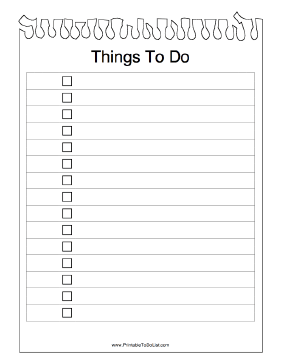

Blank Personal To Do List
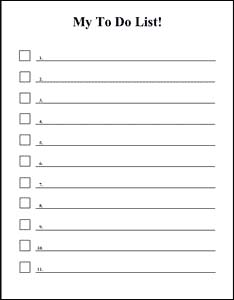
To Do List Example
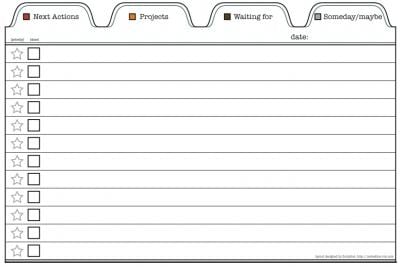
To Do List PDF
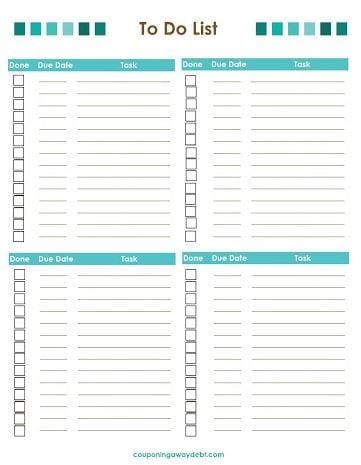
Printable To Do List
To-do list questions
Should everything on my master list be on today’s list?
No. Use the master list to hold future actions and choose a realistic daily selection based on commitments and available time.
What if I keep postponing the same item?
Clarify the next action, identify missing inputs, and decide whether it still matters. Do not automatically copy a vague item to another day.
Do all tasks need a deadline?
No. Use genuine deadlines where they exist. A review date or category may be more useful for an action without a fixed due date.
Is a to-do list a replacement for a calendar?
No. A time-specific appointment needs the appropriate calendar or schedule. The list can hold preparation and follow-up actions.
Are all five resources editable Excel files?
No. The destinations and formats vary, including a DOC link, an older Box destination, a stock-image page, and an unlinked graphic. Check the actual available resource.