
A daily log sheet template records actual events, observations or checkpoints for a particular day. Define the period and entry type, describe outcomes factually and leave unresolved work visible. The log should help another reader understand the record without confusing it with the day’s original plan.
Reference continuing assignments in a task list, record routine verification on a checklist and use a maintenance request for a newly observed facility issue. Keep the dated observation linked to the follow-up instead of rewriting history when the issue is resolved.
The previews below show sample layouts; use the download button under each preview that offers a file. Their destinations include general daily-log pages, a meal-log resource, a broader template collection, and a running-log page. Choose the resource that fits what you want to record; a meal or running log is not automatically a workplace operations record. Check the linked resource’s actual format before assuming every preview includes the same editable file.
For work, use the sheet to document a defined set of events or checks during the day. For personal use, keep the focus equally clear, such as recording study sessions or noting a routine. A completed log can inform tomorrow’s plans, but a list of intended tasks is a plan rather than evidence that those tasks occurred.
Free Daily Log Sheet (Word Template)
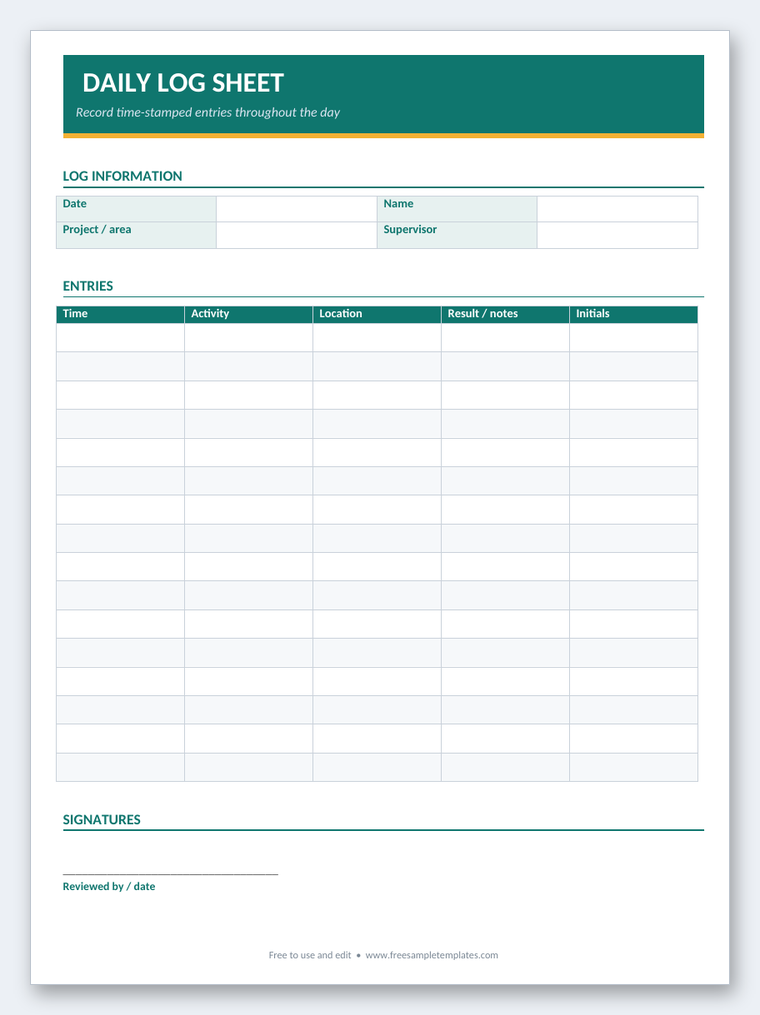
Download this ready-to-use, fully editable daily log sheet in Microsoft Word (.docx) format. Fill in the fields, adjust the layout to your needs, then print or save it.

Decide what the record is for
Begin with the question you want the sheet to answer. “Were today’s opening and closing checks completed?” produces a different layout from “How did I spend my working time?” A single sheet can become difficult to use if it tries to record every task, meal, expense, and conversation.
Define who will enter information and who will review it. A personal log may need only a date and brief notes. A shared work record may need the recorder’s name or role, the work area, and a clear process for flagging incomplete items. Include those fields because they serve the purpose, not because another template contains them.
Set the recording interval. Some logs use fixed checkpoints, such as opening, midday, and closing. Others add a row whenever an event occurs. A daily summary can be sufficient for low-detail personal records, while a sequence of important events needs times or other references.
For detailed time-by-time activity records, compare the daily activity log templates. This page focuses on a one-day record of selected events or checks. Keeping that distinction clear helps you choose a layout with the right amount of detail.
Fields for a useful one-day log
Put the date prominently at the top. Add the location, project, department, or personal focus when the same form is used in more than one setting. A sheet labeled only “Monday” can be difficult to identify several weeks later.
Use a time or checkpoint field when sequence matters. Decide whether the time means the event occurred, the check was completed, or the entry was written. Those meanings can differ. If you record an event later, keep the distinction clear instead of presenting the recording time as the event time.
The description field should identify the action or observation. “Reviewed deliveries awaiting confirmation” is more useful than “administration.” A status field can show completed, pending, or requiring follow-up, provided the users share the same definitions.
Add an outcome or note field for information needed by the next reader. For unresolved work, identify an owner and next action when appropriate. A log that says “problem found” but gives no location or follow-up reference may record concern without helping anyone respond.
Use units and reference numbers consistently. If you record quantities, define what is counted. If an entry concerns a request or work order, include its identifier rather than copying every detail into the log.
Example: a small office’s daily check record
Imagine a small office using a log to record opening arrangements, shared equipment issues, and end-of-day handover. Its sheet might identify the date and office area, then use rows with a checkpoint, observation, status, and follow-up owner.
An opening entry could read: “08:45 — Shared meeting room checked; projector remote missing; pending; facilities contact asked to locate replacement.” This tells the next reader what was checked, what was found, and what action is already underway. It does not imply that the problem has been resolved.
A midday entry could read: “12:30 — Delivery register reviewed; two parcels awaiting recipient collection; reception to notify named recipients through the usual channel.” Personal contact details need not be copied into the general log when the delivery system already holds them.
A closing entry could read: “17:15 — Projector remote located and returned; meeting room ready; completed.” Reference the earlier entry if that helps connect the issue and resolution. Avoid deleting the opening observation simply because it was later resolved; the sequence is part of the day’s record.
These are fictional examples, not prescribed operational checks. Use your organization’s actual procedures and escalation routes. A generic log should support those procedures rather than claim to define the full standard for safety, security, or compliance.
Record facts separately from assumptions
Write what you observed or completed in plain language. “Printer displayed a paper-jam message at 10:10” is more precise than “Printer is defective.” The second statement may go beyond what the recorder knows.
If someone reports an event you did not observe, identify it as a report and follow the appropriate process. Do not turn an unverified comment into a confirmed incident merely because it appears in a formal-looking table. Use the separate incident or service system when detailed investigation is required.
Avoid unnecessary judgments about colleagues or clients. A general daily log should record relevant actions and outcomes, not private opinions. If information is sensitive, use the appropriate restricted record rather than a sheet displayed in a shared area.
An end-of-day summary can describe the main unresolved items and the next steps. It should agree with the detailed entries. Do not mark the whole day “complete” when a significant issue remains pending.
Keep planned work and completed work distinct
A daily log can include a planned checkpoint, but its completion field should reflect what actually happened. A prefilled row saying “opening check” is an instruction until someone records its outcome. Do not treat the existence of the row as evidence of completion.
If your main need is to arrange appointments and tasks before the day begins, use a daily schedule template. The schedule shows intentions and allocated time; the log shows the actual record. Comparing the two can help you understand delays without confusing planned hours with work performed.
When a task changes, record the relevant change and outcome. “Client meeting postponed to Thursday; revised invitation sent” gives a more useful account than leaving the original meeting marked as completed. Keep the record proportionate to the purpose.
For recurring checks, use a defined status vocabulary. “Not applicable” should mean the check genuinely did not apply, while “not completed” should mean it was required but not done. Combining the two labels can hide an important gap.
Personal logs and the mixed preview collection
A personal study log might record the subject, actual start and finish times, topic reviewed, and a brief note about what to revisit. A home-maintenance log could record the task completed and any item needing a later repair. Neither needs the same fields as a workplace handover sheet.
The linked meal-log resource is suitable to inspect when your purpose is recording meals. A blank record does not prescribe a diet or establish nutritional adequacy. If you are collecting information for a health professional, use the format and detail they request.
Similarly, the running-log destination concerns running records. A log can record distance, time, or personal observations, but it does not determine a safe training program or explain a symptom. Keep health-related information private and seek appropriate professional guidance when the question is medical.
Choose the layout by its purpose and available fields, not simply its color or appearance. If the relevant resource is unavailable or does not suit your needs, use the guidance to create a simple record without claiming that an unrelated preview provides the required file.
Handover and longer-term review
When the log is shared across shifts, identify what the next person needs to know: unresolved items, current status, and where to find supporting information. A detailed one-day record may need a short summary rather than requiring the next reader to scan every completed routine entry.
For a formal shift summary, the daily shift report templates provide a related starting point. Keep the underlying log available where appropriate so the summary can be checked. A report and a log can support each other without repeating every line.
For records that span several dates or serve a different register purpose, compare the log sheet templates. Use a consistent date and identifier system so separate daily sheets can be retrieved later. Decide how long to retain them under your own needs or organizational policy.
Look for recurring patterns during review, such as a repeated delay or an item that remains pending. Confirm the meaning of the entries before drawing conclusions. Missing entries may indicate missed recording rather than proof that no activity occurred.
Customize and maintain the sheet
Start with a small set of fields and try it for a representative day. Check whether users have enough writing space, whether times are understandable, and whether follow-up items can be found quickly. Remove fields that collect no useful information.
For a spreadsheet, confirm the date and time formats, row heights, and print area. For a paper sheet, check that the page can be read and written on at its intended size. A compact design that leaves no room for meaningful notes will encourage vague entries.
Record information close to the event where practical. If you correct a mistake, use the correction process appropriate to the setting and preserve any required history. Do not silently replace an important earlier observation with a different account.
At the end of the day, confirm that the date, relevant entries, and unresolved items are clear. Store the sheet where authorized readers can find it and where private information is appropriately protected. The best daily record is one people can complete accurately and use afterward.
Below Are Daily Log Sheet Templates
Daily log sheet questions
Is a daily log the same as a daily schedule?
No. A schedule plans intended activities and time. A log records actual events, checks, or outcomes. Clearly distinguish planned items from completed work when a sheet contains both.
What does a useful log entry include?
Include enough detail to identify the event or check, the relevant time or checkpoint, the outcome, and any necessary follow-up. Add a reference or owner when the next reader needs it.
Should I remove an issue once it is resolved?
Usually record the resolution as a later entry or status update while preserving the relevant history. Follow any correction and retention rules that apply to your workplace.
Can these previews be used for meals or running?
The collection includes meal-log and running-log destinations. Check those resources for their actual fields and format. A record template does not provide a diet or training prescription.
How does this differ from a daily activity log?
A daily activity log often emphasizes a detailed sequence of tasks and time spent. A daily log sheet can focus on selected checkpoints, observations, and outcomes for one day.
What should I do with an unresolved item at closing time?
Record its current status, the next action, and the responsible person or reference when appropriate. Use the normal escalation process rather than assuming that a note alone alerts the next shift.

