
A check register template tracks account transactions from a defined opening balance. Record checks, deposits, electronic payments and fees consistently, then distinguish cleared items from outstanding ones. Review the arithmetic and source records rather than assuming the worksheet balance equals available funds.
Compare paper layouts in the printable check register collection, prepare deposits with a deposit slip worksheet and reconcile entries using a bank statement comparison template. Keep transaction dates and clearance status separate so timing differences remain visible.
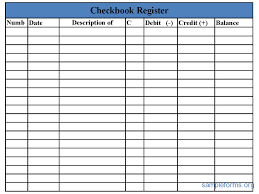
The five original previews below have mixed resources: a printable-paper page, a PDF, an XLS destination, a Google template route, and one unlinked download graphic. The collection does not establish that every example is an editable Excel file or that every resource remains accessible.
Use a payment history for payments associated with a particular obligation, an expense report for itemized spending and review, and a profit and loss statement for a period’s accounting result. A register follows account activity rather than substituting for those records.
What Is a Check Register?
A check register is a chronological record of transactions associated with a checking account or other account. It can be used to record checks written, deposits received, withdrawals, electronic payments, fees, and other account activity.
A checkbook register template is especially useful for maintaining a running balance. By entering each transaction promptly, you can estimate the available balance and compare your records with your bank statement.
Excel Check Register Template
An Excel check register template provides an efficient way to organize personal or business transactions. Spreadsheet formulas can automatically calculate the running balance when amounts are entered correctly.
This makes an Excel check register useful for people who want more than a simple handwritten record. You can customize the spreadsheet with transaction dates, check numbers, descriptions, deposits, withdrawals, and balances according to your needs.
Personal Check Register
A personal check register template can help individuals organize household finances and monitor activity in a checking account. Recording transactions regularly makes it easier to understand where money is being spent and identify payments that have not yet cleared.
A personal register can also complement online banking by providing your own record of transactions and expected balances.
Printable Check Register
A printable check register template is useful for people who prefer maintaining financial records on paper. You can print a blank register and enter transactions manually whenever checks are written, deposits are made, or withdrawals occur.
A printed checkbook register can be kept with financial records or stored in a convenient location for regular updating.
Check Register for Small Business
A business check register can help small businesses maintain an organized record of payments and account activity. It can be used alongside accounting software, bank statements, invoices, receipts, and other financial records.
Businesses should reconcile their records with official bank statements regularly to identify discrepancies and ensure that transactions have been recorded accurately.
Why Use a Check Register Template?
A check register provides a simple way to monitor financial activity and maintain a running balance. It can help you identify outstanding checks, track deposits, review spending, and prepare for account reconciliation.
These free check register templates provide different formats so you can choose a structure that fits your personal or business recordkeeping needs.
Establish the starting point
Identify the account without exposing unnecessary sensitive information. Record the opening date and balance from a known source, and define which transactions the register includes from that point onward. An unexplained opening figure can make every later calculated balance unreliable.
Keep accounts distinguishable. A transfer between two accounts belongs in each account’s appropriate record, but it is not automatically new income simply because one account receives it. Mixing several accounts into one running-balance column can hide which account a payment affects.
Use a consistent transaction convention
Decide whether deposits and payments use separate positive columns or a single signed-amount column. Label the convention clearly and use it consistently. A withdrawal entered with the wrong sign can increase the calculated balance instead of reducing it.
Record the transaction date, payee or source, amount, and a useful reference. Where the recorded date differs from the bank’s posting date, keep the distinction visible when needed. A check number identifies a particular item but is not the only reference relevant to electronic payments.
A cleared-status field can show whether an entry has matched the bank record. Define the mark’s meaning so that entered, pending, and posted are not confused. Recording a transaction yourself does not establish that it has settled.
Fictional example: recording an outstanding check
Imagine an invented register beginning at one thousand units of currency. A check for one hundred twenty is recorded when issued, reducing the register balance to eight hundred eighty. A deposit of two hundred then brings the calculated register balance to one thousand eighty.
If the bank record shows the deposit but the check has not posted, the bank’s recorded balance could be one thousand two hundred under these simplified assumptions. The one-hundred-twenty difference corresponds to the outstanding check. The example illustrates a timing difference, not a promise about actual available funds.
Later, a ten-unit fee appears on the bank record and belongs in the register. Entering that fee brings the calculated register balance to one thousand seventy. Do not enter the same check again merely because it now appears on the statement; match the existing entry and update its status.
Keep recorded and available balances distinct
The United States CFPB explains that transactions may not update immediately or in the order expected and that deposited money may not be immediately available. The bank’s account terms and actual status matter. A register alone cannot guarantee that a proposed transaction will avoid an overdraft or fee.
A register can help identify commitments you have recorded that do not yet appear in a posted bank balance. It still depends on complete entries and accurate information. Missing an automatic payment, fee, or other transaction can make the figure look higher than it should.
Use the institution’s current information and your outstanding transaction records when reviewing an account. Do not treat a calculated register balance, a posted balance, and an available balance as interchangeable labels for the same thing.
Reconcile against the bank record
Choose a statement period and compare each relevant entry with the bank’s record. Match amounts, references, and descriptions while allowing for legitimate timing differences. Identify outstanding items rather than forcing every entry to look posted at the statement date.
Add bank transactions missing from your register after checking their nature and accuracy. Investigate unexplained differences through the appropriate process. Changing a balance cell simply to make totals match conceals the issue instead of explaining it.
A completed reconciliation should identify its date and unresolved items. If another person reviews a business register, keep that review distinguishable from the person entering transactions. Agreement between two totals does not by itself establish that every underlying transaction was authorized or correctly classified.
Avoid duplicate entries and hidden corrections
An imported bank transaction may match an entry already recorded manually. Check the amount, reference, and context before adding it as a new item. Recording both as separate withdrawals understates the calculated balance and distorts transaction totals.
For an error, preserve a clear explanation of the correction according to your process. A changed amount should not silently remove the connection to the original event. Where a void or reversal needs recording, identify its relationship to the original transaction.
Do not assume an old outstanding check can simply be deleted. Follow the appropriate account and business process for its actual status. A template does not determine the legal effect of a check or the bank’s handling of it.
Inspect spreadsheet formulas and page layout
An XLS destination can supply a spreadsheet, but inspect the actual formulas and fields before adopting it. Check whether new rows are included, whether amounts are stored as numbers, and whether sorting preserves the intended running-balance logic.
A printable register needs room for references and clearing marks as well as amounts. If the form forces important notes into unreadable margins, adapt the layout. A compact design is useful only when entries remain clear enough to review.
Use invented transactions when evaluating a sample. Remove demonstration amounts before starting the live record, and confirm the actual opening balance. A plausible example number should never become the unexplained starting point for a real account.
Store and review the register carefully
Keep the file or paper record through the appropriate storage process. It can reveal payment patterns, payees, and account details even without containing credentials. Limit unnecessary sensitive information and do not put actual banking data into a publicly shared sample.
For business use, connect the register to the relevant accounting records and supporting documents. A register tracks account activity; it does not decide tax treatment, replace a complete ledger, or establish the business’s reporting obligations.
Review recurring omissions or matching problems and improve the workflow where needed. The practical value comes from timely entries, clear conventions, traceable corrections, and regular comparison with the institution’s records. The template supplies the structure while the actual information makes it useful.
Get Check Register Templates Below
Sample Check Register
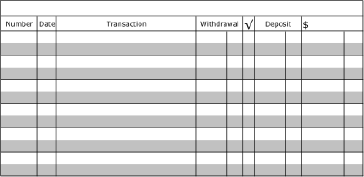

Check Register Editable Template
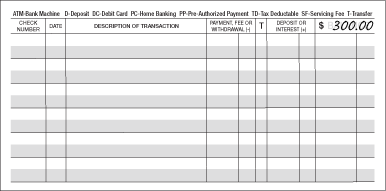

Check Register Printable Free
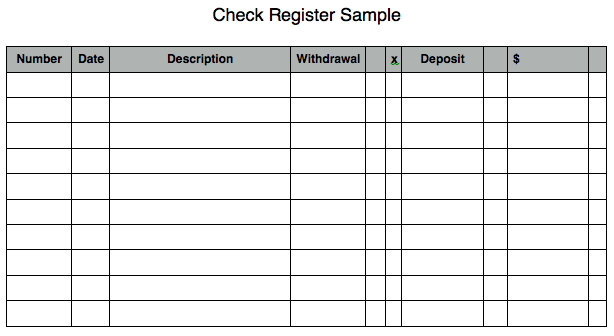
Excel Check Register For Personal Account
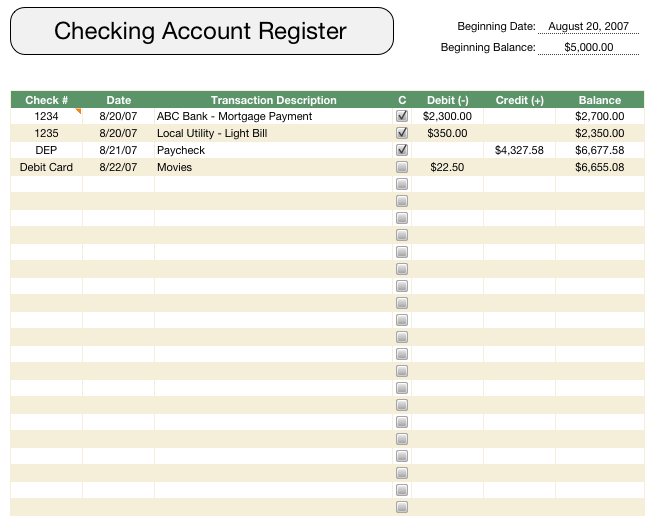
Checkbook Register
Frequently Asked Questions
Is a register balance the same as available funds?
No. Your calculated balance, the bank’s posted balance, and available funds can differ. Outstanding transactions and funds-availability conditions matter.
Can I record electronic payments as well as checks?
Yes. Use appropriate references and a consistent convention for deposits and payments so that all relevant account activity is distinguishable.
Does an Excel format guarantee correct balances?
No. Inspect formulas, added rows, data types, and the starting balance. A spreadsheet can calculate incorrectly when its inputs or references are wrong.
Should a check be entered twice when it clears?
Generally the posted item should be matched to its existing register entry. Adding it again as a new withdrawal would duplicate the same transaction.
What does a cleared mark mean?
Define it as a match to the relevant bank record in your workflow. It should not automatically mean that an expense was approved or correctly classified.
Are all five examples linked to spreadsheets?
No. The original resources are mixed, including a PDF, external pages, an XLS route, and an unlinked graphic.
Should I change the final balance to match a statement?
Investigate and explain the difference. Simply replacing the balance can conceal a missing item, duplicate entry, or timing difference.
Does the register replace business accounting records?
No. It can support account tracking and reconciliation while the business maintains the appropriate accounting and supporting records.


