A payment history template organizes dated transactions against a clearly defined account or obligation. Establish the opening position and connect each amount to its source. Keep refunds, reversals and corrections visible so a running balance can be checked instead of merely trusted.
Compare account movements with a check register, use a bank statement comparison worksheet for internal reconciliation and consult the promissory note guide when documenting a repayment promise. Keep agreed obligations separate from actual funding and confirmed payments.
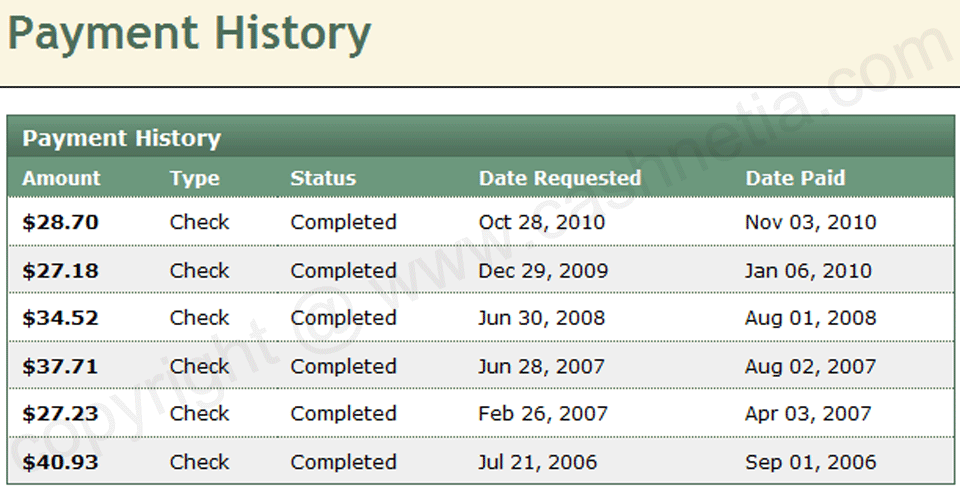
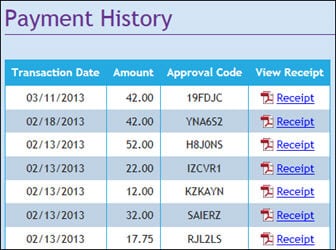
The three previews below show different payment-history layouts. Two resource graphics are unlinked, while the third leads to an external help page about a payment-history feature. This collection should therefore be treated as layout references rather than three confirmed editable downloads. A screenshot of an account feature does not supply a spreadsheet or certify a payment.
Focus this record on the sequence across time. A card payment form can document a particular transaction, and a service invoice records a billed amount. Use their identifiers in the history so the reader can trace a row to the original event without copying full payment credentials into another document.
What Is a Payment History?
A payment history is a chronological record showing payments made toward an account, invoice, loan, rent, service, or other financial obligation. Maintaining an accurate history makes it easier to see when payments were made, how much was paid, and whether any balance remains outstanding.
A payment history report can be particularly useful when multiple payments occur over several weeks or months. Instead of searching through individual receipts or transaction records, all relevant payments can be organized in one document.
Payment History Template for Business
Businesses can use a payment history template to track customer payments against invoices or accounts. A business payment record may include the customer name, invoice number, payment date, amount received, payment method, remaining balance, and transaction reference.
Maintaining consistent payment records can help accounting staff monitor outstanding balances and quickly review a customer’s payment activity when necessary.
Rent Payment History Template
A rent payment history template can be useful for landlords and tenants who want to maintain a record of rental payments. It can document the rental period, payment date, amount paid, payment method, and remaining balance where applicable.
A rental payment record can also make it easier to review a tenant’s payment history without relying on scattered receipts or informal notes.
Loan and Installment Payment History
A loan payment history template can be used to organize recurring installment payments. Depending on the purpose, the record may show the payment date, installment amount, principal, interest, fees, and remaining balance.
For personal or business recordkeeping, maintaining an updated payment history can make it easier to understand the progress of an account and identify payments that still need attention.
Printable and Editable Payment History Form
An editable payment history form can be customized to match the type of payments being tracked. You can add account information, payment categories, balance fields, notes, and other relevant details.
A printable payment history template can also be useful when maintaining paper records. For digital accounting systems, the same information can be transferred into a spreadsheet or accounting application for more advanced tracking and calculations.
When recording financial information, check dates and amounts carefully and retain supporting receipts or transaction records where appropriate.
Define the account and the opening position
Start with the account or obligation the history describes, its currency, the period covered, and the opening balance with its source. A balance carried forward from an earlier record should identify that record or review date. Without that starting point, a final total can look convincing while excluding an earlier payment or charge.
Choose one clear purpose for the table. A list of payments received is not necessarily a complete account statement, because it may omit charges, refunds, or adjustments. If the document is intended to show a running amount due, define which types of entries affect that balance and label them separately. Do not present a payments-only list as the full financial position without explaining its limits.
For each payment, record the date, amount, currency, method or permitted transaction reference, the invoice or period it applies to, and the status supported by the source. Distinguish an expected payment from a received one. A future installment schedule is a plan; it should not appear as completed history simply because the scheduled date has arrived.
Fictional example: three payments against one balance
Consider an invented customer account beginning with 500 due for an agreed invoice. The business records a confirmed payment of 150 on 4 March, leaving 350. A confirmed payment of 100 on 11 March leaves 250, and a confirmed payment of 200 on 18 March leaves 50. The three payments total 450, and 500 less 450 gives the remaining 50 in this simplified example.
Each row needs its actual source reference. A customer’s statement that they sent 200 is a reason to check the payment route, not automatically a confirmed receipt. If the amount cannot yet be matched, label the entry as awaiting reconciliation in a separate review area instead of reducing the balance without evidence.
Suppose the customer says that the remaining 50 was paid in cash. Staff follow the business’s actual cash-recording process and locate the supporting record before adding the confirmed entry. The history can reference a cash receipt where appropriate, but it must not invent a receipt number or recreate evidence for a payment that has not been verified.
The arithmetic here excludes fees, interest, currency conversion, and other adjustments. It explains a simple running balance rather than a universal account method. For an actual account, use the agreement and appropriate source records, and include the entry types your real process requires.
Keep allocations visible
One payment can cover more than one invoice or period. If a confirmed payment of 300 is allocated as 180 to one invoice and 120 to another, record the allocation so the full 300 is not counted twice. A transaction reference can appear alongside several allocation rows, but their total needs to reconcile to the amount being allocated.
A payment date and the period paid for are different facts. A rent payment received in April might relate to a March balance, while a current-period payment might arrive early. Record both where the account needs them instead of assuming the month of receipt determines the obligation. The history should show the actual allocation under the agreement.
For loans, do not assume that every payment reduces principal by its full amount. Use the account’s actual principal, interest, fee, and allocation information from the relevant records. A simple template does not supply an amortization method, determine an interest rate, or settle a dispute about the amount owed.
Review refunds, reversals, and corrections separately
Preserve the original payment event when a later refund or reversal occurs. Add the later event with its own date, reference, amount, and relationship to the earlier transaction. If a confirmed payment of 100 is later refunded in full, the history should explain both events rather than erase the original payment from view.
Keep corrections distinct from new financial events. Correcting a mistyped reference may change the documentation without changing the amount. Reversing a duplicate payment entry changes the recorded total because the same event had been counted twice. Record the reason for the correction through the approved process so a reviewer can understand why the balance changed.
An unclear entry should remain visible for investigation. Avoid forcing the balance to match an expected figure by adding an unexplained adjustment. Identify the source to review, the person responsible, and the next check. The purpose of reconciliation is to explain the difference, not to hide it beneath a neat total.
Check the history against its sources
Compare the period and totals to the relevant invoices, receipts, provider records, and account records. Confirm that payments are recorded once, allocated to the right obligation, and shown with the right status. A matching total alone does not prove that all individual entries are correct; two opposite mistakes can cancel each other numerically.
For a spreadsheet you create or adapt, check that the balance formulas include all intended rows and treat charges and payments consistently. Label the sign convention clearly. A positive payment column and a positive charge column can work, but the running-balance calculation needs to subtract and add them as intended. Do not rely on an image preview to establish that formulas exist.
Mark the period or cutoff date on a shared report. A history prepared on Monday may not include a payment confirmed on Tuesday, so readers need to know what the report covers. Keep the maintained source record and the shared report connected by a date or version, and protect the information according to the actual business process.
A self-prepared history is a summary of the records used to build it. It is not an official bank statement, a credit report, or independent proof of every payment. State the source and purpose accurately, retain the supporting references, and route unresolved account questions to the appropriate process owner instead of treating the template itself as the deciding authority.
Get Payment History Templates Here
Loan Payment History
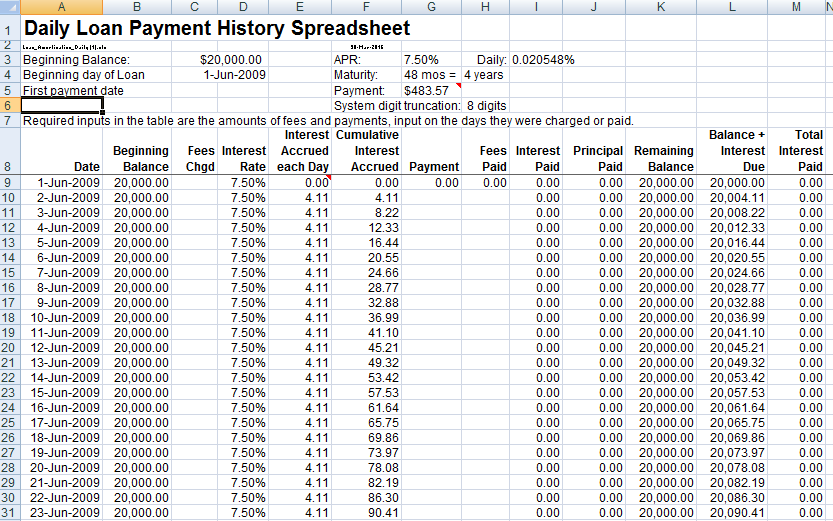

Payment History For Business Payments
Payment History With Receipts
Frequently Asked Questions
Are all three previews downloadable spreadsheets?
No. Two resource graphics are unlinked and the third leads to an external help page. The previews are layout references and do not establish an editable file format.
What should the opening balance show?
Identify the amount, currency, cutoff date, and supporting source. A running balance needs a reliable starting position as well as correct later entries.
Should scheduled payments appear as completed history?
No. Keep expected installments separate from confirmed payment events. A due date arriving does not prove that a payment was received.
How do I record one payment covering several invoices?
Show each allocation and reconcile their total to the payment. Use the source reference to connect the rows without counting the same payment twice.
Is the payment month always the period being paid?
No. Record the receipt date separately from the invoice or period allocation where needed. An April receipt may relate to an earlier balance.
How should a refund appear?
Preserve the original payment and add a separate refund event with its own date and reference, linked to the earlier transaction.
Can I subtract every loan payment fully from principal?
Use the account’s actual allocation records. A payment may contain principal, interest, or fees; the template does not determine that split.
Is my completed history an official bank statement?
No. It is a summary prepared from its stated sources. Use original bank or provider records where an official record is required, and keep unresolved differences visible for review.