
A purchase order template identifies the requested goods or services, quantities, prices and delivery requirements in an ordering record. Reference the approved request and accepted pricing, and label revisions clearly. The order should make scope and status understandable to both buyer and supplier.
Use a requisition form for the internal need, a quotation for proposed pricing and an inventory worksheet for received stock. Carry matching item codes and units through the process while keeping requested, ordered and received quantities distinct.
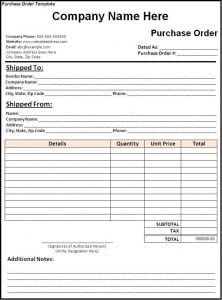
The original resource below has one linked image preview and a ZIP destination. The earlier text described both Word and Excel, while the preserved destination names an archive. Inspect its contents before assuming a particular editable format or automatic calculations.
A quotation records a supplier’s proposed offer, a service order organizes a service transaction, and an invoice records a request for payment in its defined context. A purchase order belongs to the buyer’s ordering process and should remain distinguishable from those documents.
Define the purchase and the parties
Identify the buyer and supplier accurately, using the names and contact details relevant to the transaction. Include a purchase order number and issue date according to the organization’s process. A unique reference helps people connect later correspondence, deliveries, and invoices to the intended order.
Specify the relevant supplier contact and the buyer’s ordering contact. These may differ from the people handling delivery or payment questions. Clear roles help direct a clarification to the right person without assuming that every contact has authority to amend the transaction.
Keep the buyer’s internal request distinguishable from an issued order. A department may request an item before the appropriate review occurs. Preparing a draft purchase order does not mean it has been approved for release or sent to the supplier.
Describe each line precisely
A useful line includes an item or service description, identifier where relevant, quantity, unit, and agreed or proposed price. Add the necessary specification so that the supplier can identify what is requested. A vague description can leave room for incompatible products or misunderstood services.
Use units consistently. Ten individual items are different from ten packs containing several items each. For a service, identify the scope and unit used for pricing, such as a defined deliverable or stated hours, rather than applying a goods quantity without explanation.
Reference supporting specifications when the detail will not fit comfortably in the table. Identify the version or date where conflicting documents could exist. A short item description can point to a separate approved specification without pretending the description contains every relevant condition.
Distinguish quoted and ordered information
Connect the order to the relevant quotation when the purchase follows one. Confirm which version is intended and identify any agreed changes. A newer quotation or revised scope can make an old reference inappropriate even when the supplier name remains the same.
Do not assume that sending an order resolves a difference between the order and supplier’s terms. Identify discrepancies and obtain the necessary clarification through the real process. A changed price, delivery date, or specification should not be hidden in a document that another person believes matches the quotation.
Keep estimates distinguishable from agreed amounts where the process allows provisional information. A purchase order should accurately describe the transaction’s current status. Filling every cell with a plausible number can be less useful than openly identifying an amount awaiting confirmation.
Record delivery and acceptance requirements
Specify the delivery location and the relevant receiving contact. Distinguish a requested arrival date from a supplier-confirmed commitment. A date entered by the buyer is not proof that the supplier has agreed to it or that delivery will occur.
Where staged delivery matters, identify the schedule and references needed for each part. Receiving one part of an order does not establish completion of the whole purchase. The receiving record should show what actually arrived and any issues still awaiting resolution.
Acceptance or inspection requirements need the actual applicable agreement and process. A general template does not decide whether a product meets a technical standard or who can accept it. Record the relevant requirements accurately rather than replacing them with a generic completion box.
Keep the legal effect qualified
An order may form part of a contractual arrangement, but its legal effect depends on the actual terms, acceptance, authority, and applicable law. This guide does not establish that a completed sample automatically binds both parties or guarantees a remedy if something goes wrong.
Australian business.gov.au guidance on preparing contracts emphasizes clear party details, the work or service, payment arrangements, and responsibilities. Those ideas can inform clear documentation while the applicable legal requirements still need to be considered for the actual transaction and jurisdiction.
If the purchase is material, unusual, or disputed, use the organization’s appropriate review process. Do not rely on decorative headings or a generic signature field to resolve incompatible terms. The document should record the real arrangement rather than make unsupported promises about enforceability.
Fictional example: ordering office storage boxes
Imagine an invented order for twelve storage boxes at fifteen units of currency each. The line total is one hundred eighty. A separately stated delivery charge of twenty brings the simplified total to two hundred before any other applicable items outside the example.
The buyer identifies the required dimensions and the delivery location. A requested delivery date appears as a request until the supplier confirms it. The example does not treat issuing the order as evidence that the boxes have arrived or that their suitability has been checked.
When eight boxes arrive, the receiving record identifies eight received and four outstanding. A supplier invoice can be reviewed against the relevant order and receipt information without falsely recording twelve received merely because twelve were ordered.
These figures demonstrate line totals and partial delivery only. They are not pricing benchmarks, tax instructions, or a complete contract. A real order needs the actual specifications, approved prices, applicable charges, and agreed requirements.
Make payment terms understandable
Identify the relevant payment arrangement and its source. Distinguish a deposit, staged payment, or later invoice where applicable. A purchase order total records the transaction’s stated amount; it does not by itself show how much has already been paid.
Clarify which event starts a payment period when the agreement requires that detail. Terms tied to receipt, approval, or another event should identify the actual trigger. Avoid copying a vague phrase whose meaning differs between the buyer and supplier.
Do not infer tax treatment from the template. Amounts, charges, and tax presentation need the applicable rules and the actual transaction. A generic table cannot determine whether a particular charge applies or whether a document meets a jurisdiction’s formal requirements.
Control approval and issue status
Use the organization’s authorized approval process before releasing an order where required. Record the actual decision and relevant reference. A preparer should not fill an approval field merely because the sample includes one or because the document would otherwise look unfinished.
Keep draft, approved, issued, acknowledged, and completed statuses distinct when the workflow uses them. Each describes a different event. A saved file can still be a draft, and an issued order can remain awaiting supplier clarification.
For amendments, identify the revised version and what it replaces. Communicate changes through the appropriate channel so that people do not act on conflicting quantities or dates. A new file name alone may not explain that an earlier instruction has changed.
Connect the order with later records
Use the order reference on relevant receiving and invoice records where the process requires it. Matching the purchase, actual receipt, and supplier claim can help identify quantity or price differences. The documents remain separate evidence of different events.
A price match does not prove that all goods were delivered, and a delivery record does not establish that every invoice line is correct. Review the appropriate details rather than reducing the whole process to agreement between grand totals.
If a discrepancy appears, record it and follow the applicable clarification process. Do not silently change the order to match an unexpected invoice or mark a delivery complete to remove an open item. Accurate status supports a more useful decision.
Inspect and adapt the archived resource
Review the ZIP contents and select a suitable file through your normal process. A preview shows the layout concept, while the actual file determines whether text, tables, or formulas can be edited. The destination name alone does not establish its features.
Adjust the layout for the actual purchase categories and instructions. Keep line descriptions, units, prices, addresses, and references readable. A compact page should not hide a specification or charge that another party needs to understand the order.
Remove sample names, dates, prices, and approval marks before preparing a blank master. Keep completed orders distinguishable from the reusable format. An old supplier detail copied into a new transaction can create confusion even when the table structure is otherwise useful.
Close the record accurately
At the end of the process, review outstanding quantities, unresolved discrepancies, and relevant payment references. Completion should reflect the actual workflow’s conditions. Ending a reporting period does not automatically close an undelivered item.
Preserve the order and supporting records according to the applicable business and legal requirements. This guide does not set one retention period for every organization. Traceable versions and references help later readers understand which arrangement was followed.
A practical purchase order makes a defined purchase easier to communicate and review. It does not guarantee correct delivery, payment, or a legal outcome. Its value comes from precise specifications, accurate terms, clear authority, and connections to what actually happened.
Download Purchase Order Template:

Frequently Asked Questions
Is a completed purchase order automatically a binding contract?
Its legal effect depends on the actual arrangement, terms, acceptance, authority, and applicable law. A generic completed layout does not settle those issues.
Is the original resource a Word or Excel file?
The preserved destination names a ZIP archive. Inspect its contents before assuming a specific file format or calculation features.
How is a purchase order different from an invoice?
The purchase order records the buyer’s ordering information. An invoice records a supplier’s request for payment in its defined context.
Should the order show pack sizes?
Yes, where they matter. Make the quantity and unit clear so that individual items and packs are not confused.
Does the requested delivery date mean the supplier agreed?
No. Keep a buyer’s requested date distinguishable from an actual supplier-confirmed commitment.
How should partial delivery be recorded?
Record the quantity actually received and the outstanding amount through the receiving process. Ordered quantity is not proof of received quantity.
Can I change an issued order?
Use the appropriate amendment and communication process. Identify the revised version and relevant changes so that users do not follow conflicting instructions.
What should I clear before reusing the layout?
Remove transaction-specific names, dates, quantities, prices, terms, and approval marks, then check the blank master’s current fields.

