
Credit card payment form templates help record provider-confirmed transactions, connect them to invoices and track later refunds. Keep requested, approved, successful and reversed amounts clearly labeled. A recorded payment attempt should never be counted as settled merely because the form is complete.
Use a service invoice to identify the charge, a sales receipt to acknowledge a completed sale and a sales log to review transactions across a period. Reference the provider outcome and invoice number without copying payment credentials into each record.
This page now includes two original downloads: Card Payment Allocation Record and Card Refund Tracking Record. Choose the Card Payment Allocation Record to apply one confirmed payment across invoice references. Choose the landscape Card Refund Tracking Record to distinguish a refund request, approval, and reported provider outcome.
The new files appear first with previews and clearly labeled download buttons. The original gallery and its resource examples follow the practical guide; descriptions of the older collection refer to that original gallery. The new PDFs have fillable fields; save a local copy, open it in a compatible PDF viewer, and review the saved result before printing or sharing.
Focus this record on payment status and allocation. Use the credit card form overview to compare document purposes, and the authorization form guide when recording permission for an agreed charge. A request to pay, a customer’s permission, and a successful transaction need separate labels even when they relate to the same invoice.
Two new templates to download
Choose the Card Payment Allocation Record to apply one confirmed payment across invoice references. Choose the landscape Card Refund Tracking Record to distinguish a refund request, approval, and reported provider outcome.
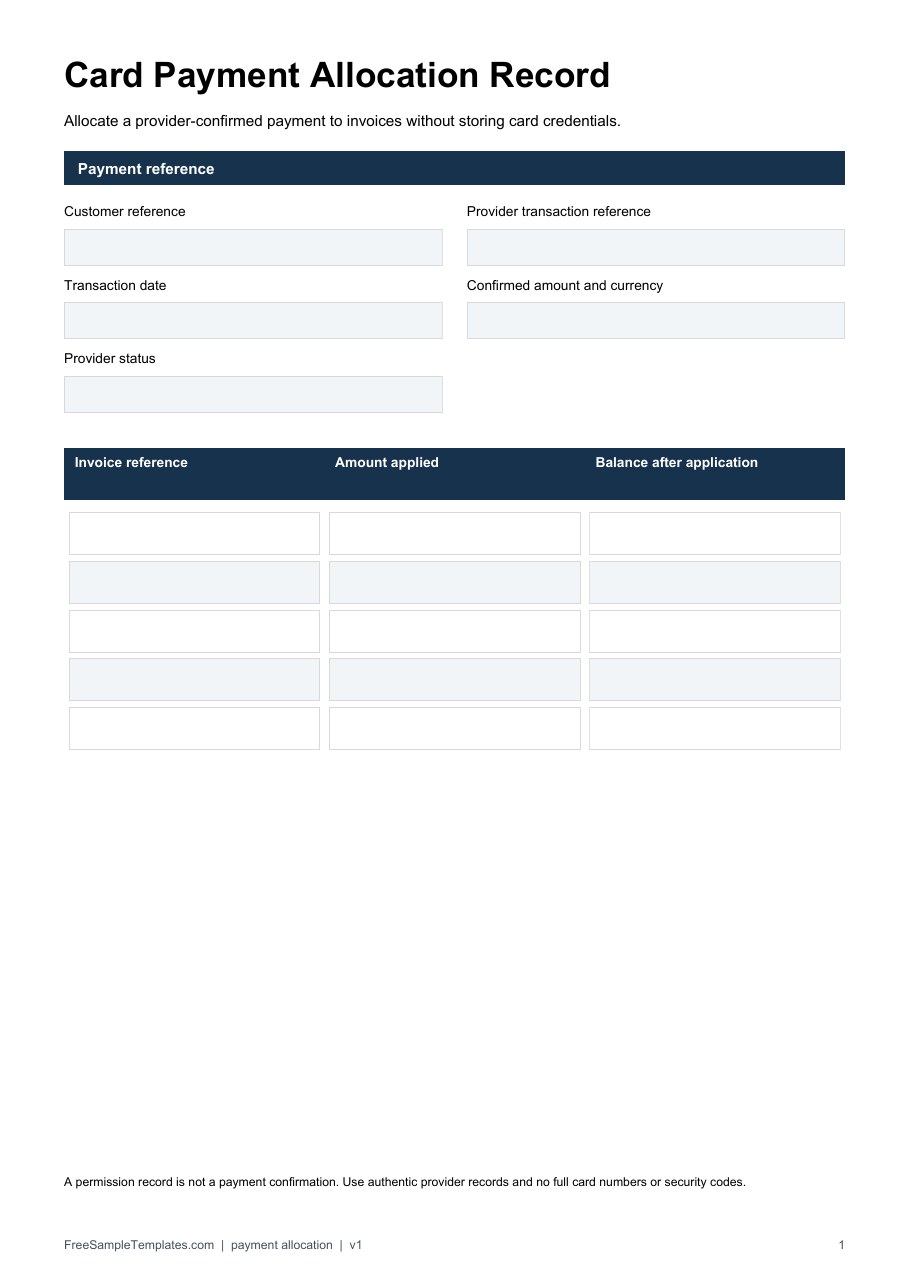
Card Payment Allocation Record
Allocate a provider-confirmed payment to invoices without storing card credentials.
Download Card Payment Allocation Record (PDF)
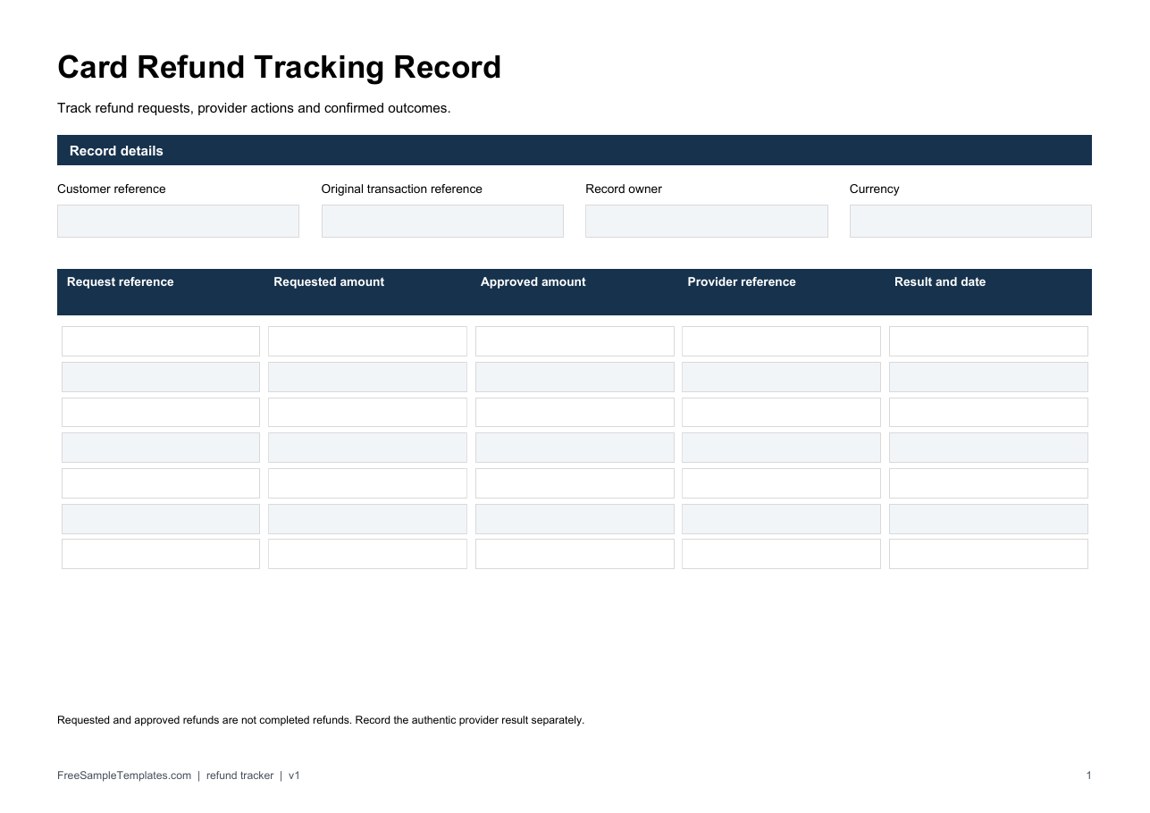
Card Refund Tracking Record
Track refund requests, provider actions and confirmed outcomes.
Download Card Refund Tracking Record (PDF)
How to use the new downloads
Copy the authentic provider transaction reference and result into the allocation record, then list how the amount is applied. Review the sum manually and keep the remaining invoice balances consistent with the accounting records. The refund tracker gives requested and approved amounts separate fields so an intended refund is not mistaken for a completed one.
For a fictional confirmed payment of 200 applied as 120 to invoice A and 80 to invoice B, the allocations account for the whole payment. If 30 is later requested as a refund, record the request before recording any actual provider result. These forms do not process charges or refunds and contain no fields for full card numbers, security codes, or PINs.
What Is a Credit Card Payment Form?
A credit card payment form is a document associated with collecting, documenting, or authorizing payment by credit card. Its exact purpose can vary depending on the business and transaction.
For example, a company may use a payment form when documenting a payment against an invoice, while a hotel, service provider, or event company might use a credit card authorization form for an approved charge.
Modern businesses increasingly process card payments through secure online payment gateways rather than asking customers to provide complete card information on ordinary documents. A template can still be useful for documenting the transaction or authorization, but it should be incorporated into a secure payment workflow.
When Do You Need a Credit Card Payment Form?
A payment form may be useful in several business situations, including:
- Customer payment documentation
- Invoice payment processing
- Service deposits
- Business account payments
- Reservation-related charges
- Event payments
- Recurring payment arrangements
- Payment authorization
- Internal transaction records
- Customer billing documentation
The appropriate form depends on the purpose. A simple payment record is different from an authorization form that gives a business permission to process a particular charge.
What Information Can a Payment Form Include?
The exact fields should be determined by your payment process. A well-designed credit card payment form template may include:
- Customer name
- Business or merchant name
- Billing information
- Invoice or account number
- Payment amount
- Payment date
- Description of the payment
- Authorization information
- Payment terms
- Signature or approval
- Contact information
- Transaction reference number
If cardholder data is required, use only the information necessary for the transaction and follow the requirements of your payment processor.
Do not assume that a generic Word or Excel form is an appropriate place to store sensitive cardholder information. A secure payment gateway is generally preferable for collecting payment-card data.
Credit Card Payment Form vs. Credit Card Authorization Form
These two terms are often confused.
A credit card payment form generally focuses on documenting or facilitating payment-related information. A credit card authorization form focuses on permission to process a charge.
For example, a customer paying an invoice may simply need a payment transaction through a secure payment system. A business that needs permission to charge a card for an agreed deposit or recurring service may require an authorization process.
The correct approach depends on your business model and payment processor.
Editable Credit Card Payment Form
An editable credit card payment form template can be customized to match your company’s branding and workflow. You can add your business name, logo, contact details, payment instructions, invoice fields, authorization terms, and other relevant information.
Before using the finished form, review every field and remove information that isn’t necessary. Keeping forms simple can reduce confusion and help employees and customers complete them correctly.
Printable Credit Card Payment Form
A printable credit card payment form can be useful for businesses that still use paper-based documentation. Printed forms may be appropriate for certain administrative processes, but completed documents containing sensitive payment information should be handled carefully.
Do not leave completed payment forms unattended, send sensitive card information through insecure email, or retain information longer than necessary.
For many modern businesses, an online payment portal is a better solution for actual card-data collection.
Credit Card Payment Forms for Small Businesses
Small businesses can benefit from standardized payment documentation because it creates a consistent process for handling transactions.
A small business might use a payment form alongside:
- Invoices
- Receipts
- Customer account records
- Service agreements
- Payment authorizations
- Deposit records
- Billing statements
Using consistent documents can make administrative work easier and help employees understand what information needs to be recorded for each transaction.
How to Customize a Credit Card Payment Form
Start by deciding exactly what you want the form to accomplish. If you only need a record of a payment, create a simple document containing customer, invoice, amount, date, and transaction-reference information.
If the purpose is authorization, clearly describe the charge and the conditions under which it may be processed.
Add your business name and contact details and customize the document’s headings and instructions. Remove unnecessary fields and make sure the language is easy for customers to understand.
If your form involves actual payment-card information, consult your payment processor’s requirements before implementing it. A template should support your payment system—not replace a secure payment-processing solution.
Benefits of Using a Credit Card Payment Form Template
Using a ready-made credit card payment template can offer several practical advantages:
- Saves time during document creation
- Provides a consistent business format
- Makes payment documentation easier to organize
- Helps standardize customer information
- Provides a starting point for authorization forms
- Can be customized for different transactions
- Can be adapted for printing or electronic use
- Helps small businesses establish repeatable administrative procedures
The biggest benefit is convenience, but payment security should always remain a priority.
Important: These are general-purpose templates and examples. They are not legal, financial, or payment-security advice. Businesses should follow their payment processor’s requirements, applicable regulations, and appropriate payment-card security standards.
Reconcile the payment to the right invoice
Use one reference for the invoice and another for the provider’s transaction. The invoice identifies what the customer owes; the transaction reference identifies the payment event. Record the amount and currency beside the reference, plus the date and the status observed in the provider’s system. A customer’s message saying “paid” can trigger a check, but should not replace that check.
In a fictional example, invoice INV-410 has an opening balance of 300. The provider reports a completed payment of 120 that the business allocates to that invoice, leaving 180 outstanding before any later adjustment. Record the 120 as an actual payment only when the relevant provider status supports it. An attempted payment of 120 that was declined does not reduce the balance.
If the customer pays several invoices together, document the allocation for each invoice so the sum matches the amount being allocated. For example, a confirmed payment of 200 could be assigned as 120 to one invoice and 80 to another. Do not record 200 against both invoices. Unallocated funds should remain visible for review rather than being assigned to an arbitrary invoice just to clear a spreadsheet row.
Use a payment history template for the continuing account view, retaining the references needed to trace each allocation. Keep this individual payment form focused on the event it describes. A register containing every customer’s balance and a form documenting one payment have different roles; linking their identifiers is clearer than duplicating the entire account history.
Distinguish attempts, outcomes, and later adjustments
Give the record explicit statuses such as awaiting confirmation, declined, completed, or refunded, using the provider’s terminology where relevant. Record when the status was observed and who reviewed it. Do not assume that every system uses the same meaning for “authorized,” “captured,” or “settled”; follow the actual provider’s definitions and workflow.
If confirmation is delayed, check the original attempt through the approved process before initiating another payment. A second attempt can create an unwanted duplicate if the first succeeds later. Record the original reference, the next check, and the responsible staff member rather than repeatedly submitting the same request because an email has not arrived.
A later refund or dispute should have its own reference and date. Preserve the original payment record and link the adjustment to it. Overwriting a completed amount with zero loses the history of what happened. For an illustrative refund of 20 from a completed 120 payment, record both events so staff can explain the net 100 while still tracing the original transaction.
Keep credentials out of the retained payment record
A transaction reference is useful for tracing a payment, but it is not a reason to copy card security data into the form. PCI SSC explains that sensitive authentication data must not be stored after authorization, even when encrypted and even where a full card number is absent. A token or transaction reference alongside a security code does not make retention of that code acceptable.
Use the provider’s approved process for any necessary collection of card information. The retained administrative form can focus on the permitted references, customer or account identifier, invoice allocation, amount, currency, dates, and review outcome. A polished template does not establish payment-security compliance, and an ordinary document should not be presented as a secure checkout.
Before releasing a blank master to staff, replace historical organization names and unrelated instructions with the actual process owner and contact route. Remove fields the record does not need. Make the difference between a customer instruction and a staff-only status note clear, so a blank signature or a copied example cannot be mistaken for a real customer’s authorization.
Credit Card Payment Form Sample
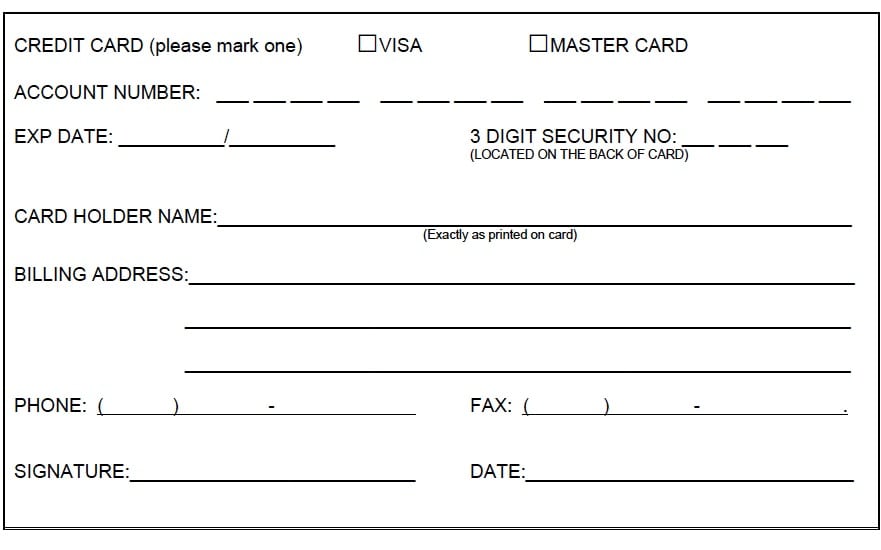

Credit Card Payment Authorization Form
Credit Card Payment Form Sample
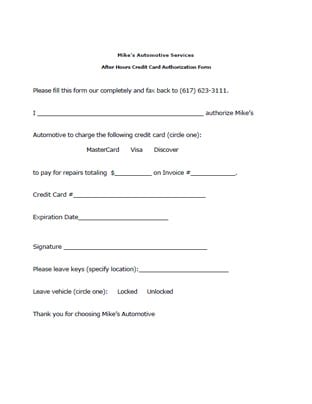
Credit Card Payment Form Authorization
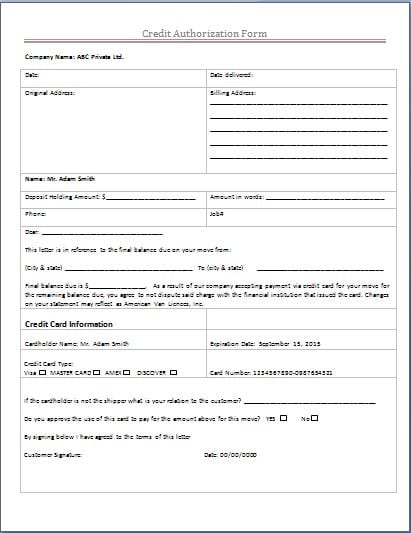
Credit Card Payment Form
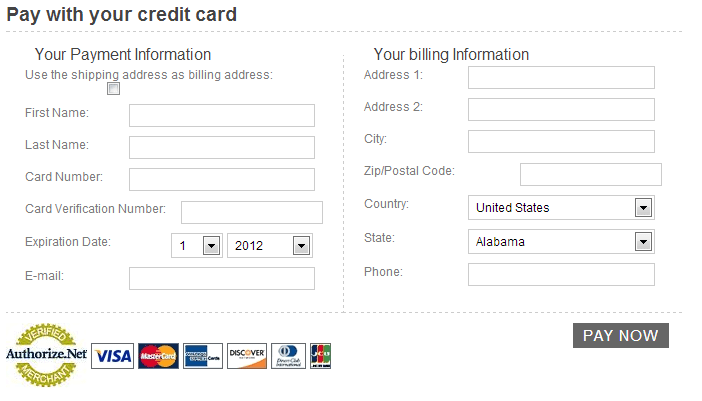
Frequently Asked Questions
What formats are the two new downloads?
The two new files are fillable PDFs with different purposes and matching previews. Open them in a compatible PDF viewer, complete the fields and save your copy. They are not DOCX files, and numerical PDF fields do not calculate totals automatically. The original gallery has its own mixed resources and formats.
Is a submitted form proof that an invoice was paid?
No. Check the provider’s actual transaction result and record its reference. A submitted instruction or attempted payment can still be pending or declined.
What is the difference between an invoice number and a transaction reference?
The invoice number identifies the amount owed for goods or services. The provider’s reference identifies a particular payment event. Retain both where needed to trace the allocation.
How do I allocate one payment across two invoices?
Record the amount assigned to each invoice and reconcile the total to the payment being allocated. Keep any unexplained remainder visible for review rather than assigning it without evidence.
Should I retry a payment that remains pending?
Check the original attempt through the provider’s approved process first. Record the reference and follow-up responsibility so a delay does not lead to an unintended duplicate.
How should I record a refund?
Create a separate adjustment entry with its own date and reference, linked to the original transaction. Preserve the original payment event instead of erasing it.
Does encryption permit storage of a card security code after authorization?
No. PCI DSS prohibits post-authorization storage of sensitive authentication data even when encrypted. Keep this retained administrative record separate from credential collection.
Can this form serve as a receipt?
Only record the outcome actually supported by the provider and your business process. A blank template, an authorization, or a payment request should not be presented as confirmation that funds were received.


