
A packing list template helps you compare what should be packed with what is actually in a bag or shipment. Use personal-item fields for travel and product quantities and package references for shipping. Decide the purpose first so the checklist supports the real task.
For business shipments, trace stock in an inventory spreadsheet and reference completed sales using a sales receipt. For travel, plan preparation time in a daily schedule. Keep a shipping contents record separate from a personal luggage checklist even when both use item rows.
This page contains six previews, including vacation, general-checklist, family and shipping labels. Four download graphics have external links whose destinations end in PDF filenames; two graphics do not have a download link attached. The collection is therefore a mix of travel and shipping examples rather than six editable business forms. The previews and original resource links appear below the guidance.
Use a travel list to plan personal belongings and a shipping list to document goods being sent. A personal checklist can be checked before departure and again when repacking. A shipment record should describe the goods actually packed, so the recipient can compare the delivery with the order. These are separate uses of the same basic idea: make the contents visible and verifiable.
Choose a travel or shipment checklist
Start by writing the purpose at the top of your copy. For a trip, include the travelers, dates and relevant activities. For a shipment, identify the sender, recipient and order or shipment reference. A title such as Family weekend checklist is easier to interpret than an unlabeled page that combines clothing, supplier codes and customer addresses.
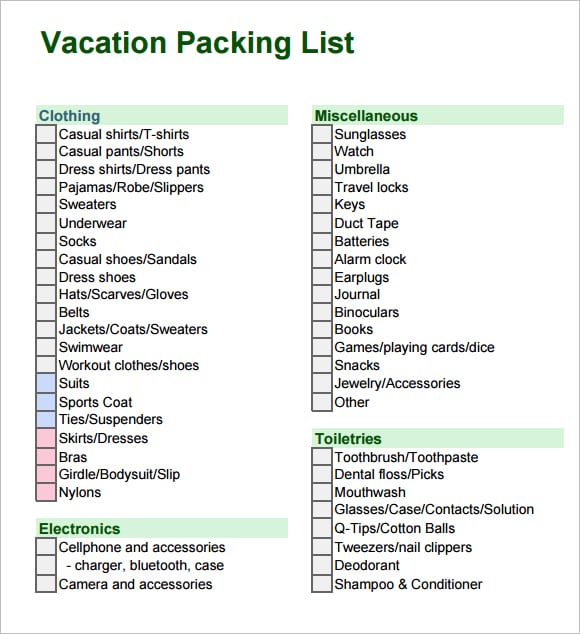
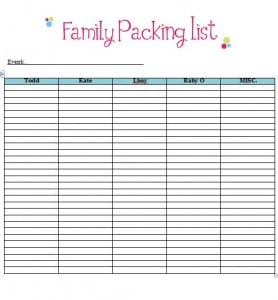
The vacation and family previews are starting points for personal preparation. Adapt their categories to the actual trip rather than assuming every printed item is essential. The shipping-labeled preview is a starting point for reviewing shipment fields. An image caption alone does not confirm that a linked resource meets a carrier’s or destination’s documentation requirements.
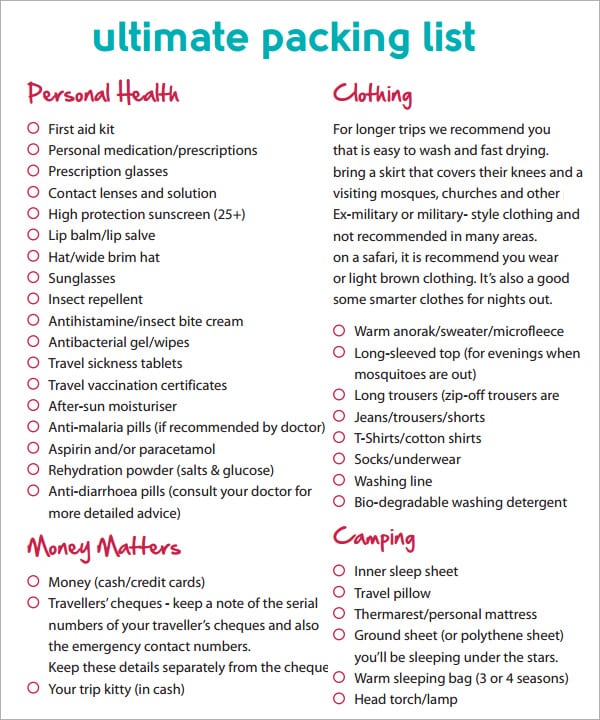
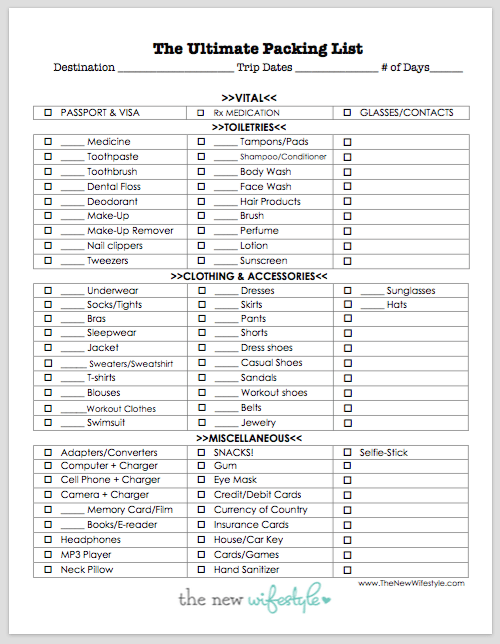
Rick Steves publishes a travel packing list organized around clothing, toiletries, documents and other trip items. Use such a list as a prompt to consider your own needs. A generic checklist cannot establish airline baggage allowances, border rules or whether a particular item is permitted. Check the responsible provider’s current instructions for those decisions.
Organize a personal packing checklist
Group the list into categories that make checking easier: clothing, footwear, toiletries, devices and chargers, documents, and activity-specific equipment. Within each category, write a clear item name and the quantity you plan to bring. Replace vague entries such as electronics with the particular device and the compatible accessory it needs.
Keep a distinction between planned, ready and packed. An item may be clean and waiting on a chair without being in the bag. If the layout has only one checkbox, define it as physically packed and use a separate note for preparation. This makes the final check mean the same thing for every row.
Put purchases or preparation work into a to-do list rather than filling the packing sheet with long reminders. For example, check that the charger works is a preparation task; charger packed is a packing status. Separating those actions gives you a shorter packing sheet while making the unfinished work visible.
A fictional family-trip example
Imagine two adults and one child preparing for a three-night stay with relatives. The adults decide to share a toiletry bag while each person has a separate clothing section. Their checklist records the owner, item, planned quantity and packed status. The shared section has one responsible adult so both people do not assume the other has packed it.
A sample row might read Child; sleepwear; two sets; packed. Another could read Shared; charging cable for family tablet; one; ready, not packed. The quantities are illustrative rather than a recommendation for every family or trip. The household should choose amounts based on the actual activities, needs and available arrangements.
Before leaving, the person responsible for the shared section checks it against the physical bag. On the return journey, the same list becomes a reminder to look for belongings in drawers, charging outlets and other places used during the stay. Add an item discovered during the trip to the blank master only if it is useful for future trips.
Handle shared items and last-minute additions
A shared-item section reduces duplicate packing when several people will use the same object. Give each shared item an owner and a bag location. Owner means the person who checks it, while location means where others can find it. Those labels answer different questions and are useful even on a small paper checklist.
Reserve a short section for items that cannot be packed early. Examples might include a currently charging device or something being used on departure morning. Write the specific item instead of a general reminder to check everything. Complete that section when the item is physically packed, then review the list for unchecked rows.
If a late addition replaces another item, update the sheet accordingly. Leaving both entries marked packed when one was removed makes the record misleading. A checklist works best when it reflects the bag’s actual contents, rather than every idea considered during planning. Keep optional ideas separate until you decide to bring them.
Keep useful information separate from the contents list
A packing checklist usually does not need identity-document numbers, account passwords or detailed private information. A simple reminder such as required travel documents checked may be sufficient for the preparation sheet. Keep actual documents and sensitive information according to your own appropriate arrangements instead of copying them into every printed checklist.
If several people need ordinary trip contacts, a contact information form can provide a separate reference for the host or agreed meeting point. Include only the information that serves that purpose. Separating contact details from item checkboxes keeps the packing page easier to scan and reduces unnecessary information on copies handed to others.
For a business shipment, similarly distinguish goods records from contact directories and payment records. The recipient’s delivery contact may be relevant, but unrelated customer notes are not. A document placed inside a parcel will be read by the recipient, so review the information from that perspective before printing it.
Use the existing shipping guidance for goods records
The following sections concern business shipments. They remain useful when you need to describe products and quantities, but they should not be read as a description of every travel preview in the collection. Review the selected layout and add the shipment fields your actual process requires.
For an order being fulfilled, use a purchase order as one reference for what was requested, then prepare the packing record from what is physically going into this shipment. If an order is split across deliveries, distinguish the current shipment from the full order. A list that repeats the ordered quantity without checking the cartons can conceal a partial delivery.
What Is a Packing List?
A packing list, sometimes called a packing slip, is a document included with a shipment that describes the contents of the package or order. It allows the recipient to check the delivered items against the order and identify missing, incorrect, or damaged products.
A packing list template is particularly useful for wholesalers, manufacturers, retailers, online businesses, exporters, distributors, warehouses, and suppliers that need consistent shipping documentation.
What Should a Packing List Include?
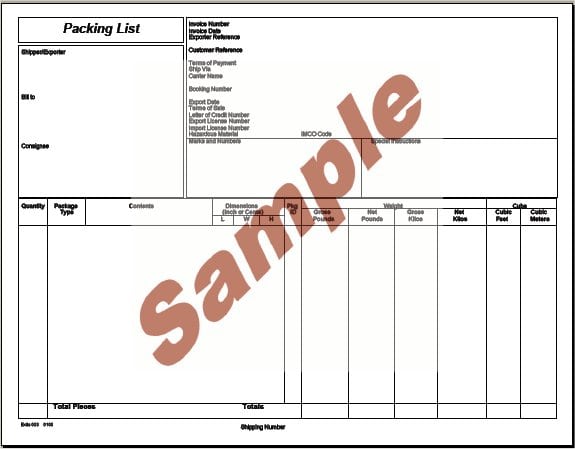
A professional packing list form generally includes the sender’s information, recipient’s information, shipping date, order or reference number, product descriptions, quantities, package details, and shipping information.
Depending on the type of shipment, you may also include item numbers, weights, dimensions, package numbers, special handling instructions, and other relevant information. The exact format should be adapted to your business and shipping requirements.
Free Packing List Templates for Business
A suitably structured packing list can help a business standardize its shipping records. If your selected file permits editing, adapt its sender, recipient, item and package fields to the actual shipment. The collection here also contains personal travel examples.
For businesses handling frequent orders, using the same packing slip template for each shipment can make warehouse and fulfillment procedures more consistent.
Packing List vs. Invoice
A packing list and an invoice serve different purposes. A packing list primarily identifies the physical contents of a shipment, while an invoice records the financial transaction and amount owed.
A shipment may therefore include both documents. The packing list helps the recipient verify what arrived, while the invoice provides billing information.
Keeping the two documents separate can make receiving and accounting processes easier to manage.
Packing List for International Shipping
A packing list for international shipping can be especially important because customs authorities, freight companies, and recipients may need detailed information about the contents of a shipment.
The International Trade Administration guidance on export documents describes export packing information including package counts, quantities, descriptions and net and gross weights. Depending on the shipment and destination, additional customs or commercial documentation may be required. A generic packing list should not be treated as a substitute for official customs documents or requirements.
For international shipments, make sure product descriptions, quantities, weights, package information, and other required details are accurate.
Printable and Editable Packing List Template
A printable packing list template can be printed and included with physical shipments. An editable version can be customized before printing or saved as a digital document for electronic recordkeeping.
A well-designed packing slip should be easy for warehouse employees and customers to read. Clear descriptions and accurate quantities can reduce confusion when shipments are received and checked.
Benefits of Using a Packing List Template
Using a standardized packing list form template can save time and improve shipping accuracy. It gives warehouse and fulfillment staff a consistent format for documenting each shipment and makes it easier for customers to verify delivered products.
A packing list can also help maintain better shipment records and provide useful information when investigating delivery discrepancies.
Before sending a shipment, review the product descriptions and quantities carefully. The packing list should accurately reflect what is actually packed in the shipment.
Packing List For Vacation

Ultimate Packing List Sample
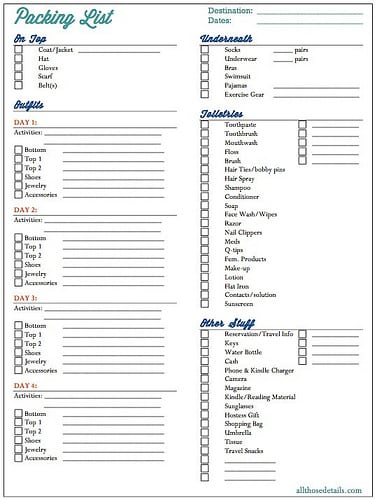
Packing CheckList
Family Packing List
Packing List Free Template
Shipping Packing List PDF
Packing list template FAQs
Does this collection contain only business shipping forms?
No. The six previews include vacation, family, general-checklist and shipping labels. Choose a travel layout for personal belongings and a shipment layout for goods records. The written guide covers both purposes so you can select the appropriate fields.
Are six editable downloads provided?
There are six previews, but only four download graphics have links attached. Those four destinations use PDF filenames. Two graphics are unlinked. An external PDF may be printable, but its filename does not establish that it offers editable form fields.
What should a personal packing checklist record?
Use clear item names, planned quantities, the person responsible where relevant and a defined packed status. A bag location can help with shared items. Put unfinished purchases or preparation tasks on a separate action list so the final checklist stays easy to scan.
How do I handle a partial shipment?
Record the goods actually packed for that shipment and identify its order reference. Make quantities and package references clear, and distinguish the current delivery from the entire order. Do not copy the full ordered quantity into a packing record unless it is all being shipped.
Is a packing list an invoice?
A packing list describes contents; an invoice supplies billing information. A shipment may need both, but they serve different purposes. Use consistent references so the recipient can connect the delivery with the order and the billing document without confusing their roles.
Does a generic packing list satisfy export requirements?
It is only a starting layout. Shipment, destination and product requirements can call for other documentation. Confirm the necessary details with the responsible carrier, customs resources or export adviser; a travel checklist or a generic business preview does not establish compliance.
Can I reuse the same travel list?
Yes. Keep a blank master and make a dated copy for each trip. Review the categories and quantities against the actual plans. Update the working copy when items are removed or added so its packed checkmarks describe what is really in the bags.
What should I check before printing?
Confirm the purpose, clear labels, readable rows and any necessary references. Remove unrelated private information. For shipment records, check actual contents and quantities; for personal lists, define what a tick means. Review page breaks so important headings or status columns are not cut off.


