
A task list template organizes specific actions with owners, dates, dependencies and status. Write each item so the next step and evidence of completion are clear. Review blocked and overdue work separately rather than relying on a single checked box for every outcome.
Record actual activity in a daily activity log, connect meeting decisions to a board agenda and use a checklist for repeated verification steps. A project task, a recurring check and an activity record need different labels even when they concern the same work.
The five previews below include a simple blank list, daily planner, project-related samples, a time-tracker destination, and an employee-task software page. Four previews have external links; the daily planner’s download graphic is unlinked. Check each destination for its actual format and features rather than assuming all five are Excel files.
This guide focuses on a structured task register. A short personal reminder list can use fewer fields, while a shared project needs clearer ownership and dependencies. A template can make work visible, but it does not guarantee that every task will be completed or remove the need to discuss competing priorities.
Write tasks as actions with a finish point
A useful task begins with an action and identifies the result. “Send the confirmed room booking to the workshop team” is clearer than “room.” The first statement tells the owner what to do and what completion means.
Break a broad goal into manageable actions without turning every small movement into a separate task. “Prepare the workshop” may need several steps, but “open the document” usually does not need its own row. Choose a level of detail that helps coordination.
Include a completion criterion when the task could otherwise be interpreted differently. “Draft submitted for review” and “final document approved” are separate states. Do not mark a task complete merely because an early draft exists when the expected result was approval.
Use the description to identify the work, not to hide a long discussion. Put detailed requirements in a linked or referenced document when appropriate. The task row should remain easy to scan.
Assign one accountable owner
For a shared task, identify the person responsible for moving it forward. Several people may contribute, but a row assigned only to “everyone” can leave follow-up unclear.
The owner does not have to perform every part personally. They need to understand the next step, coordinate the relevant input, and report the status through the team’s process. Confirm the assignment rather than assuming that entering someone’s name establishes agreement.
If a task is waiting on another person, keep the owner and dependency distinct. “Awaiting venue confirmation” describes the dependency; it does not mean that nobody is responsible for following up.
For personal use, an owner field may be unnecessary. Remove it if it adds no value. The same template can be simpler for one person without pretending that every setting needs project-management detail.
Dates, priority, and status serve different purposes
A due date identifies when a result is needed. A planned start date identifies when you expect to begin. A review date identifies when you will check progress. Do not use one unlabeled date column to mean all three.
Priority helps choose what deserves attention, but it should have a shared meaning. If every task is high priority, the label no longer helps. Consider real deadlines, dependencies, and consequences rather than the order in which someone remembers the tasks.
Status should show the current stage. A small vocabulary such as not started, in progress, waiting, and completed can be enough. Define “waiting” and identify the relevant dependency so the label does not become a place to hide stalled work.
A project task list can also include a reference, expected effort, and a brief completion note. Add those fields when they help planning or review. Avoid collecting data that nobody uses.
| Field | Question it answers |
|---|---|
| Task and finish point | What must be done? |
| Owner | Who moves it forward? |
| Due date | When is the result needed? |
| Status and dependency | What is happening or preventing progress? |
| Completion reference | How can the result be checked? |
A worked workshop-preparation list
Imagine a team preparing a small internal workshop. One task is to confirm the room, another is to circulate the final agenda, and a third is to prepare participant materials.
The room confirmation comes first because the invitation needs the location. The agenda can be drafted while the room is being checked, but the final circulation may depend on confirmed timing and presenter availability.
For the materials task, identify what the owner must produce and when it is needed. “Print the approved handout for the confirmed participant count” is more definite than “materials.” If the count changes, the owner knows which input affects the task.
A waiting entry could say “Venue request submitted; confirmation due for review on Wednesday.” That shows action already taken and the next check. It should not be marked completed until the agreed finish point is met.
These are fictional examples. Use the actual event requirements and team responsibilities. The list’s job is to expose the work and dependencies, not to establish an entire event procedure.
Fit the work to available time
An estimate helps you see whether the list is realistic. A day containing six hours of meetings cannot also hold six hours of focused project work. Do not turn every task into a promise to finish today simply because it appears on the list.
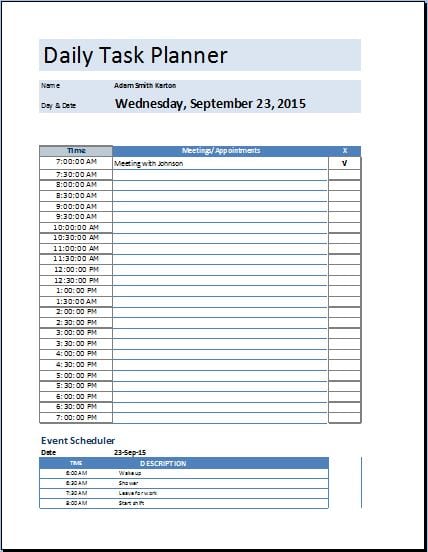
Use a daily schedule template when you need to allocate time for selected tasks and appointments. The task list holds the work record; the schedule reserves time. A task can remain open even when a planned work session has ended.
Distinguish estimated effort from elapsed calendar time. A task needing two hours of work may take several days if it depends on review. Recording both as “two hours” hides the waiting period.
If the work does not fit, discuss priority, scope, timing, or resources. Repeatedly moving the due date without understanding the cause does not solve the planning problem. Keep changes visible and agreed where appropriate.
Review dependencies before chasing progress
A dependent task may be blocked by information, access, approval, or another task. Identify the specific obstacle. “Blocked” without a reason gives the reviewer little to act on.
Ask whether the owner has what they need and whether the dependency still applies. Sometimes work can proceed in part, while another part remains waiting. Record that distinction instead of describing the whole task as either complete or impossible.
An action plan template can help organize a broader initiative with objectives, responsibilities, and review points. A task list then captures the specific actions within that plan. Keep the two consistent without duplicating every field.
For shared work, review unresolved items at a suitable interval. Focus on exceptions, decisions, and next steps rather than requiring a long report about every routine completed task.
Choose the resource that matches the workflow
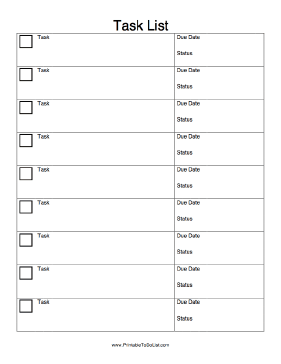
The simple blank preview may be a starting point for a small set of actions. The daily planner layout may suit short-term planning, but its unlinked graphic does not supply an attached file.
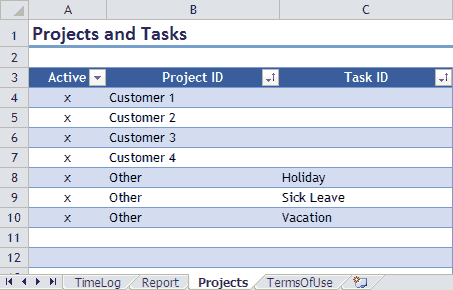
The project-related destination can help you inspect a structured example. Check its actual file and instructions. The gallery also includes a time-tracker destination, which concerns recording time rather than necessarily managing all task dependencies.
An employee-task software page is a product destination, not proof that a standalone template file is included. Review its current terms and features if you choose to explore it. This article does not establish that any specific paid service is required.
For a simple personal capture-and-review method, compare the to-do list templates. This task-list article emphasizes ownership, dates, status, and coordination so the two resources address different levels of detail.
Maintain a reliable shared record
Agree where the current list is kept and who can edit it. Several uncoordinated copies can give different answers about the same task. Use the team’s appropriate sharing process.
In a spreadsheet, keep each row’s fields together when sorting. Check that a name, date, and status do not become detached from the task description. Use consistent date formats and clear column headings.
Record completion in a way that preserves useful history. A completion date or reference can help later review. Do not delete every finished task immediately if the team needs to know what was done.
An employee task tracker should focus on legitimate work coordination and be handled appropriately. Avoid recording unnecessary private comments or treating a task status as a complete assessment of a person’s performance.
Review stale tasks. Some need a new action, some need a clarified decision, and some are no longer relevant. Remove or close them through an understandable process rather than letting the list grow indefinitely.
Common mistakes to correct
Vague descriptions make follow-up difficult. Replace broad nouns with an action and finish point. Unassigned work needs an accountable owner when the list is shared.
Unrealistic dates can make the record unreliable. Check the task’s inputs and expected effort before setting a deadline. A late task may need a decision about scope or priority, not only another reminder.
Overly detailed forms can become harder to maintain than the work itself. Keep the fields that serve planning and review. A clear, current task list is more useful than a complex file full of outdated status.
The previews below provide starting layouts. Select an available resource suited to the purpose, and use it to support conversations and action rather than assuming the template itself will complete the work.
Simple Blank Task List

Daily Task Planner
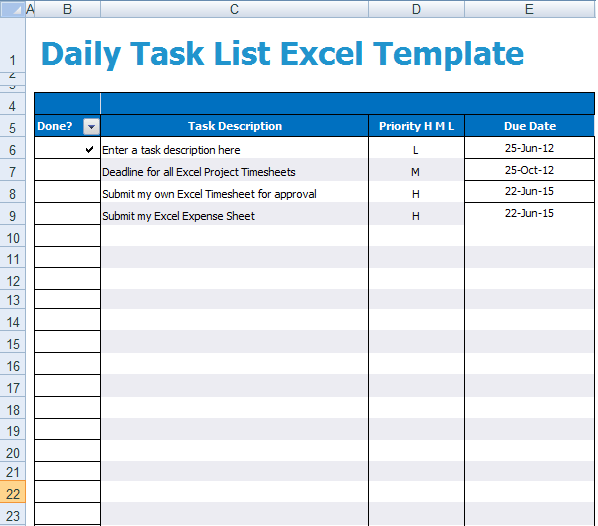
Task List Sample Template
Project Task List
Employee Task List
Task list questions
What makes a task description clear?
An action and an identifiable finish point. State what should be produced or completed rather than using a broad label such as “meeting” or “report.”
Should every shared task have several owners?
Identify one accountable owner where possible, even when several people contribute. Make dependencies and contributors clear without leaving follow-up assigned to everyone.
Is a due date the same as estimated effort?
No. The due date is a calendar requirement; effort is the work time expected. Waiting for inputs or review can make elapsed time longer than effort.
Are all five resources Excel task lists?
No. The destinations include printable or project resources, a time tracker, and a software page, with one unlinked graphic. Check the actual resource and format.
What should I do with a task that is waiting?
Record the specific dependency and next review or follow-up step. Keep the accountable owner clear and avoid using waiting as an unexplained permanent status.


